




Maximizing Security and Efficiency in Your Business with Linux
In the bustling digital marketplace of today, businesses are like ships navigating through a sea of data, facing storms of cyber threats...

Securing Linux/UNIX Systems: Best Practices for System Administrators
In an era where cyber threats loom at every corner of the digital space, the security of...

Cloud Migration Assessment in Linux Systems
Today, businesses are increasingly drawn towards cloud computing solutions to improve their scalability and operational efficiency. An...

Linux vs. Mac vs. Windows OS Guide
Linux, Windows, and MacOS are the three most prominent operating systems (OS) in the digital world, each...

Linux Leaps Ahead: Dynamic Future of Linux in 2024
As we journey through 2024, the world of Linux is witnessing a fascinating evolution, shaping the technology...

Mozilla Firefox 122: A New Milestone for Linux Users
The latest version of Mozilla Firefox, Firefox 122, is now available for download, marking a significant update...

Maximizing Your Security on Google Cloud: Essential Tips with Linux and...
Google Cloud is being extensively used by businesses to harness its capabilities as part of their cloud...

How To Install Kali Linux in VirtualBox (Step by Step)
The Debian-based Kali Linux is one of the best-known Linux distros among cybersecurity professionals. Previously known as...

Ad Network vs. Ad Exchange: differences & similarities
Programmatic advertising is a great way to create influencing and profitable marketing campaigns. As this concept gains...

AI Development and the Role of Linux
Linux is widely considered one of the most prominent operating systems in the world. Its open-source nature...
Enhancing User Experience: How Linux OS and Localization Drive Global Success
In the ever-evolving landscape of technology, user experience (UX) has emerged as a critical factor in determining...

The Importance of Permissions Auditing
Auditing is a fundamental process that applies to many industries and use cases. The basic understanding of...
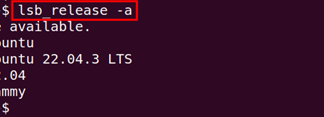
How To Install Linux, Apache, MySQL, and PHP (LAMP) Stack on...
LAMP is an abbreviation used for Linux, Apache, MySQL, and PHP. It is a powerful combination of technology in web development. Each...

How to Optimize Software Development Costs
In the dynamic world of software development, the key to success often lies in balancing quality with...

Future of DevOps: Top 6 DevOps Trends in 2024 & Beyond
In recent years, DevOps has emerged as one of the most used software development technology.It is the...
Advancement of AI: Machine Learning Examples in Real Life
User personalization or natural language processing (NLP) are all examples of machine learning (ML). We’ve already got...

Enhancing Security Measures: Best Practices for Linux Servers in WordPress Environments
In the ever-evolving landscape of web development, the synergy between Linux servers and WordPress has become a cornerstone for startups looking to establish a...
7 Reasons Why You Should Prefer Linux OS
Most users are content with either Windows or MacOS, as these are all they know. But what if you're tired of the hand-holding or...


