

Updated : 19/04/2012: Ubuntu 13.04 Raring Ringtail final is almost out. The final release it scheduled to be out in the 25th of April 2013. After you actually get done with the installation, there would likely exist a heap of things you still need to take care of. This post will share some interesting insight and ideas about what you can and should do after a successful installation.
If you have already a previous release of Ubuntu installed and you want to upgrade, then follow our step by step guide to upgrade to Ubuntu 13.04 Raring Ringtail.
First of things, after any fresh install, and before to start doing anything, check:
a- If sound is working, if not, check our previous post to resolve the issue.
b-If Wifi connexion speed is normal, if it is too slow, check our previous post to resolve the issue.
c- Install Updates: Just because you installed the latest version of the operating system doesn’t mean that you have all the upgrades to the softwares that were bundled. Bring up a terminal and run the following to get that fixed.
sudo apt-get update && sudo apt-get upgrade

Now lets start.
Must have configuration Tools
1- Ubuntu Tweak (Not ready yet for Ubuntu 13.04 Raring Ringtail)
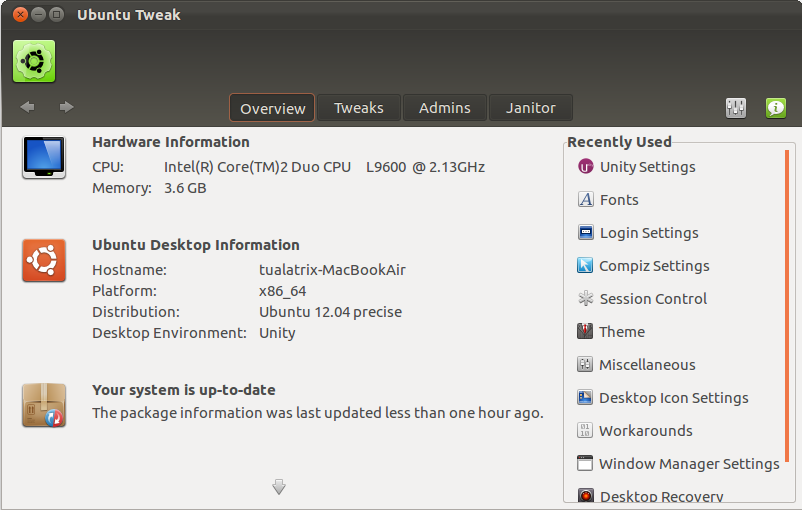
Ubuntu Tweak is a must have application for Ubuntu and LinuxMint, it is an application to config Ubuntu easier for everyone. It provides many useful desktop and system options that the default desktop environment doesn’t provide.
Using Ubuntu Tweak you can install all needed applications with a simple click, you can change the window buttons from Left to right…etc.
Read our Interview with Ding Zhou of Ubuntu Tweak
Install Ubuntu Tweak via PPA:
Open terminal and enter the following command:
sudo add-apt-repository ppa:tualatrix/ppa
sudo apt-get update
sudo apt-get install ubuntu-tweak
Most of the applications listed in this post, can be installed from Ubuntu Tweak Center with one click.
If you want to learn how to use Ubuntu Tweak read our previous post
2- MyUnity
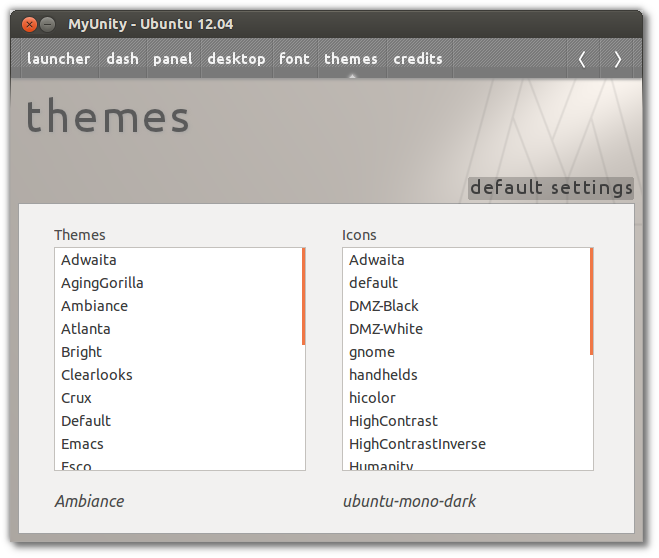
 MyUnity is a must have configuration tool for Unity ( change themes, icons, transparency…). More about what Unity can do, can be found on our previous post.
To install MyUnity on Precise Pangolin click this install link
Must have repositories -Medibuntu
3- Add Medibuntu repositories and activate Canonical partner repositories
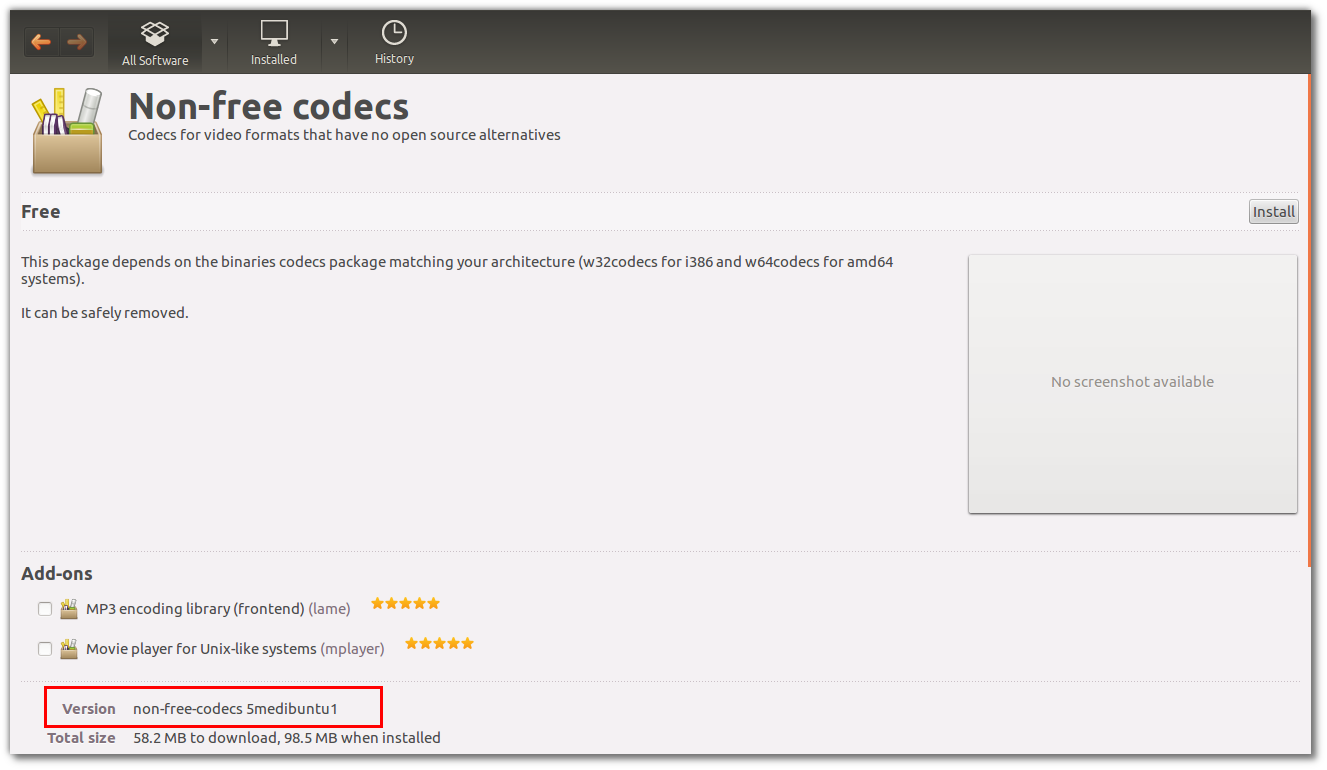
Medibuntu is a packaging project dedicated to distributing software that cannot be included in Ubuntu for various reasons, related to geographical variations in legislationMedibuntu regarding intellectual property, security and other issues. by adding Medibuntu repositories you will be able to install many softwares like Google-Earth , opera ,Win32codecs , Msfonts.
Click here and Follow the steps to add Medibuntu repositories to Ubuntu 13.04 Raring Ringtail
Don`t like Unity? Install Cinnamon, Gnome3 or switch back to classic Gnome
4- Install Cinnamon
Cinnamon is a Gnome 3 fork that allow you to have a panel at the bottom with a classic Menu, this is useful for people that want to use Ubuntu with a classic Bottom Menu.
sudo add-apt-repository ppa:gwendal-lebihan-dev/cinnamon-stable
sudo apt-get update
sudo apt-get install cinnamon
 5- Back to Gnome classic:
Install the classic GNOME desktop by installing the gnome-panel package
sudo apt-get install gnome-panel
Click to install gnome classic
6- Install Gnome3:
You can install Gnome3 in Ubuntu 12.04 from repository by using this simple command:
sudo apt-get install gnome-shell

Sys Monitoring & EyeCandy
7- Install Conky for Quantal Quetzal
Conky is a free, light-weight system monitor for X, that displays any information on your desktop. There are many nice themes available for conky that can display clock, CPU usage, ram usage, swap, disk, net and more. Check our previous post for installation and configuration of Conky in Ubuntu 12.04 and 12.10 Quantal Quetzal.

8- Change icons? Try these ones :
Wanna change the default icons to something that match your taste? Check this nice collection of icons for Ubuntu (PPA included)
Multimedia ( Don`t install everything, install just what you need)
9- VLC Media player:
 Unless you can use mplayer perfectly yourself, I recommend installing the vlc media player.
VLC is the best media player for Linux it play almost everything , he has many features that you can not find in any other media player , read this post if you want to know what vlc media player can do: 25 things you can do with VLC Media player!
You can install VLC from Ubuntu software center or via terminal by using the following command:
sudo apt-get install vlc
Or click to install vlc
10- Media centers: XMBC
XBMC is an award-winning free and open source (GPL) software media player and entertainment hub for digital media. XBMC is available for Linux, OSX, Windows, and the original Xbox. While XBMC functions very well as a standard media player application for your computer, it has been designed to be the perfect companion for your HTPC. Supporting an almost endless range of remote controls, and combined with its beautiful interface and powerful skinning engine, XBMC feels very natural to use from the couch and is the ideal solution for your home theater.
Open terminal and copy the following commands:
sudo add-apt-repository ppa:team-xbmc sudo apt-get update sudo apt-get install xbmc
11- Install common codecs
Perhaps installing a few common codecs might give you better sensibility of your system.
sudo apt-get install non-free-codecs libxine1-ffmpeg gxine mencoder totem-mozilla icedax tagtool easytag id3tool lame nautilus-script-audio-convert libmad0 mpg321 mpg123libjpeg-progs
12- To play encrypted DVDs, the libdvdcss2
To play encrypted DVDs, the libdvdcss2 package is essential. libdvdcss is a simple library designed for accessing DVDs like a block device without having to bother about the decryption.
If you already added Medibuntu repositories above, you can Install from software center or using the terminal by entering the following command:
sudo apt-get install libdvdcss2 && sudo /usr/share/doc/libdvdread4/./install-css.sh
13-Enabling Flash support on your browsers:
– For Ubuntu 32 bit & 64 bit : To be able to watch some videos and see flash website in your browser (firefox/ Chrome..), you need to install flash plugin, go to ubuntu software center and search word “flash” and install it.
Video Editors
14- Openshot video editor
 My favorite Video editor is Openshot, the best existing actually for Linux. You can install Openshot from Ubuntu software center, but if you want to install the latest release, you can do that by adding the following repositories:
sudo add-apt-repository ppa:jonoomph/openshot-edge sudo apt-get update sudo apt-get install openshot openshot-doc
Read also our interview with Jonathan Thomas the main developer of Openshot.
Torrents client
15-  Deluge- The best torrent client
The Deluge application was designed to be a full-featured BitTorrent client. Deluge uses libtorrent in it’s backend and PyGTK for it’s user interface, and is currently usable on POSIX-compliant operating systems. It is intended to bring a native, full-featured client to GTK desktop environments such as GNOME and Xfce. An official Windows port is also available.
Open terminal and type the follwing commands:
sudo add-apt-repository ppa:deluge-team/ppa
sudo apt-get update
sudo apt-get install deluge
Messenger
16- Pidgin : The best messenger client and 30 plugins, you can enjoy chat with freinds using voice and cam.
17– aMSN is a free windows Live Messenger clone. aMSN attempts to emulate the look and feel of Windows Live Messenger, and supports many of its features.
aMSN has features not present in Windows Live Messenger. Users can set alarms, are able to see others who have removed them from their contact list, and are able to open many profiles at once. It is also very customizable, with extensions and themes available at the main site.
18-Skype:
 If you’re want to install Skype, check our previous post: Howto- Install Skype in Ubuntu 13.04Precise Pangolin
Gaming & Emulators
19- Gaming made easy with playdeb (PPA)
 If you are a fun of gaming so is important to add Playdeb repositories to your Lucid Lynx. Playdeb is a gaming repository for Ubuntu – aimed to provide titles already available on getdeb.net in an easier to install and update format. You can install many games by a simple click.
Click to install PlayDeb repositories
20- Wine
 Wine enables Linux, Mac, FreeBSD, and Solaris users to run Windows applications without a copy of Microsoft Windows. Wine is free software under constant development. Other platforms may benefit as well.”
Please follow instructions in our previous post : how to install and configure games on wine
Sharing folders in Precise Pangolin
21- Smba share
In order to share folders in Precise Pangolin with other Linux and windows machines in your network, you will need to install and configure samba share, for instructions how to configure samba in Ubuntu check our previous post : Install and Configure Samba share in Ubuntu 12.04 Precise Pangolin | Howto
Extra application
22- Installing Archive Management Apps:
If you’re a frequent media downloader from the internet, you know how various forms archives can have. Installing the following will allow you to deal with most of these.
sudo apt-get install unace unrar zip unzip p7zip-full p7zip-rar sharutils rar uudeview mpack lha arj cabextract file-roller
23-Y PPA Manager:
Y PPA Manager is a GUI tool to easily add PPAs, search a package in all Launchpad PPAs, remove duplicate PPAs (only works with separate .list files), backup PPAs and other PPA-related tasks. Check out the Launchpad page for a complete features list.
sudo add-apt-repository ppa:webupd8team/y-ppa-manager sudo apt-get update sudo apt-get install y-ppa-manager
24- Install Java7
First you need to remove openjdk for this run the following command from your terminal
sudo apt-get purge openjdk*
Now you can install Java7 by adding the following repository:
sudo add-apt-repository ppa:webupd8team/java
sudo apt-get update
sudo apt-get install oracle-java7-installer
To remove Oracle Java 7, run this in terminal:
sudo apt-get remove oracle-java7-installer
25- Filezilla the best ftp client for linux
Filezilla is the best ftp client for Linux
Install via command line :
sudo apt-get install filezilla
26- DropBox:
Dropbox is a free service that lets you bring all your photos, docs, and videos anywhere. This means that any file you save to your Dropbox will automatically save to all your computers, phones and even the Dropbox website. Dropbox also makes it super easy to share with others, whether you’re a student or professional, parent or grandparent.
27 – VirtualBox:
If you want to run another OS in a virtual Machine, the best is to install Virtualbox.
For installation, follow the instructions in my previous post.
28- Cheese for your cam?
 Cheese uses your webcam to take photos and videos, applies fancy special effects and lets you share the fun with others.
29- Gimp:
 Regardless of whether you need to edit images daily on a professional level or just a hobbyist, GIMP is an essential tool for all.
sudo add-apt-repository ppa:matthaeus123/mrw-gimp-svn
sudo apt-get update
sudo apt-get install gimp gimp-data gimp-plugin-registry gimp-data-extras
30- Install Compiz
To install compiz use the following command:
sudo apt-get install compiz compizconfig-settings-manager compiz-plugins
For configuration, please check our previous post.
Other useful Internet applications:
- Opera : The fastest browser on Earth is even faster. But that is not all. Use Opera Turbo to double your page-download speed on slow connections.
- Google Chrome– web Browser from Google
- Google Earth– Travel to cities across the globe, dive into the depths of the ocean, explore remote islands, and even fly to faraway galaxies



