


Updated 12-10-2013: Conky is a free, light-weight system monitor for X, that displays any information on your desktop. There are many nice themes available for conky that can display clock, CPU usage, ram usage, swap, disk, net and more, one of these nice themes is Conky-Lua, this theme (See screensot bellow) allow you to display nice rings for Clock, cpu …, the theme is available for Ubuntu, Linuxmint, fedora, and Debian.
See also Next Generation, another nice conky theme from Conky-Lua author
In this post i will show you step by step on how to install and configure this awesome conky script called Conky-Lua. The installation has been done in Ubuntu 12.04 LTS Precise Pangolin also tested in Ubuntu 13.04 and Ubuntu 13.10 Saucy Salamander
Raring Ringtail. As usual, i tried to make the post newbies freindly
1- First of all we need to install conky, use the folowing command:
– For Ubuntu, LinuxMint and Debian use:
sudo apt-get install conky-all
-For Fedora use :
yum install conky-all
2- Download Conky-Loa from this Link
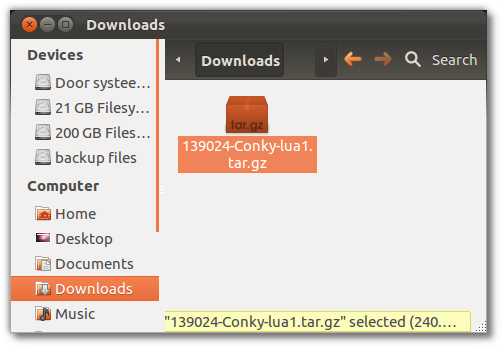
3- Now go to your Download folder and extract manually the file (double click on the archive or right click and select extract)
4- Now extract the 6 archives by selecting and extracting them
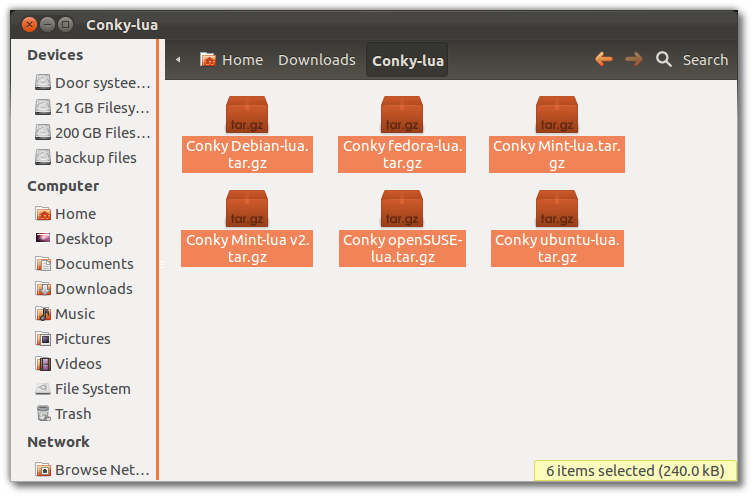
5- Now select the folder you need, for example if you want to install it on LinuxMint select Conky Mint-lua, for Ubuntu use Conky ubuntu-lua (In my case i`m installing this on Ubuntu 12.04 Precise Pangolin).
6-Now open the folder you chosed (For Ubuntu use : conky ubuntu-lua folder) and rename the file called conkyrc to .conkyrc, then move it to your home directory.
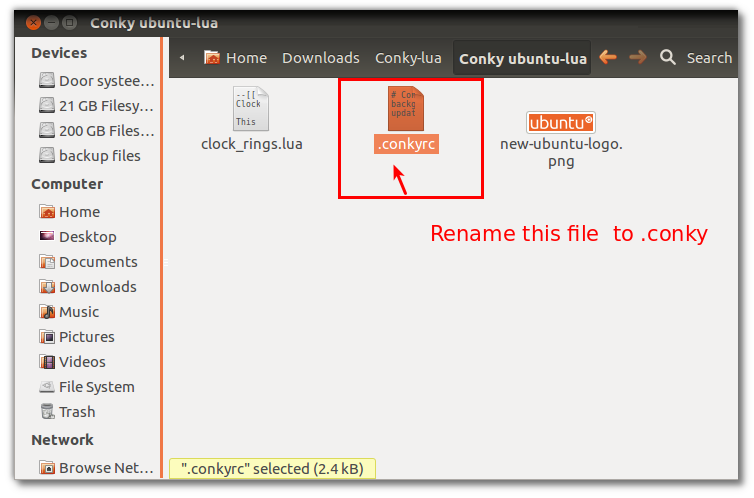
7- Now move the renamed file .conkyrc to your home directory
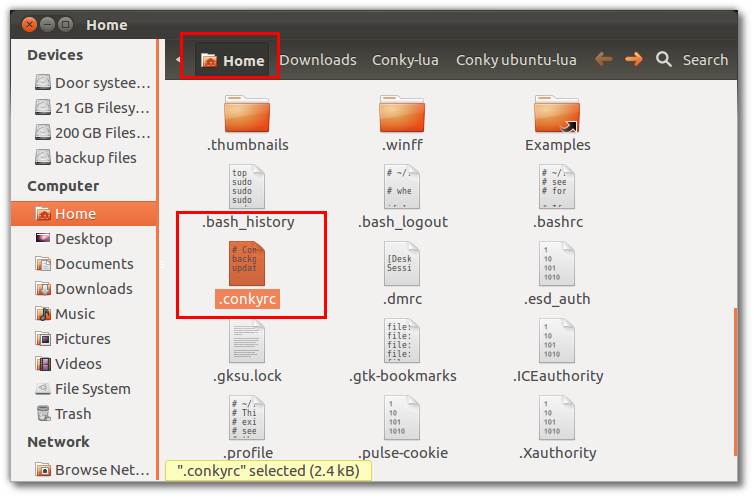
8- Now Open your home directory and unhide the folders, create a new folder called .conky and copy the other 2 files to this new folder(PNG image and clock_rings.lua).
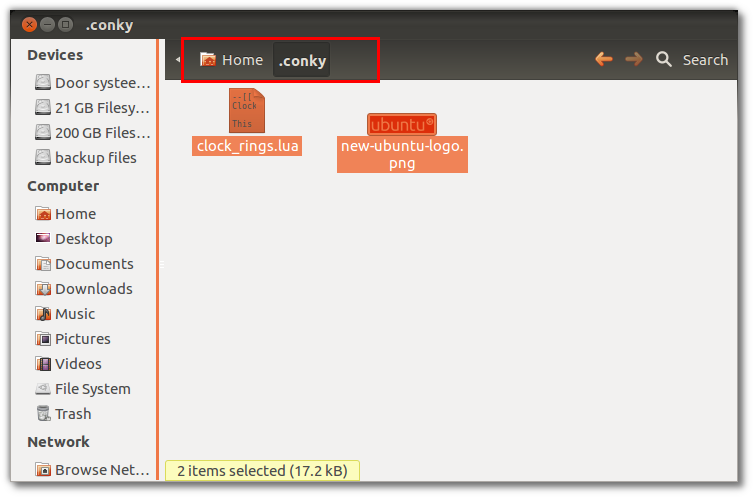
9- Now open the file .conkycr (Right click on the file and use open with text editor) to edit or by command :
gedit .conky
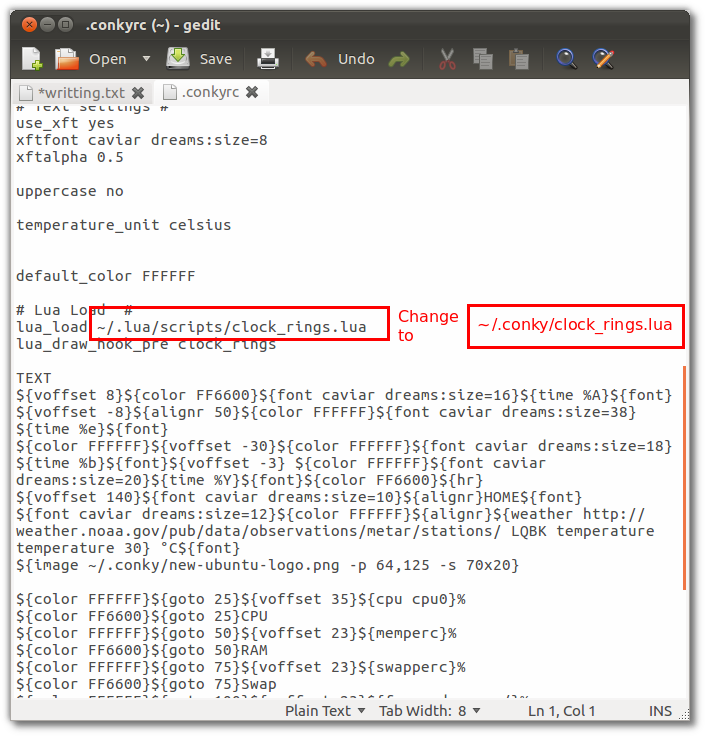
10- Now change the patch to the new one in the home folder (See screenshot bellow):
/~.lua/scripts/clock_rings.lua
 to
 ~/.conky/clock_rings.lua
11- Now open terminal and run conky
Update: If you are using wireless, and you want to have Net working on conky, edit .conkyrc and change eth0 with wlan0 (Thanks to Alius)
conky
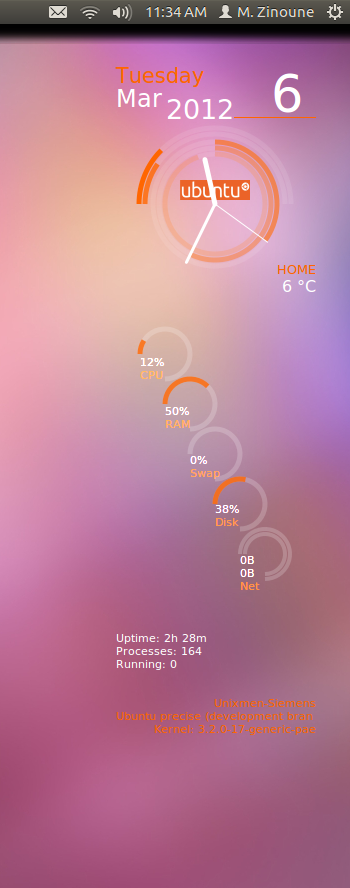

Enjoy.
Read also : Infinity- A stunning theme for conky | Ubuntu, LinuxMint & Fedora
 If you have any question or any help is needed, please use the forum to ask. Thanks



