


What Is Unity Online Search Feature?
The Unity search function is provided by Canonical Ltd. When you enter a search term into the dash, Ubuntu will search your Ubuntu computer and will record the search terms locally. Unless you have opted out, the search terms will be sent to productsearch.ubuntu.com link and selected third parties including Facebook, Twitter, BBC, and Amazon will review your search terms. Canonical and these selected third parties will collect your search terms and use them to provide you with search results while using Ubuntu.
For example, when I type Terminal in the Unity Dash, It displays the Terminal application, and other third party junks(which I don’t want always) from the web.
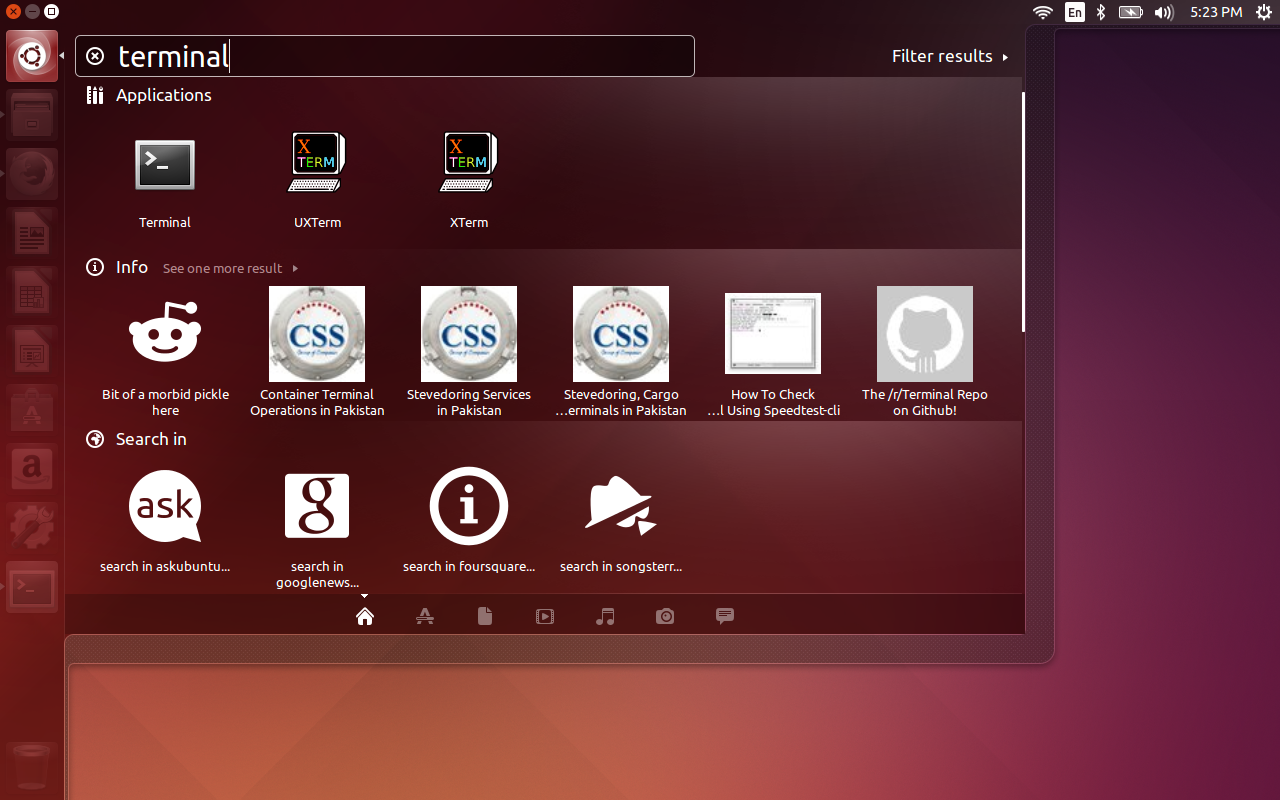
As you see in the above screenshot, Unity displays the built-in Terminal application, reference links, weather links and other third party suggestions such as movies etc. This is very annoying, and it displays too many results that makes me bit confusing.
Disable Unity online Search Feature
If you don’t like this feature and feel this is really annoying to you, you can disable it.
To do this, go to System Settings -> Security & Privacy ->Search. In the Search tab, toggle the ‘Include online search results’ option to off. Refer the following screen shot.
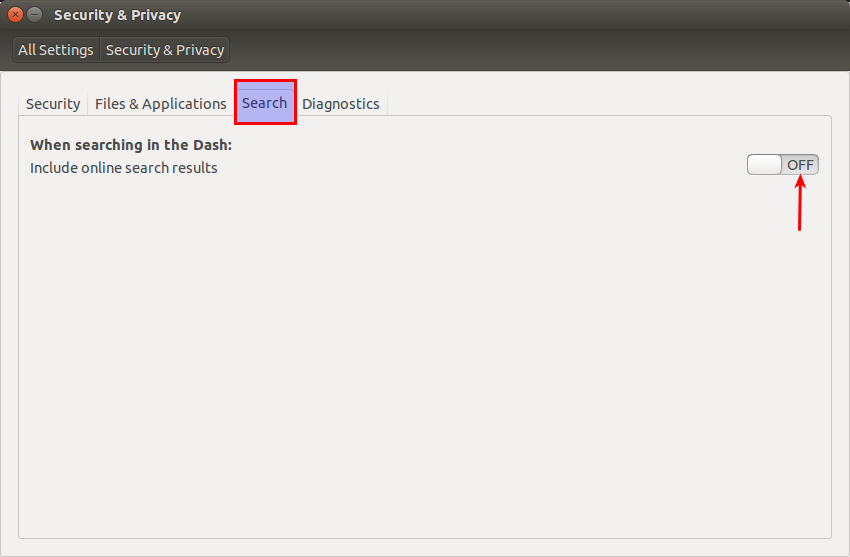
That’s it. Now, the online search has been disabled.
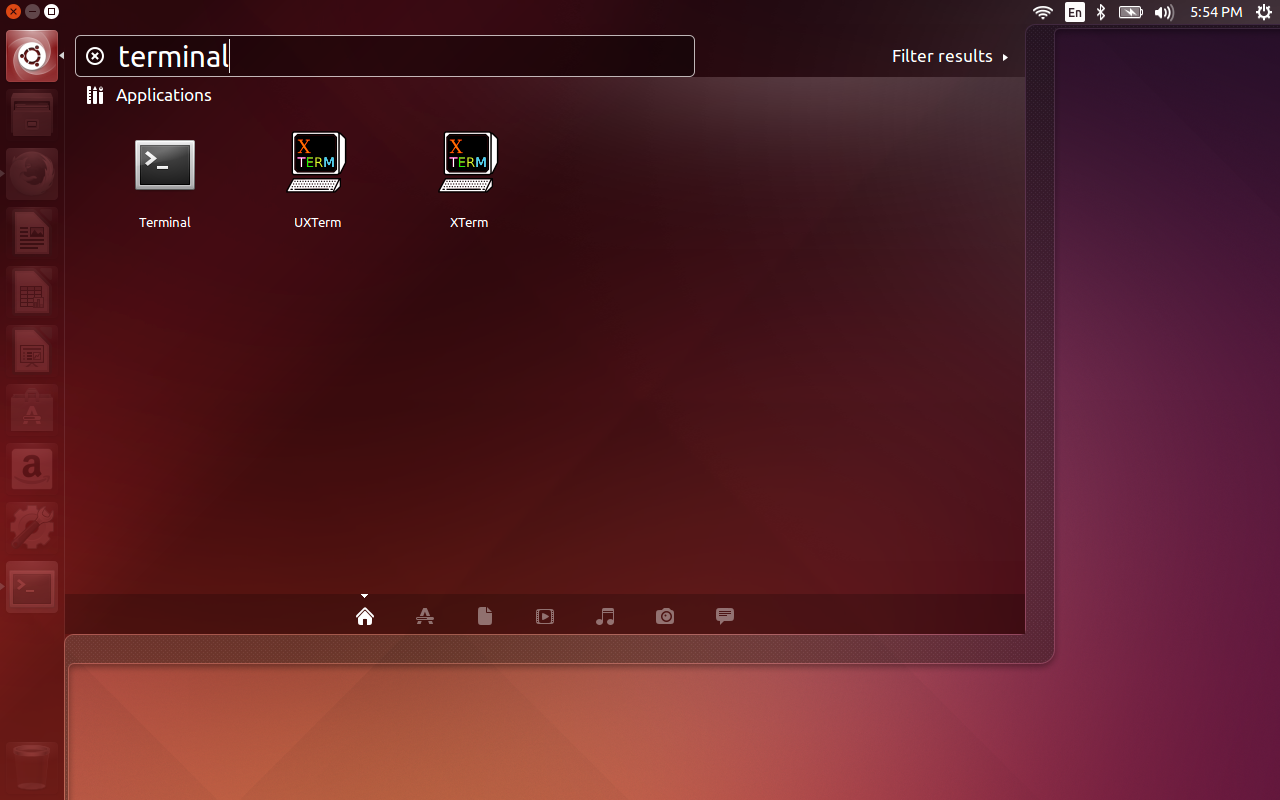
If you search again from the dash, any extra junk items will not be displayed.
Cheers!



