Huawei is one of the leading Chinese companies in manufacturing some cute electronics devices. Huawei USB modems are used mostly with Mobile Telecommunication Operators to provide Mobile Broadband internet access to their customers. This is achieved by inserting Mobile Operators SIM cards into these modems.
I use the same thing here in Ghana. Now the Mobile Partner applications designed by Huawei are not supported on Linux. Most of these software’s are targeted at Windows users. So what will an Ubuntu user do when he/she goes in for one these modems? Today am going to show how to easily use these USB modems in Ubuntu 13.04.
Things needed is a Huawei USB modem and any Mobile Telco Operator in your country’s SIM card inserted. Let’s get started.
Insert modem into any of the computers USB port. Wait for the computer to detect it.
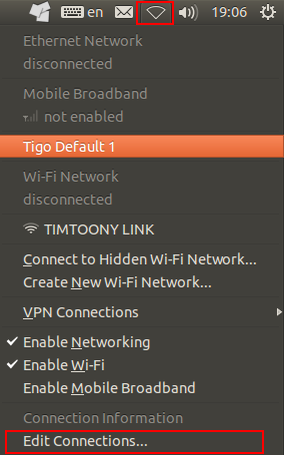
Click on the Cloud sign at the right top corner of the desktop, on the menu bar(see the red coloured square box) and select Edit Connections.
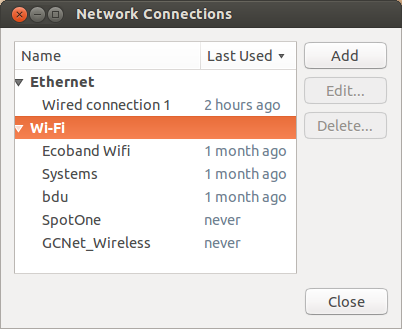
 Select Add to add a new connection.
 Click on Ethernet to pop-up other options in the list.
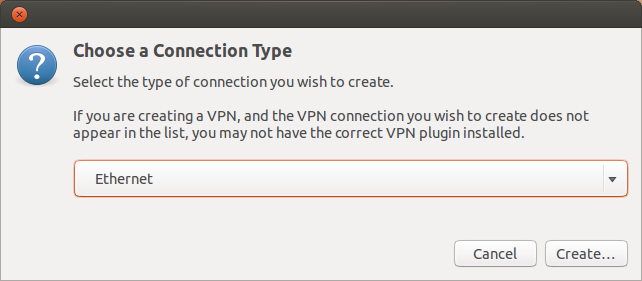
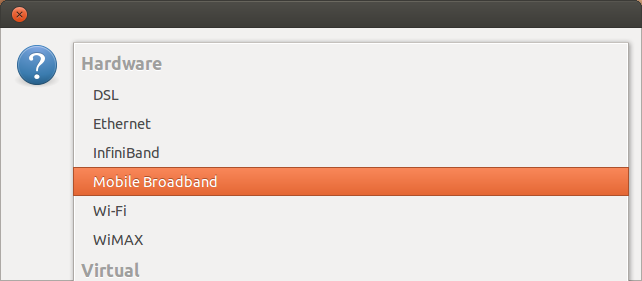
Select Mobile Broadband, then Click Create.
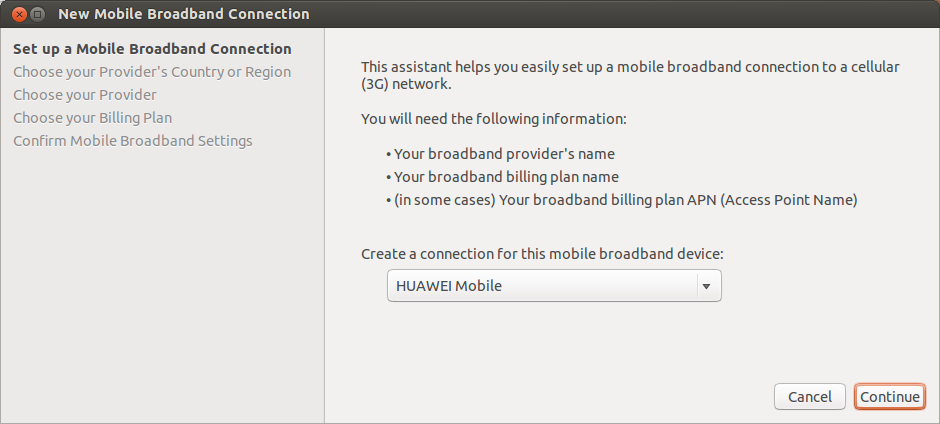
Device is automatically detected.
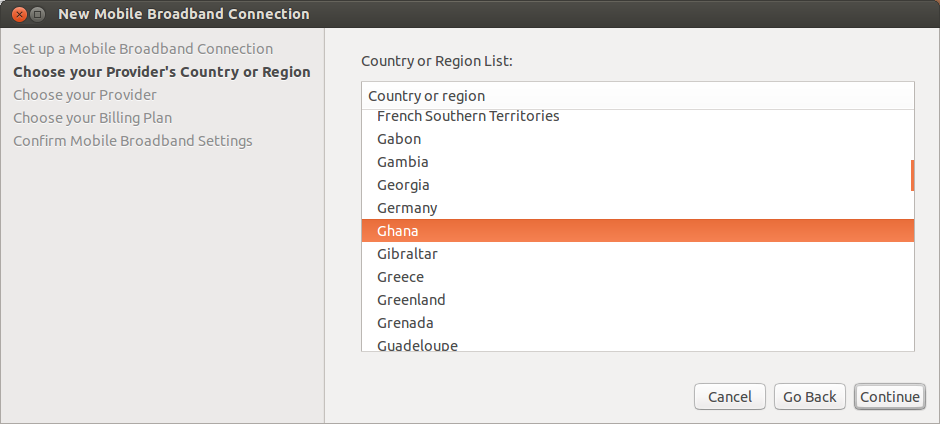
Choose your country (Am in Ghana hence I have chosen it). Click Continue.
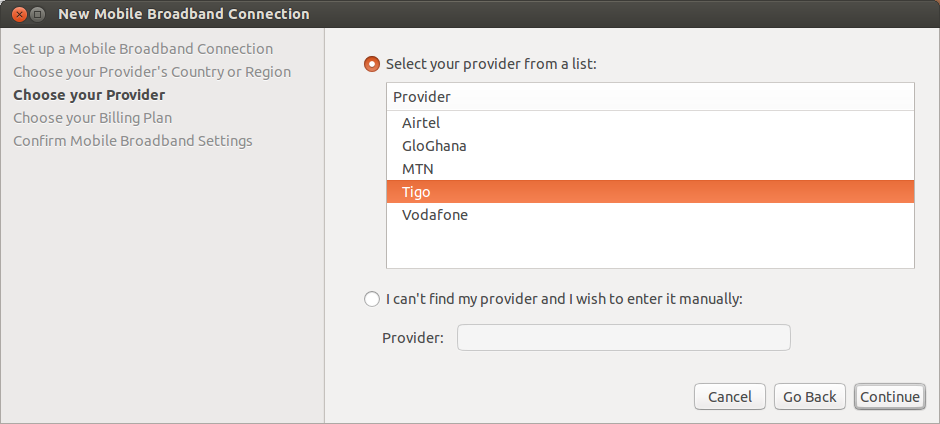
 Choose your network provider (Here am using Tigo). Click Continue.
Choose Default plan which will automatically complete the Access Point Name (APN) section.
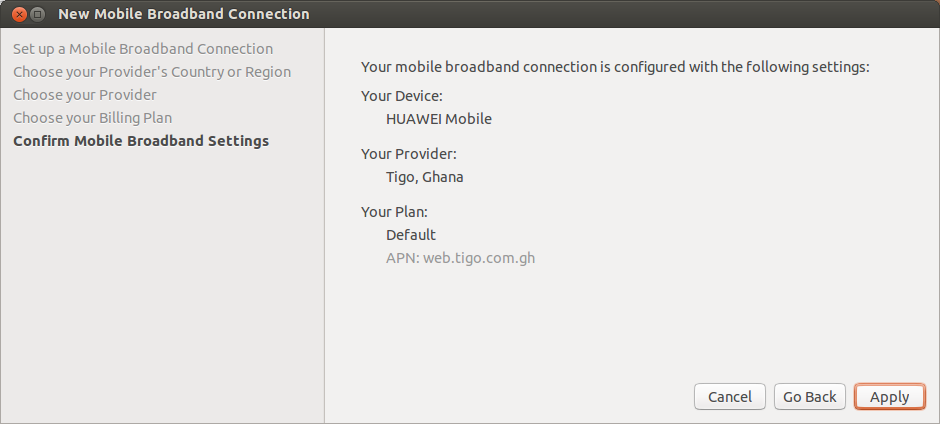
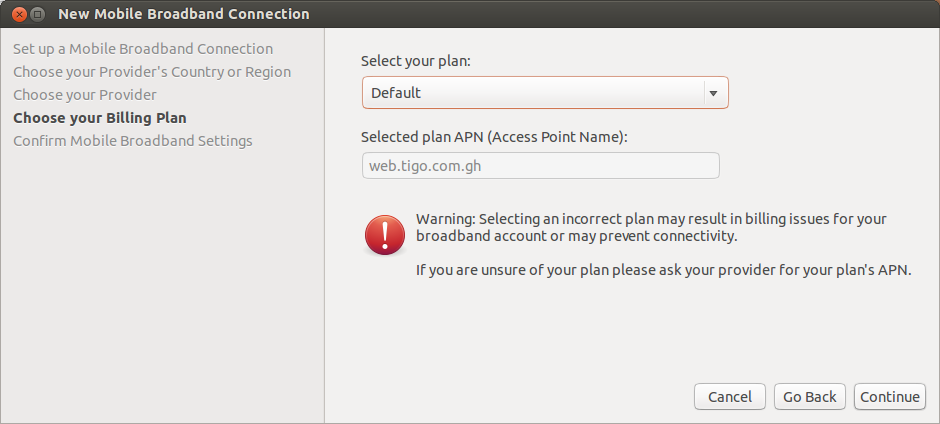 After everything have been completed, Check to see all the details provided are correct then click Apply.
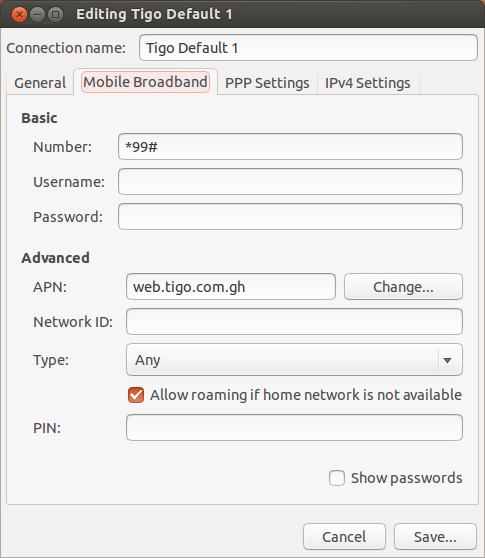
 Leave username and password fields blank if you don’t know about it OR Contact network provider.
Then click Save.
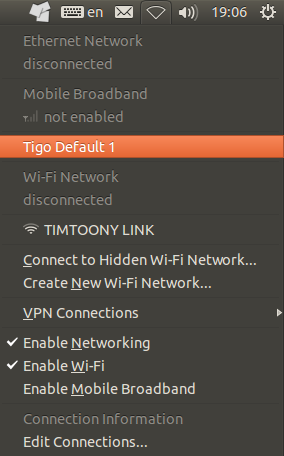
Click on the Cloud sign and select the connection.
 When connection is done you see this instead of the Cloud sign.
 You can now surf the web from your browser.