


Now a days sending/receiving secure emails to/from is a bit challenging task for everyone. Even if we more cautious, some time we will be easily get hacked or our messages will be stolen by hackers. Google chrome has a cool Gmail add-on called SecureGmail to protect our mails from stealing by hackers.
The only downside side is you and the recipient should have installed the Google Chrome and same SecureGmail add-on version and this add-on is only for Gmail. If you use Firefox or some other browser, then this won’t help you. Let us see how to send a secure email from Gmail using Chrome add-on.
SecureGmail
SecureGmail encrypts and decrypts emails you send in Gmail. This happens all on your machine, and the message can’t be read by Google servers or any third party unless they have the password. This is useful if you don’t want anyone but the intended recipient to ever read your email (i.e. companies, governments, etc). SecureGmail uses symmetric encryption to encrypt and decrypt each message. The password is decided by the user and assumes the recipient already knows it. So select a more complicated password that can’t be guessed/hacked easily and make sure that no body knows your password except the recipient.
Install SecureGmail Add-on
Go to Google Chrome Webstore by navigating to https://chrome.google.com/webstore/category/apps link. Enter SecureGmail in the search box. And click ADD TO CHROME link.
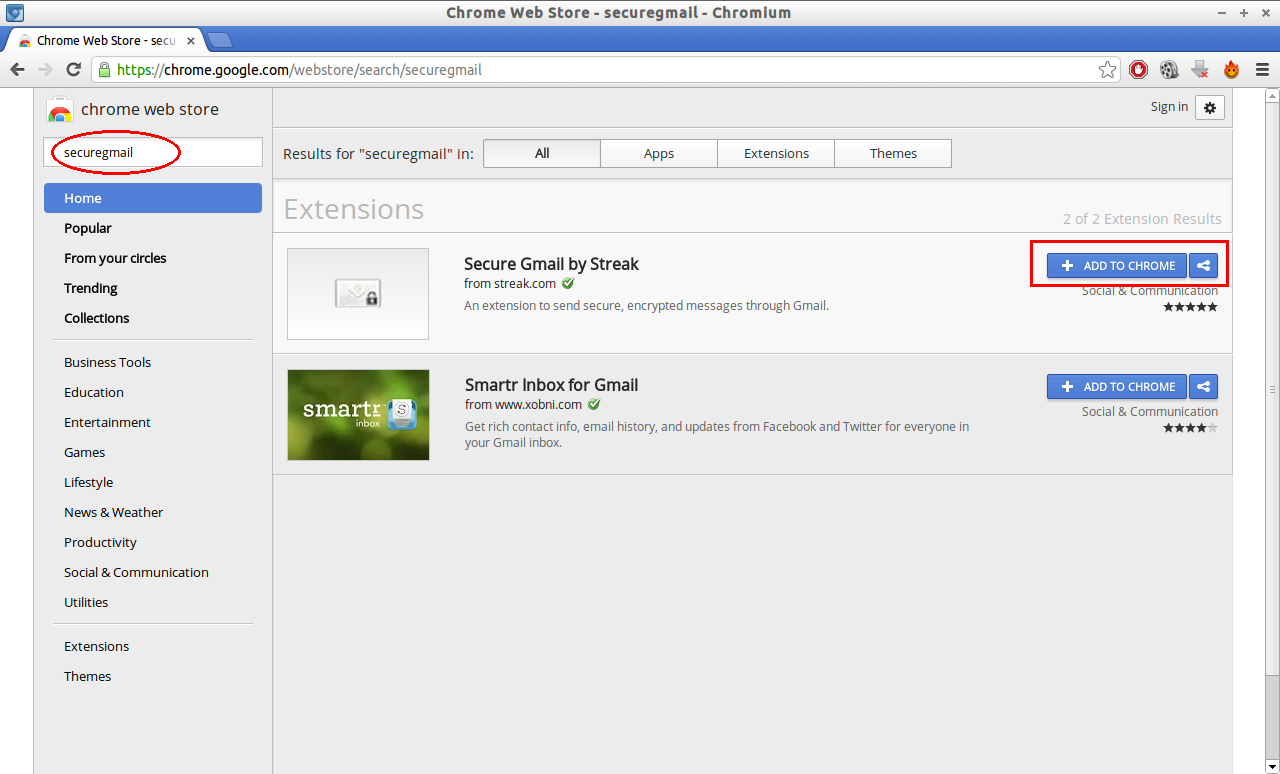 It will ask you a confirmation message to install the add-on, Click Add. Now the SecureGmail add-on has been added to your Chrome browser.
Now login to your Gmail account. You will see a lock icon next to the compose button as shown in the below screen shot.
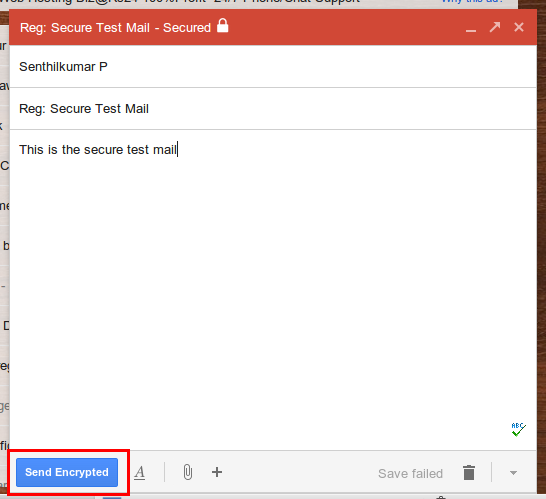
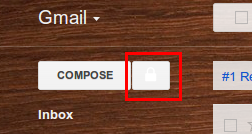 Click On the lock icon next to Compose button, a new compose button will open. Enter the recipient address, Subject and email message. once you finished, hit Send Encrypted.
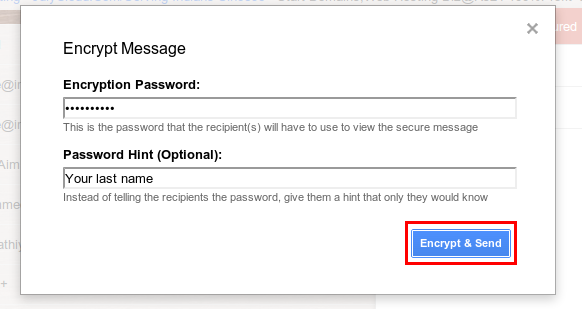
 Enter the Encryption password and password hint. Now click on Encrypt & Send button.
 Now the recipient will receive your encrypted message in her/his inbox. Once he/she click on the message, the message body will be as shown below. Click On Decrypt message with password link.
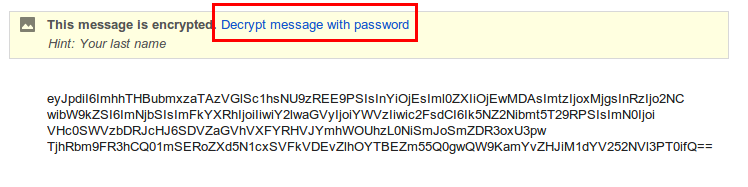 Now it will ask the encryption password.
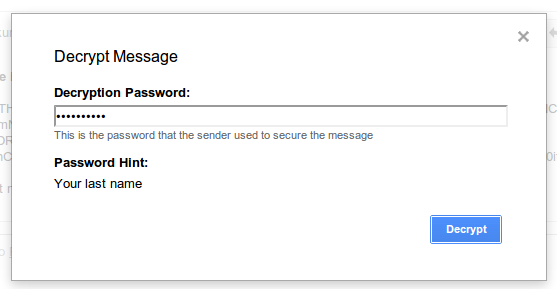 Once the recipient entered the encryption password and hit on Decrypt, he/she will able to view the message.
 Thats it. This is not only the best way to send secure mails. There are many. This seems very easy than others. Enjoy!!!



