

Google Plus

XBMC 11.0 – Eden has been released! PPA Ubuntu

Written by M. Zinoune on . Posted in News, opensource, Software, Ubuntu

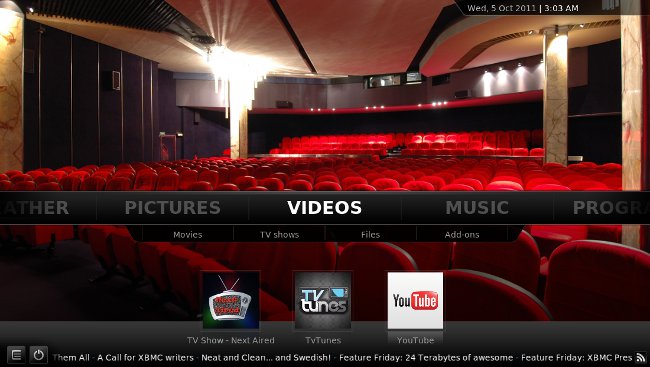
XBMC 11.0 – Eden has been released, this final release include Addon Rollbacks, vast improvements in Confluence , massive speed increases via features like Dirty-region rendering and the new JPEG decoder, a simpler, better library, movie set scraping, additional protocol handling, better networking support, better handling of unencrypted BluRay content and structures, adjustable display refresh rate in OSX (to match the already available feature in Windows and Linux), AirPlay support, an upgraded weather service with geoip lookup, and much, much more.

More information about this release can be found in the changelog.
Installation in Ubuntu 11.10 and LinuxMint12 (Ubuntu 12.04 is not yet supported)

If you will install XBMC for the first time, add the following PPA:

sudo add-apt-repository ppa:team-xbmc
sudo apt-get update
sudo apt-get install xbmc

If you have already a previous release installed in your system via the PPA above, you need just to upgrade:

sudo apt-get update
sudo apt-get upgrade

For other Linux distributions, XBMC is included in their repositories, so you can install it from terminal

Exp : Opensuse

sudo zypper in XBMC

The same for Arch Linux, Gentoo, Mandriva

For Fedora, first install RPM Fusion repositories  , then install XBMC using the following command:

 su -
 yum install xbmc

and is done.

For questions please refer to our Q/A forum at : http://ask.unixmen.com

  • Surfinxscape

    keep on closing in when i launch a Bluray disc with MakeMKV plugin. was working with RC1 :( I got an ATI Radeon HD3470.

  • http://twitter.com/Hanynowsky Hanynowsky

    Does not get displayed in full resolution in 12.04.

Like us on Facebook

This week Top Posts

Write for us

Recent Comments

Pat L

|

I tried it and it works with a regular zip file, but if you password-protect the .zip file it does NOT work.

SK

|

Yes we can. What kind of help you need? We are doing outsourcing and technical support for Linux and Open source worldwide. To know more about the details visit here.

ClintB

|

After install as above, run shell script /opt/Citrix/ICAClient/wfica.sh manually and note lib errors still occur. I had the x64 motif loaded but had to manually install the x86 too. Got that from http://rpmfind.net/linux/rpm2html/search.php?query=libXm.so.4 Even after that, I still had to do a “yum install alsa-lib.i686 alsa-lib.x86_64″ to resolve any additional libasound.so.2 errors. Once those two lib issues were resolved, Citix Web Interface launched apps fine by telling browser to open launch.ica using /opt/Citrix/ICAClient/wfica.sh. Good luck Ernesto!

AD

|

I need some Help on Linux,can you guide me ?

Edson Carlos

|

In debian no found. I need link download install in linux debian

 
IDG Tech Network
Copyright © 2008-2013 Unixmen.com .
Maintained by Anblik .