


Firefox 16, a treat for developers http://t.co/cnd27CzT
Ubuntu 12.10 Released, attacking Windows 8
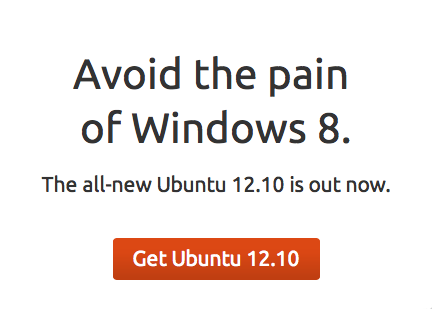
Canonical has just released the new version of Ubuntu 12.10, also known as Quantal Quetzal. If you decide to download the new version from Ubuntu’s official webpage, you will notice a rather provocative message. Above the download button, a slogan appears urging the users to install Ubuntu 12.10 instead of Microsoft Windows 8, not because of Ubuntu’s superiority but just to avoid the drama of Metro UI. In a matter of fact, it says “Avoid the pain of Windows 8. The all-new Ubuntu 12.10 is out now“.
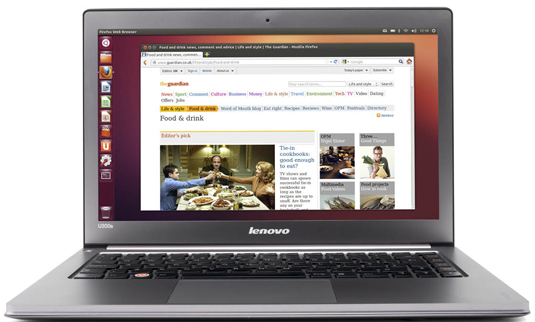
If one were asked to name the reasons why choosing to use Ubuntu 12.10 over Windows 8, there will be plenty, eg. Ubuntu 12.10 beta features, Ubuntu 12.10 beta 2 sneak peek. However the most significant part of the system, is the Linux kernel itself, while Unity desktop, dash lens and web apps are matters of secondary importance. Thus, Ubuntu — positioned to be king of the hill — speaks in favor of all Linux distributions, offering the best alternative desktop operating system to Windows 8 disappointed users. Also, according to the latest statements of IT industry (especially video-game makers), Windows 8 is going to be a disaster. So if this statement comes finally true, then Ubuntu 12.10 will be the safe house protecting your PC from the storm. Right ?
Yes and No.
If you are already an Ubuntu user, it is reasonable to update your current version to the latest one. However if you are a potential unhappy Windows 8 user, you have two options:
1) either downgrade to Windows 7 (most likely)
2) or give Ubuntu 12.10 a try.
Please notice that Windows 8 release date coincides with the release of Valve’s Steam (in beta phase), meaning that Ubuntu will be the first Linux distribution available to play games in decent graphics. I guess that in the next three months there will be a dramatic raise in Ubuntu user database statistics at distrowatch, because there will be no other Linux distribution supporting Steam until Q1 2013.
Sad but true, Ubuntu has already several bugs that need to be fixed. As a GNOME fan, I believe that Unity gives its users the same pain as Metro UI will give. However, we shouldn’t forget that Ubuntu is an open source, free of charge operating system. So, Windows 8 being both software and price-wise disappointing, it’s quite hard to survive around these days…

-
-
-
-
-
http://www.ubuntuxtream.com/
-
http://www.canonical.com/
-
-
-
-
-
-
-
-
http://www.facebook.com/alkh3myst
-
-
http://twitter.com/sinekonata
-
http://www.facebook.com/mike.olson.716970
-
-
-
-
http://www.canonical.com/
-
-
http://twitter.com/sinekonata
-
-
-
http://twitter.com/sinekonata
-
-
-
http://twitter.com/sinekonata
-
http://www.facebook.com/mike.olson.716970
-
-
-
http://www.facebook.com/barterpc
-
-
http://twitter.com/svitekphotos
-
-
-
-
-
http://www.facebook.com/eperbab.zalai
-
-
-
-
-
-
-
Like us on Facebook
This week Top Posts 
Top Things to do After Installing Ubuntu 13.04 ‘Raring Ringtail’ : Ubuntu 13.04 Raring Ringtail final is almost out. The final release it scheduled for release on Apri...0 comment(s) |
Install lamp with 1 command in Ubuntu 12.10, 13.04 Raring Ringtail & LinuxMint13 : Updated: 10/09/2012 :LAMP (Linux, Apache, MySQL and PHP) is an open source Web development platform ...0 comment(s) |
Howto: Upgrade to Ubuntu 13.04 Raring Ringtail from 12.04, 12,10 | Desktop & Server : Updated 05-04-2013: Ubuntu 13.04 Raring Ringtail will be released Soon, If you have ubuntu 12,10, 12...0 comment(s) |
Steganography- Hide Your Files Inside An Image in Linux : Nowadays, our personal computer is not only a work tool, it is also our private space where we sto...5 comment(s) |
How to use Remote Desktop in Ubuntu : Sometimes, we need to access our computer from other locations when we’re not at home and such. This...0 comment(s) |
Configure conky-Lua in Ubuntu (12.10 & 13.04 Raring Ringtail), Fedora, debian and LinuxMint | Howto Conky : Updated 05-04-2013: Conky is a free, light-weight system monitor for X, that displays any informatio...0 comment(s) |
Recent Posts
- Steganography- Hide Your Files Inside An Image in Linux
- Unix/Linux File Recognition. Did You Know?
- Migrate from MySQL to MariaDB in FreeBSD
- Connect Your Android Galaxy Tablet to Ubuntu via USB
- ElementaryOS Beta 1 and 2 Comparison and Review
- Introduction to the Linux Command Line
- A Secure Password
- Linux Kernel 3.10. It’s BIG!
- Monitoring Users Activity Using psacct or acct Tools in Linux
- Run Your Own Social Network Using elgg on RHEL / CentOS and Scientific Linux
Recent Comments


jacky can
| #
You can actually unzip your secret archive by leaving out the -t option, instead using:
unzip newPhoto.jpg
DragonFartOutLoud
| #
it went to china.
DragonFartOutLoud
| #
great review! i’ve been using it as my main OS since Beta 1 release. its been a awesome ride so far :)
jet li
| #
i try the method, and i unzip the image contain zip secret, i dont find the file that i was hide, where it go? and how to open it? :s
zinovsky
| #
Yes, it is possible using Steganography, we will post another quick howto do that in the next few days