

Google Plus

OpenIndiana Project Leader Resigns

Written by Chris Jones on . Posted in News, Software

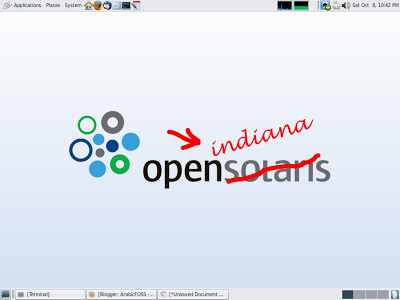
On August 28, the Project Leader and Founder of OpenIndiana, Alasdair Lumsden, resigned from his position effective immediately. OpenIndiana was the fork of which was originally OpenSolaris. When Oracle announced to sudden death of OpenSolaris, post their acquisition of former technology giant, Sun Microsystems, it was quickly forked and split into two entirely new entities. OpenIndiana would become the new project for a desktop distribution release based around the OpenSolaris model. And Illumos would become the new project for the kernel development.

Since its beginnings, OpenIndiana has struggled to make a real dent in the enterprise desktop Unix market. Although not a crowded market in comparison to the Linux alternative, OpenIndiana persisted nevertheless. But OpenIndiana was not only fighting for desktop share in the Unix world, but they were also fighting against the ever growing Linux market. In which itself has grown in use and popularity in the home, business and enterprise. OpenIndiana has never really been able to grow in the same way has competing open-source operating systems, yet loyal followers, users and developers alike of the project has been very loyal. Illumos has been slightly more productive and progressive when it comes to development. Enjoying the success, Illumos provides the very core base for operating systems such as SmartOS, Nexenta and more.

In the coming days, we’ll be providing Unixmen readers with an exclusive interview with Alasdair Lumsden regarding his resignation.

For questions please refer to our Q/A forum at : http://ask.unixmen.com

Chris Jones

Chris Jones is a Staff Writer and the Editor of Unixmen.com. He is a long time Linux user, tracing all the way back to SUSE Linux 8.0 from the early 2000's. Chris has worked for many different FOSS Projects and has founded many of his own in recent times, including several Linux distributions, programming languages and FOSS Licenses. chrisjones@unixmen.com

Like us on Facebook

This week Top Posts

Write for us

Recent Comments

cave

|

it can be used to talk or chat through the internet,

it is using strong encryption.

but for example TOR is using some obfuscation because some countrys try to block all outgoing connections which can not be scanned with DPI

And the TOR Project is facing an arms race in obfuscation and encryption detection.

cave

|

You can friend someone if you give him your public Certificate.

both peers must friend each other.

i suggest to not enter a valid e-mail address. it is not necessary, but pgp needs a mail addy. something@something.so fits perfectly… :)

http://redd.it/18vsq5 <– faq, featurelist, todo, howto, useful links to manual wiki etc, …

you can connect to chatservers, which will give you access to chatlobby, where always some people are lurking.

#1 https://www.f2f-fr.net/w2c/en/
#2 http://retrosharechatserver.no-ip.org/w2c/en/

and in this rooms, you can find other people to talk and friend.

cave

|

http://redd.it/18vsq5
please have a look at this link. it is a FAQ, QuickTip, HowTo, etc etc etc …

If you want to make friends, please use the Chatservers.
#1 https://www.f2f-fr.net/w2c/en/
#2 http://retrosharechatserver.no-ip.org/w2c/en/

if you enter your certificate, the chatserver adds you as his friend and shows his certificate too add him to your friends.

After the connection to the chatservers is established, you can join a few chatrooms where the chatserver is lurking.

in this rooms are other people too help you and make first friends and get into the network.

add friends only with wisdom. if you friend some policeman, it will be problematic like in real life.

best is to add only people you trust in real life or trust from other communitys too. and not to add random unkown strangers.

If you have questions, ask them in the chatlobbys, there is always someone to answer them.

please read http://redd.it/18vsq5

or question me here :)

Ladi Oyekanmi

|

Could you please assist in step by step on how to install nagios on solaris

Adhraa

|

Greate tutorial :)

 
IDG Tech Network
Copyright © 2008-2013 Unixmen.com .
Maintained by Anblik .