

Firefox 16, a treat for developers http://t.co/cnd27CzT
Howto install phpBB3 in Ubuntu| Linux
phpBB is a free flat-forum bulletin board software solution that can be used to stay in touch with a group of people or can power your entire website. With an extensive database of user-created modifications and styles database containing hundreds of style and image packages to customise your board, you can create a very unique forum in minutes.
In post we will show you how to install phpbb in Ubuntu Linux.
Before to start installing the Forum, we will need to Install first LAMP in ubuntu, to complete this step, follow the installation instructions in our previous post.
Now lets start with the installation:
1-First create a new database (example phppp) for phpBB3
When LAMP and phpmyadmin is installed, open phpmyadmin by typing the following in your browser :
and then create a new database. Then write down the username and the password , will be used later during phpbb installation.

2- Download satble version of phpBB3 from phpbb.com
First download phpBB3, then extract the content to the apache directory /var/www
pirat9@puppetclient:~$ ls -r /var/www/phpBB* /var/www/phpBB-3.0.8.zip
/var/www/phpBB3:
web.config styles posting.php index.php faq.php common.php
viewtopic.php style.php memberlist.php includes download cache
viewonline.php store mcp.php images docs adm
viewforum.php search.php language files cron.php
ucp.php report.php install- feed.php config.php
3- Open the browser http://ip/phpBB3 or http://hostname/phpBB3
you will get this page

4-Click to install

5-Proceed to the Next step

5-Check if config.php has chmod 777

6- Start the Install

Now input :
the Hostname or Ip of the Mysql Server
mysql server port
database name (phpbb)
database user :
database pass
7-proceed to the next step to test the connection
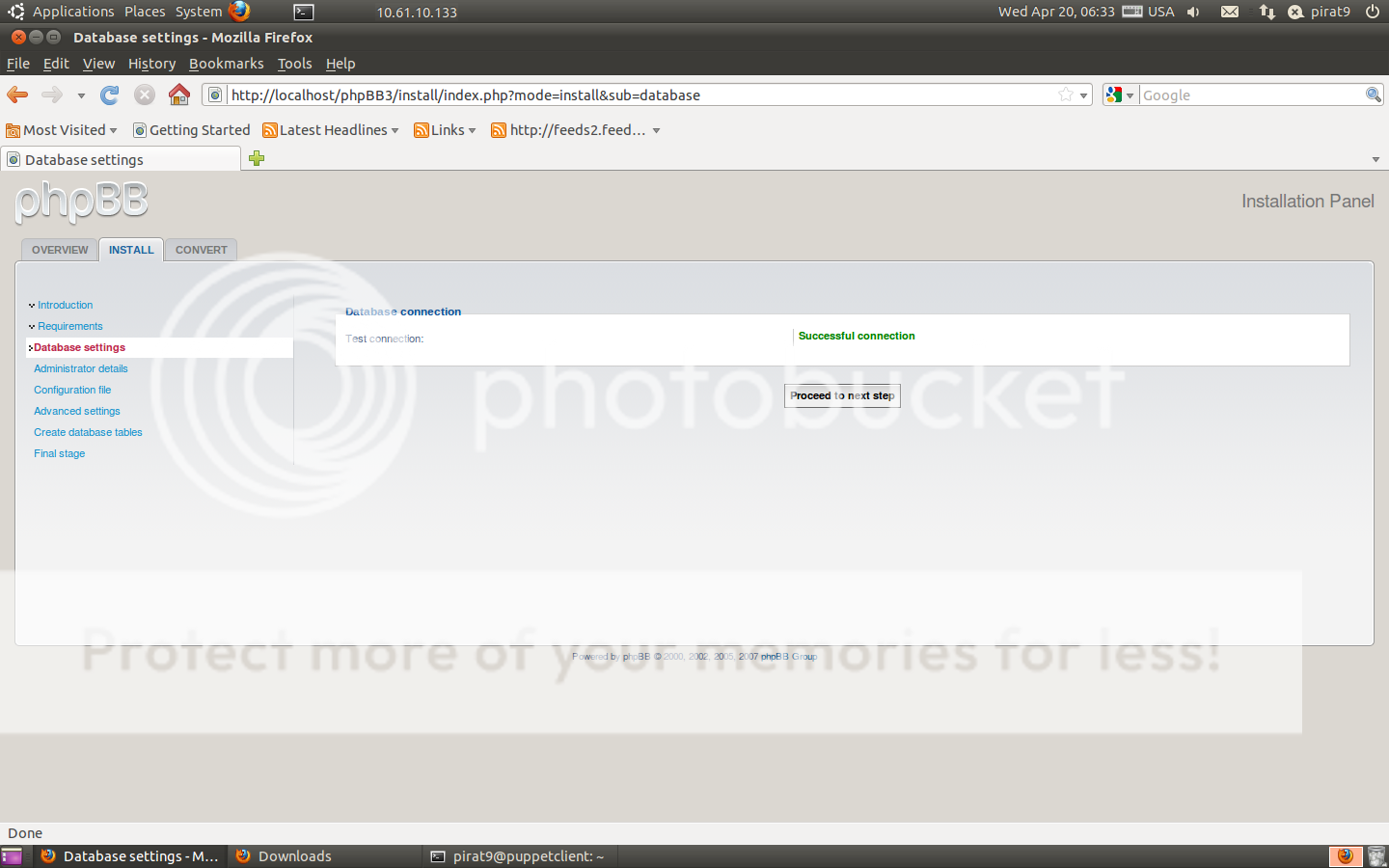
8-configure the admin account, password and email

9- Next step to proceed

10- Configure some advanced settings

11-next to complete the installation

12-Click login to access the admin control panel

13-Now you acces your forum with http://ip/phpBB3 , but dont forget to move or remove the install directory. from
/var/www/phpBB

14- Start your Forum and Enjoy

{module user9-footer}

-
http://www.mulberrybaguk.com/
-
Like us on Facebook
This week Top Posts 
Top Things to do After Installing Ubuntu 13.04 ‘Raring Ringtail’ : Ubuntu 13.04 Raring Ringtail final is almost out. The final release it scheduled for release on Apri...0 comment(s) |
Howto: Upgrade to Ubuntu 13.04 Raring Ringtail from 12.04, 12,10 | Desktop & Server : Updated 05-04-2013: Ubuntu 13.04 Raring Ringtail will be released Soon, If you have ubuntu 12,10, 12...0 comment(s) |
Unix/Linux File Recognition. Did You Know? : Did you know that Unix and Linux has no concept of a file extension? What is a file name extension?
...0 comment(s) |
Install lamp with 1 command in Ubuntu 12.10, 13.04 Raring Ringtail & LinuxMint13 : Updated: 10/09/2012 :LAMP (Linux, Apache, MySQL and PHP) is an open source Web development platform ...0 comment(s) |
Configure conky-Lua in Ubuntu (12.10 & 13.04 Raring Ringtail), Fedora, debian and LinuxMint | Howto Conky : Updated 05-04-2013: Conky is a free, light-weight system monitor for X, that displays any informatio...0 comment(s) |
Howto- Resolve nosound problem on Ubuntu 13.04 Raring Ringtail,12.10 and Older : Updated 05/04/2013 : One of the common issues facing Ubuntu users after installing or upgrading Ubun...0 comment(s) |
Recent Posts
- Unix/Linux File Recognition. Did You Know?
- Migrate from MySQL to MariaDB in FreeBSD
- Connect Your Android Galaxy Tablet to Ubuntu via USB
- ElementaryOS Beta 1 and 2 Comparison and Review
- Introduction to the Linux Command Line
- A Secure Password
- Linux Kernel 3.10. It’s BIG!
- Monitoring Users Activity Using psacct or acct Tools in Linux
- Run Your Own Social Network Using elgg on RHEL / CentOS and Scientific Linux
- Getting Debian 7.0 ‘Wheezy’ Up and Running
Recent Comments


Maximiliano Schultheis
| #
this was amazing, thank you so much! Tip 3 did the trick!
SK
| #
I am working on it. Stay tuned. Thanks for the comment.
adriana rizzati
| #
You are right, I saw them just now and they are awesome!
SK
| #
Thanks for the comment Abdullah. Stay tuned with us always.
Abdullah Musazai
| #
Thank you for such a great service you always do, hope you gain more power and more energy to work more & more