

PSP, short for ‘The Playstation Portable’ is a portable game console developed by the multimedia giant Sony. Various ports of popular PC games and a lot of original games are available out there for it. Unfortunately, with all of those features, it doesn’t exactly come very cheap.
However, with the recent release of jpsp, it’s now possible to emulate PSP to a certain extent. Various commercial games are verified working with the emulator as well.
For using jpcsp, you first need to make sure that your system meets the minimum system requirements. Since emulation puts a lot of strain on the CPU, you want to have as much CPU power available as possible. The minimum requirements are as follows:
-
Linux Kernel x64_86 or x86
-
CPU: Pentium 4 and up
-
GPU: Any graphic card supporting OpenGL 2.0 and up
-
1GB RAM
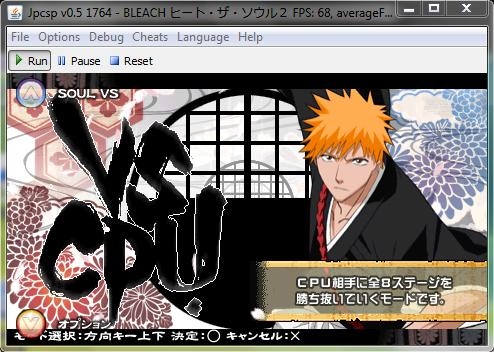
Image Caption: Bleach running in jpcsp, screenshot courtesy of software author.
Jpcsp is entirely written in java. We need to start with installing the Java Runtime Environment. For installation please check our previous post. Skip this thread if you already have Java installed.
When Java is installed, we can move onto installing the actual application.
Go to this page: http://code.google.com/p/jpcsp/downloads/list and pick out the appropriate version of jpscp for your version of Linux. If you have no idea of this, picking the Linux x86 -release will work.
Download the package you require, I’m on x86_64, so I chosed amd64 for mine.
Wget http://jpcsp.googlecode.com/files/jpcsp-1772-linux-amd64.7z
When is done, we need to extract the file. For that, we need ti install the utility called ‘p7zip’. Install it if you don’t already have it using the following command.
sudo apt-get install p7zip
Now, let’s extract the package.
P7zip e jpcsp*
Change to the directory. For my case, the command was the following. It may be different depending on what version you downloaded.
cd jp*
You can now run the application invoking the script named ‘start-linux-amd64.sh’. The name will vary depending on your version downloaded, but shouldn’t be hard to find at all.
You need to pace your PSP CSO/ISO images inside the “umdimages” folder (this folder can be changed under Options > Configuration > General).
For homebrew, place the application’s main folder (which should contain the EBOOT file) under ms0 > PSP > GAME.
To find out which games are compatible, visit this thread: http://www.jpcsp.org/index.php?p=Compat&c=a
That’s all there’s to it. You can play any compatible game using this method
Thanks again to Convexity for this post
{module user9-footer}


