

Updated 10/03/2012 Medibuntu is a packaging project dedicated to distributing software that cannot be included in Ubuntu for various reasons, related to geographical variations in legislation regarding intellectual property, security and other issues:
- patentability of software, algorithms, formats and other abstract creation
- legal restrictions on freedom of speech or communication
- restrictions on the use of certain types of technical solution, such as cryptography
- legal restrictions on imports of software technology, requiring for example specific permissions
- etc.
In this tutorial will show you how to add medibuntu repository to Ubuntu 9.10+ and above including the upcoming release Ubuntu 12.04 LTS Precise Pangolin
1- Install Medibuntu using command Line in Ubuntu 9.10 + ( Including Ubuntu 12.04 LTS Precise Pangolin):
- Open terminal and enter the folowing command :
sudo -E wget --output-document=/etc/apt/sources.list.d/medibuntu.list http://www.medibuntu.org/sources.list.d/$(lsb_release -cs).list && sudo apt-get --quiet update && sudo apt-get --yes --quiet --allow-unauthenticated install medibuntu-keyring && sudo apt-get --quiet update
Medibuntu’s repository is deactivated by upgrading to a newer Ubuntu release, so you should run this command again after the release upgrade.
- Now you may also wish to add the following packages. The first (APP-INSTALL-DATA-MEDIBUNTU) will cause many apps from the Medibuntu repository to appear in Ubuntu Software Center (Ubuntu 9.10+) or Add/Remove Applications (versions prior to 9.10). The second will allow users to generate crash reports against Medibuntu packages and submit them to the Medibuntu bugtracker.
sudo apt-get install app-install-data-medibuntu apport-hooks-medibuntu
2- Install MediBuntu in ubuntu 11.04 and 11.10 via GUI:
This method consist on adding Medibuntu repository via GUI without using command line, this is good for people that are new to Linux and that are not used to Terminal:
THe steps are easy, just follow the instructions as described in the screenshots bellow:
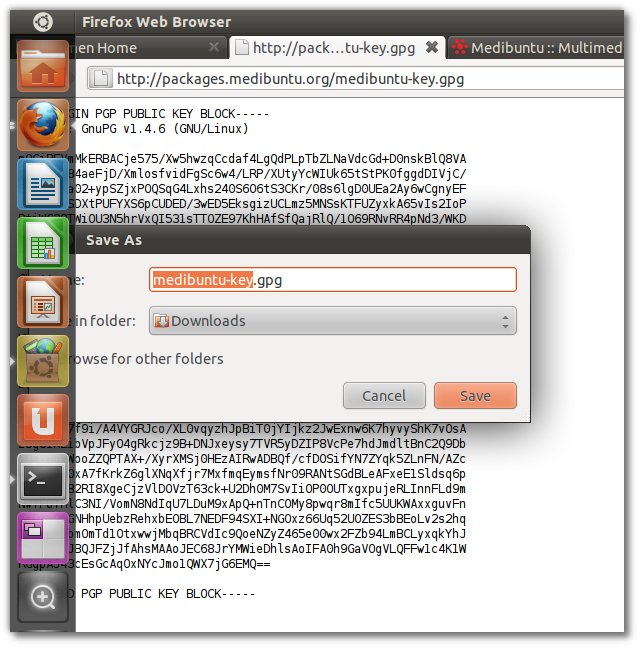
1- First thing we need to do is to Download the GPG key and save it in your computer:
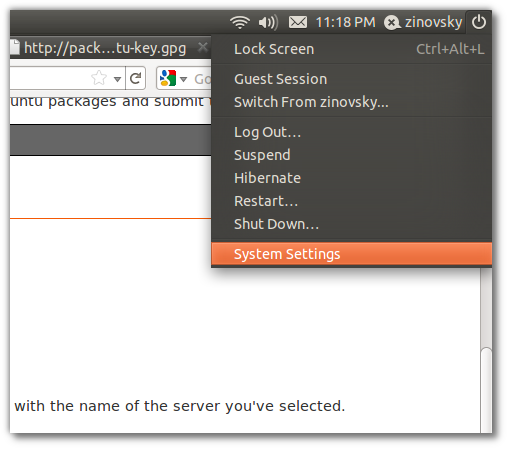
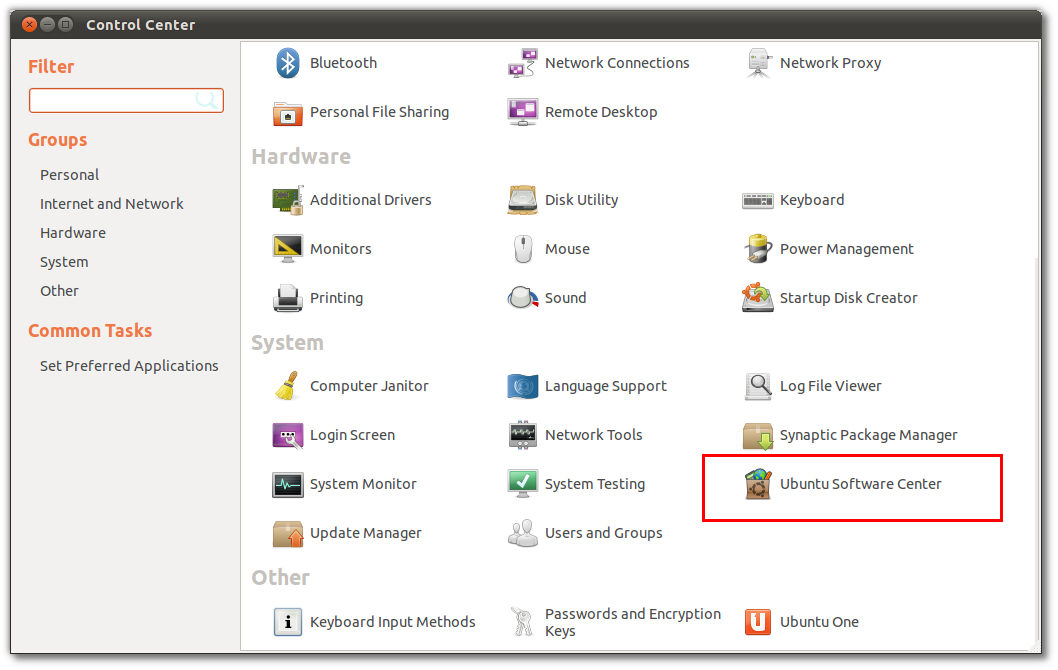
2- Now Open “Ubuntu software center”, to do that Go to Power–> System Setting or go to Menu(Ubuntu icon on Top left) and search software center
3- Open Software Center :
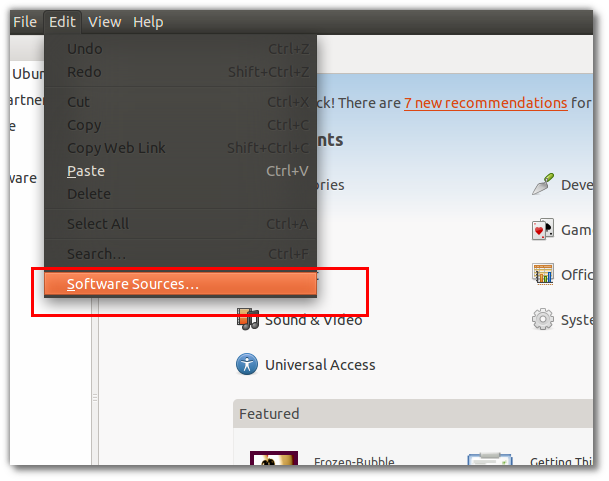
4- Go to edit and select software sources:
5- Go now to Authentication, import the medibuntu Key you downloaded at the begining of the post.
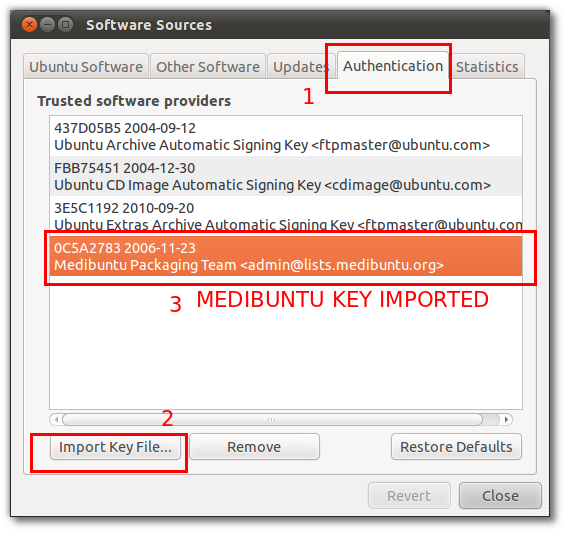
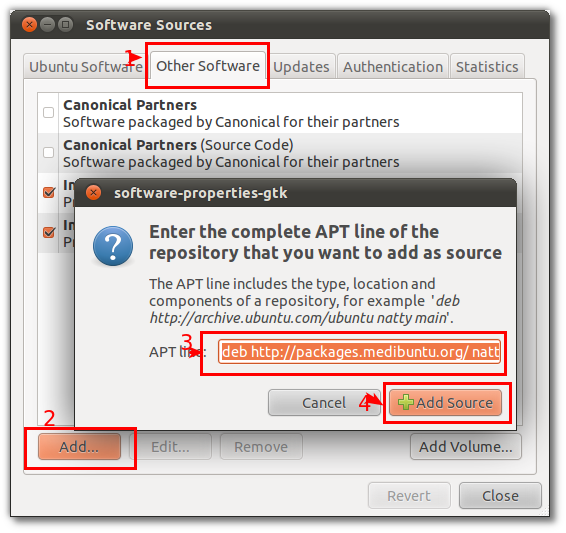
6 – Now we need to add the free and non free repositories, to do that , in the “software sources” go to Tab “Other software” and click on add, then add the following repositories:
deb http://packages.medibuntu.org/ natty free non-free
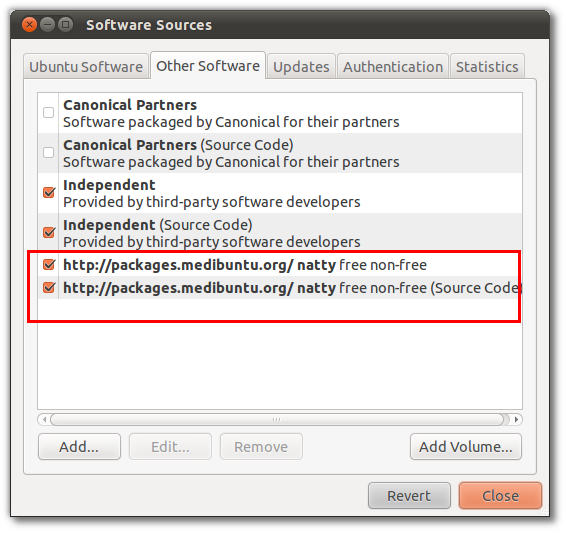
Now the repositories will be listed in other software list:
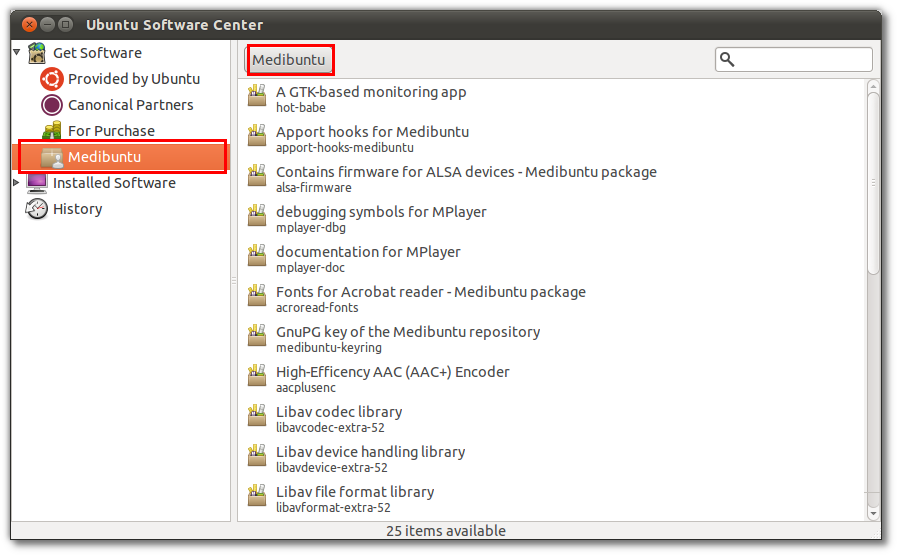
7 – Now go back to software center, click Get software on the top left , you will see that Medibuntu also is listed there:
Is done.


