

How To Fix “VLC does not support the audio or video format “hevc””

5
397

VLC media player is a free and open source media player, encoder, and streamer made the volunteers of VideoLAN community.
vlc+hevc

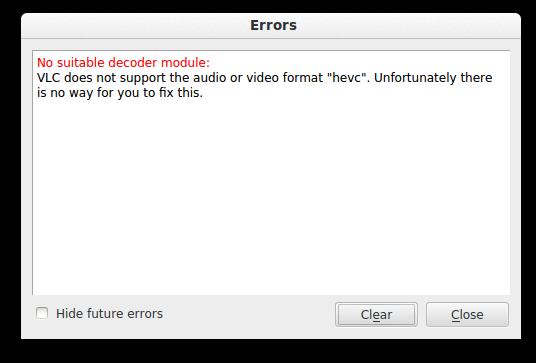
No suitable decoder module

VLC does not support the audio or video format “hevc.

Unfortunately there is no way for you to fix this.

The above error message is a result of trying to play a video file in VLC. The error message doesn’t give a clue either. To fix this we need to install libde265, which is an open source implementation of the h.265 video codec.

We will install libde265 via PPA. To install open Terminal and run the commands below:

sudo apt-add-repository ppa:strukturag/libde265 
sudo apt-get update 
sudo apt-get install vlc-plugin-libde265

VLC should now play these media files after installation has been completed successfully.

Enjoy!

SHARE
I wear --[0-0]--, a n00b coder and Student. Open Source and Free Software enthusiast. I love maps, electronics, traveling and photography. I like to break-and-fix. Above all am a jack of all trade trying to master one :).
  • Lorenz Leitner

    Thanks, worked with Elementary OS too!

  • rafe ek

    Worked for me as well !! Thanks !!

  • Prajith Pillai

    Thank you. It helped me very much. Videos of “undf” were not playing but after following the above steps, I’m now able to play those files in VLC in Ubuntu.
    Thank you.

  • Frank Sibolski

    Sorry but it did not work with me. I tried 30 or 40 fixes so far and even found the right ones that could not be accessed.I have Linux Mint 64 bit and I have an external Blu-ray player that runs on windows UNDF files missing codecs no suitable decoder module need apps and all that stuff no deal,no way Hoza can’t get it to work.

  • Shreyansh Gupta

    thanks totally worked for me