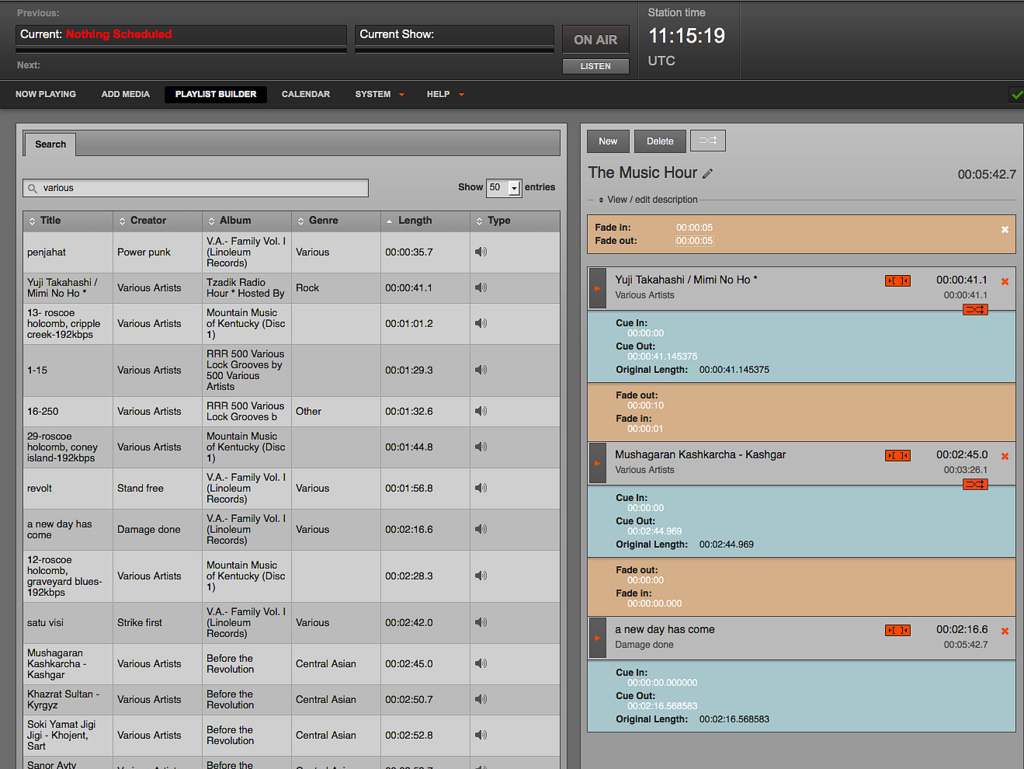
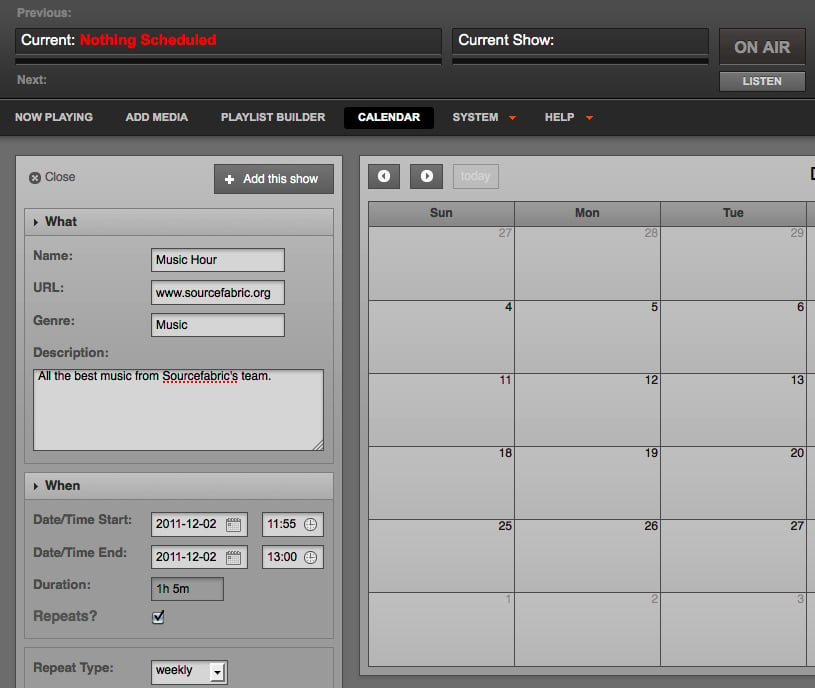
Airtime is free open source radio automation software developed by Sourcefabric. It enables you to take the complete control of your radio station via the web. Airtime offers a number of very useful tools like intelligent archive management, powerful search, easy to use playlist builder, simple scheduling
calendar and robust automated playout. Airtime also offers highly advanced features for those who want to take the make the best of it and these include managing staff, recording and rebroadcasting the live show etc.
Features of Airtime
Here are some of the important features of Airtime
1) Programme calendar: The programme calendar feature offers you the interface similar to Google calendar and it enables you to plan and schedule the content playing. You can also collaborate and edit the content online just like any other documents. To plan the content playing you have to merely drag and drop the shows to the timeslots. You can record the live shows and rebroadcast them as per your plan.
2) Playlists and shows: The playlists are common features of almost all the audio players and you can make similar playlists using Airtime. It is easy to add the audio to the playlists and make it play in various combinations creating different shows. Thus your popular programmes will keep on running seamlessly and you can sleep at night without any botheration.
3) DJ Management: With this feature you can manage your entire radio team by allocating them the control of broadcast slots. Many professionals with high end DJ controllers use this to better manage their broadcasting.
4) SHOUTcast and Icecast: This feature enables you to stream your content directly to SHOUTcast or Icecast servers in mp3 or Ogg format without requiring extra soundcard or mixer.
5) Website widgets: Airtime offers you the facility to create the widgets that can be placed on the homepage, websites, blogs or any other convenient location. The widget can display the information related to status of the current show, schedule of the next shows, weekly shows, special live shows etc.
6) Media archiving: With Airtime you can mass-upload the files and also easily import the complete libraries from other locations. Airtime synchronizes all the files and you can simply drag and drop the songs from the library to create playlists from which the shows can be designed.
7) Share the audio on SoundCloud: Airtime helps you automatically record the shows and upload them to SoundCloud.
Besides the above features, Airtime offers a number of other features. You t can download the software from http://www.sourcefabric.org/en/airtime/features/ and enjoy all its features. Airtime is free to use and it can easily run on Debian and Ubuntu. The users can also interact with the software through the web browser. The latest version of Airtime is equipped with ‘easy install’ or ‘one click’ install facility.
Installation on Ubuntu and LinuxMint
You can download the airtime-easy-setup package from http://apt.sourcefabric.org/misc/airtime-easy-setup.deb which is a link to the latest version of the package.
Now you can install the package using double click on it or using the folowing command:
 sudo apt-get update
 sudo dpkg -i airtime-easy-setup.deb
Now when the easy setup package installer is installed, you can install airtime using the following command:
sudo apt-get update
sudo apt-get install airtime