


FreetuxTV is a Web TV player for Linux that can be used by French users to watch TV channels provided by their ISP, or by other peoples to watch free Web TV Channels and listen to Radio. This application comes with many pre-added channels and it uses VLC as backend to watch TV shows.
Features
It has the following salient features.
1. Play channel TV and radio:
French ISP: Free, SFR, Orange, Alice, Bouygues…
Web TV: Arabic, Chinese, English, French, German, Italian, Japanese, Portuguese, Russian, Spain
Web Radio: English, French, German 
2. Play in full screen mode and miniature mode.
3. More than 365 logos of TV channels.
4. Support for keyboard multimedia keys.
5. Add custom groups of channels from M3U playlists.
6. Time shifting.
7. Recording live channels with ability to set duration.
8. Ability to create favorite channels groups.
9. Multi-language interface: English, French, German, Portugese
.. and many.
Prerequisites
You should install VLC to work with FreetuxTV.
To install vlc enter the command:
$ sudo apt-get install vlc
Install FreetuxTV
On Ubuntu:
$ sudo add-apt-repository ppa:freetuxtv/freetuxtv
$ sudo apt-get update
$ sudo apt-get install freetuxtv
On OpenSUSE 12.1 or later:
# zypper ar -n packman-multimedia http://packman.inode.at/suse/openSUSE_12.1/Multimedia packman-multimedia
# zypper refresh
# zypper install freetuxtv
If you trouble with installing FreetuxTV with this PPA, compile and install with the source found here.
Launch FreetuxTV
Open FreetuxTV from your Dash or Menu. At the first time, it will display the available Channel groups as shown below.
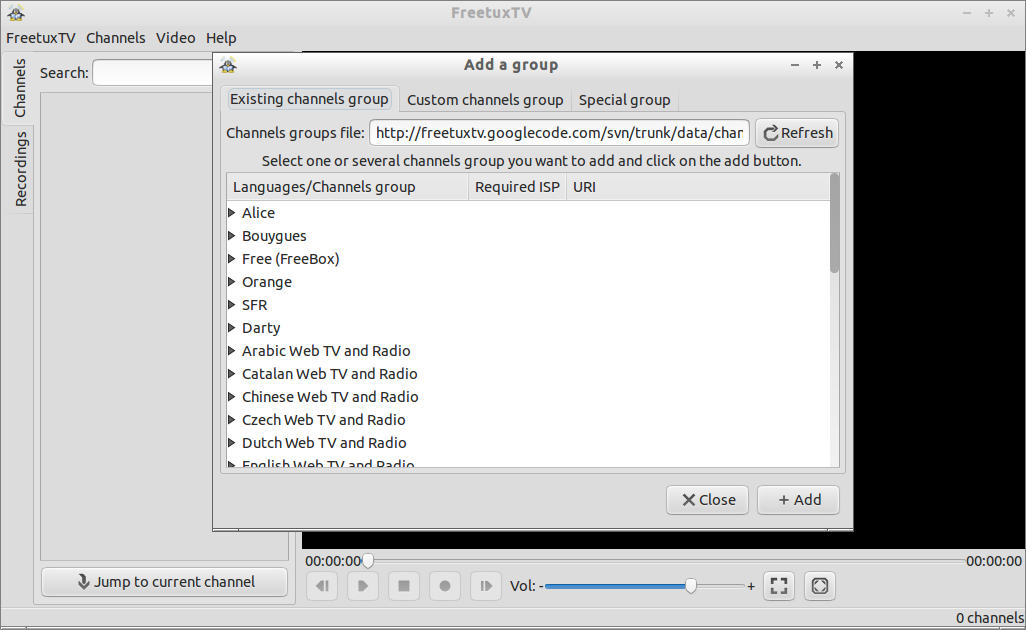 Select your favourite language channel group. Here i select English. After selecting channel group, click on Add to add all channels in that group.
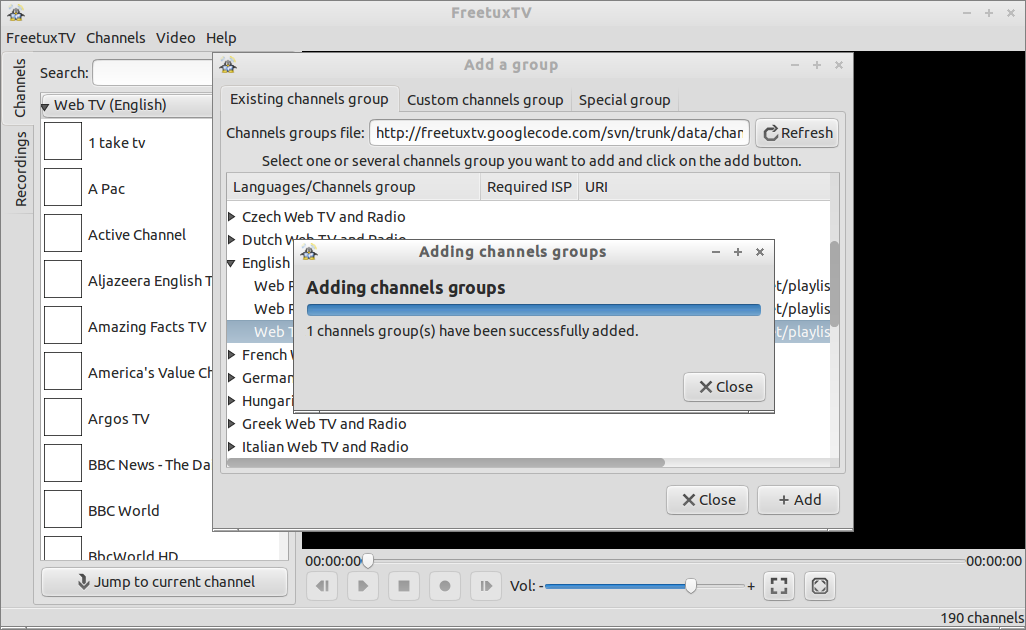 Now all the channels in the respective group will be shown in the left pane. Click the channel that you want to see.
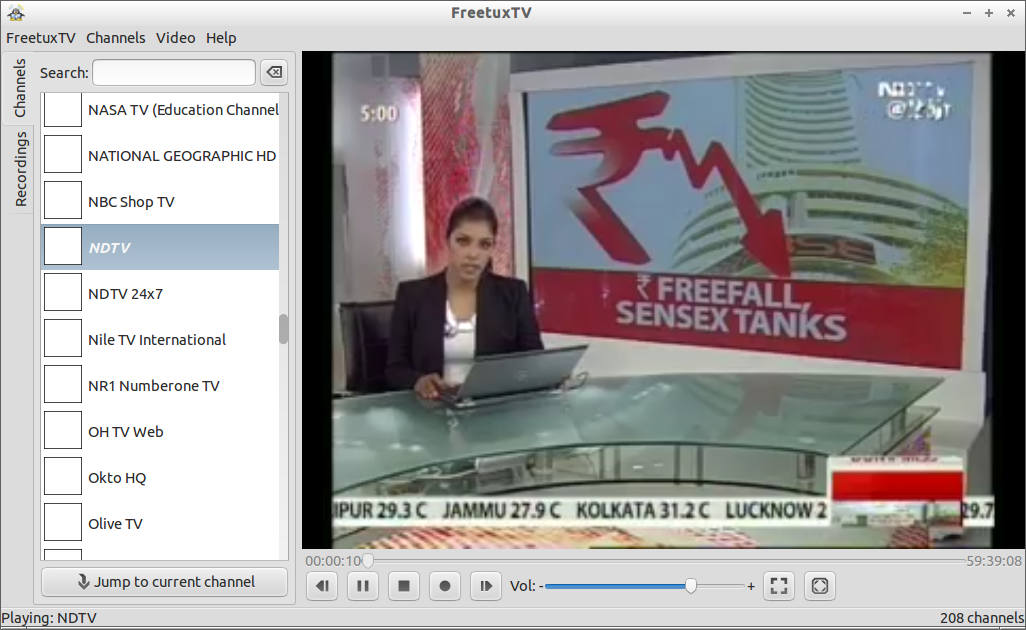 That’s it. Now you’ll able to watch, record, pause your live TV shows. You don’t need a TV Tuner card or any external devices to watch TV. All you need is a decent internet connection.
Unfortunately there are many channels missing, but you can add them if you know the channels live feed URL. To do that Go to Channels -> Add a group. Add your TV live feed URL as shown below.
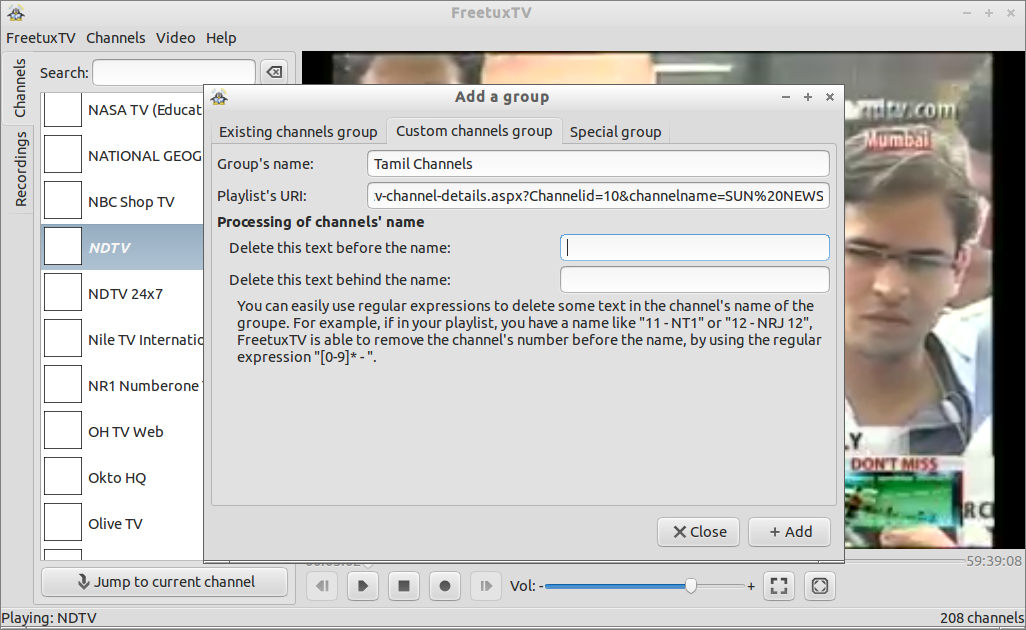 Now you’re good to go. Enjoy the TV shows!!



