


Bitmessage is a P2P communications protocol used to send encrypted messages to another person or to many subscribers. It is decentralized and trust-less, meaning that you need-not inherently trust any entities like root certificate authorities. It uses strong authentication which means that the sender of a message cannot be spoofed and it aims to hide “non-content” data, like the sender and receiver of messages, from passive eavesdroppers like those running warrant-less wiretapping programs.
Installing Bitmessage On Ubuntu/Debian
Login as root user. In your terminal type the following command to change to root user and enter your password:
$ su
Install the following prerequisites:
# apt-get install python openssl git python-qt4
Download the Bitmessage by cloning its git repository:
# git clone https://github.com/Bitmessage/PyBitmessage $HOME/PyBitmessage
The above command will clone the Bitmessage repository and mounts it in HOME directory of the current user.
Change to Bitmessage directory:
# cd $HOME/PyBitmessage/src
Execute the following command to run Bitmessage:
# python bitmessagemain.py
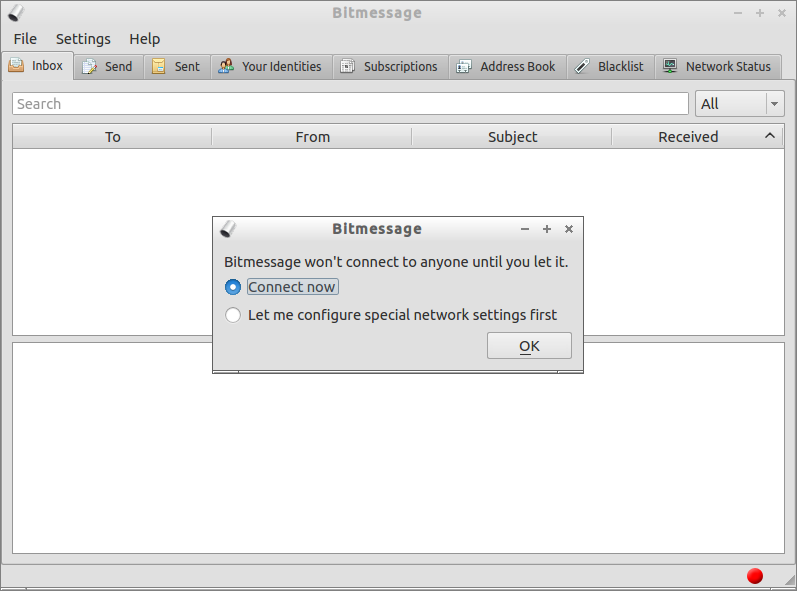
The following screen should appear. Click Ok to connect to Bitmessage.
Create Your Identity (Address)
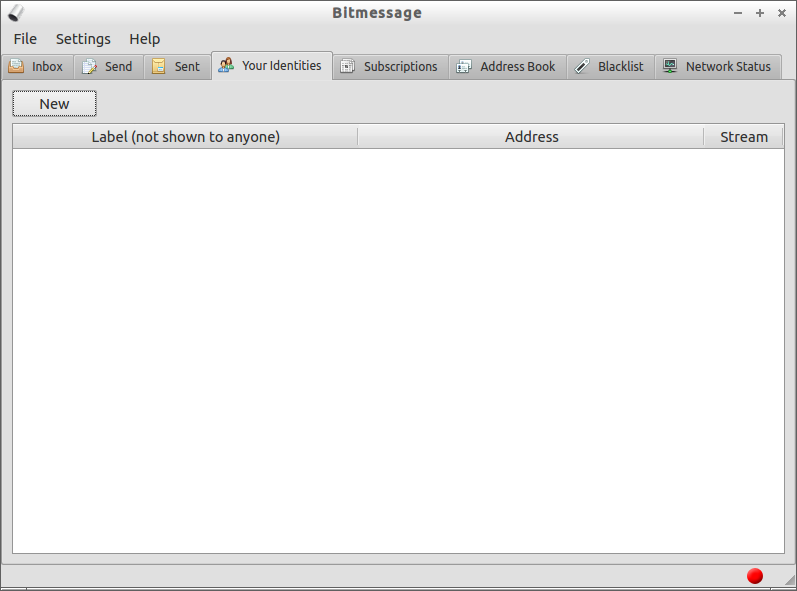
The first thing you should do is create a new identity. Go to Your Identities tab and click New to create a identity for you.
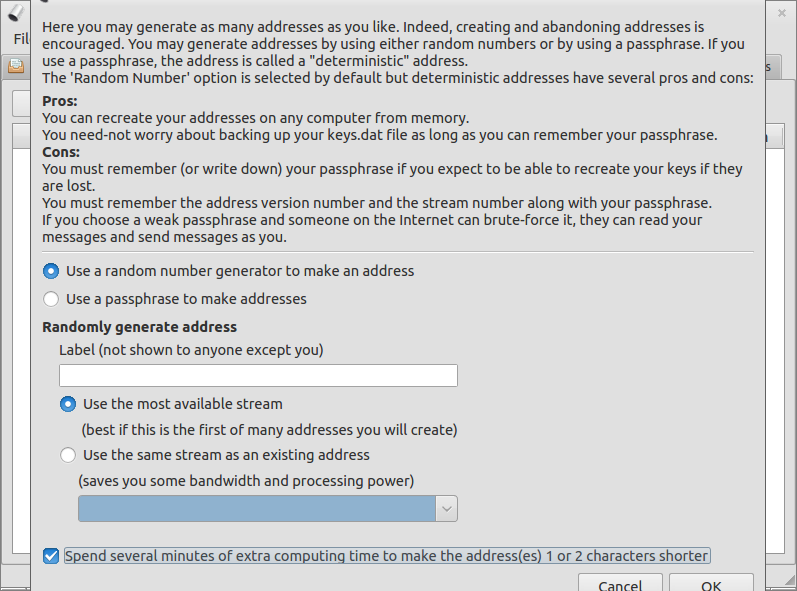
 Check the box named “Spend several minutes of extra computing time to make address” and click Ok to start to generate your identity.
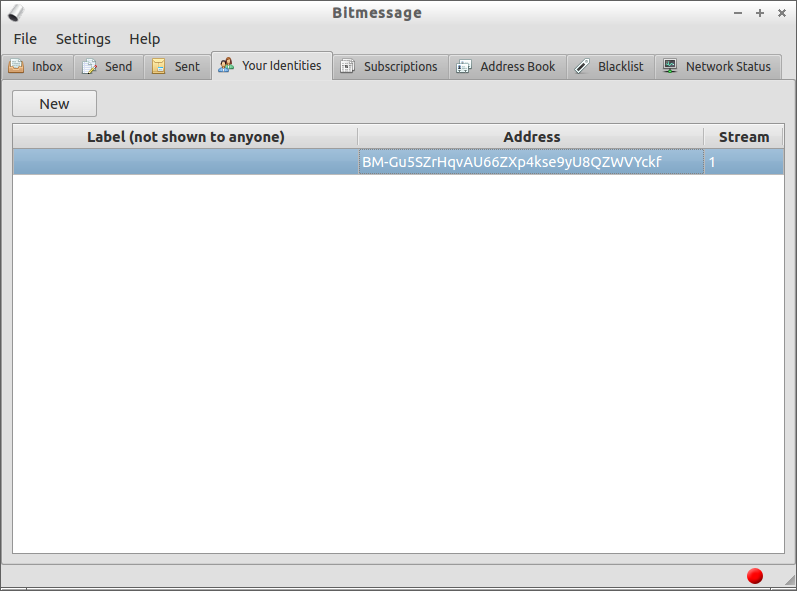
 After a few minutes the identity will be created. Note down your identity or memorize it if you can. Send this identity to your friends/colleagues to receive encrypted messages from them. He/she should have installed and configured Bitmessage and he/she must have added your identity in their address book and subscription list.
 Add Recipient Identities
Go to Address Book tab. Click on Add new entry to add your friend identity. Enter a label name to easily recognize the recipient and enter Bitmessage address of the recipient.
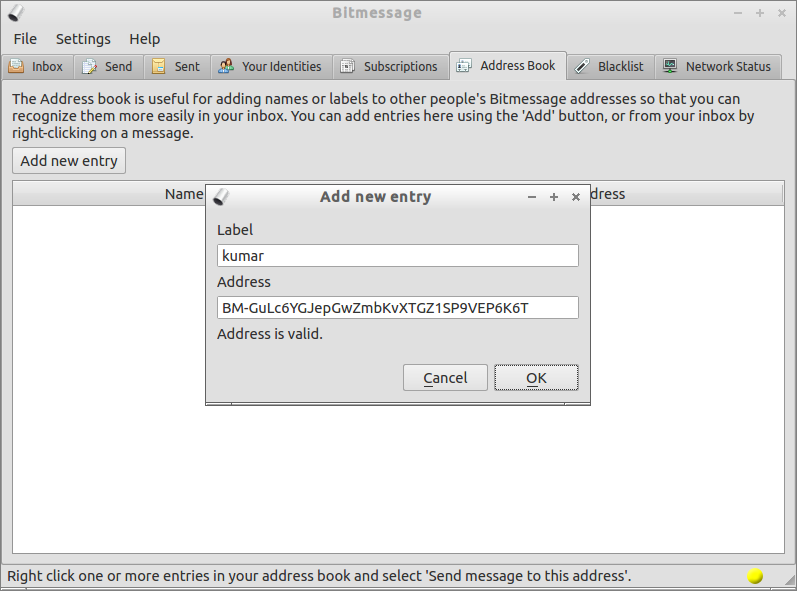 Now your friend identity has been added to your Address Book.
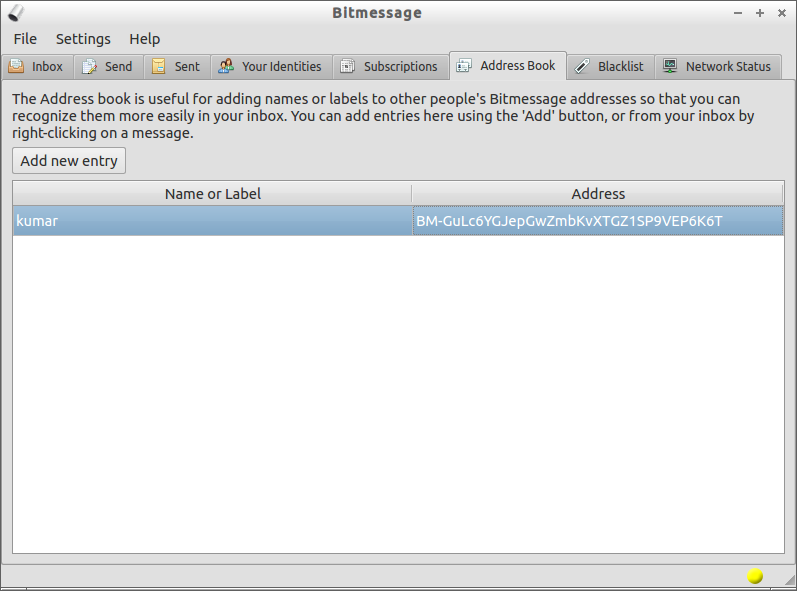
Add Subscriptions List
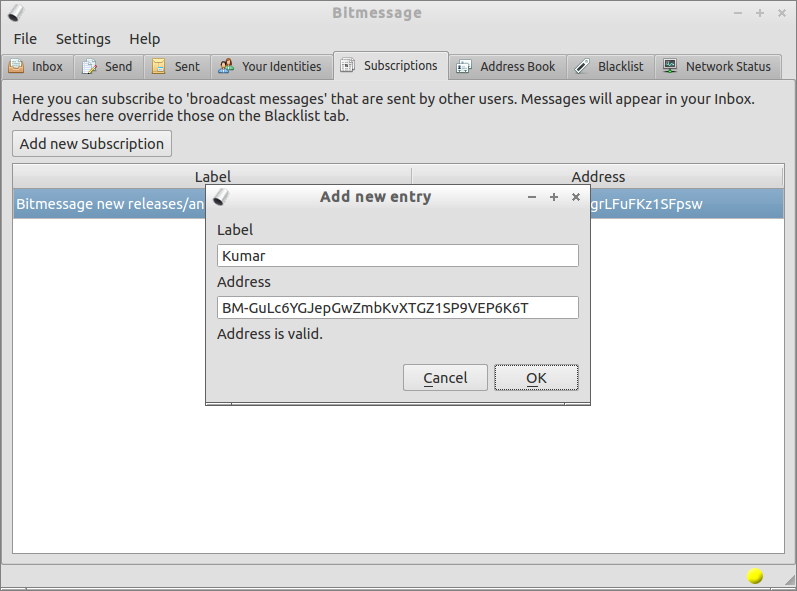
In order to send and receive broadcast messages, you should add receivers bitmessage identity in your subscription list and the recipient should do the same. To add a subscription, go to Subscriptions tab. Enter the label name and recipient identity as shown below.
 Allow the Bitmessage default port 8444 in your firewall/router:
# iptables -I INPUT -p tcp --dport 8444 -j ACCEPT
Now you will be able to receive messages from your recipient.
Compose a Message
Go to Send tab. In the To field, enter your friend’s Bitmessage identity. Click on Load from Address Book tab next to the To field. Right-click on the sender’s identity and select “Send message to this address”. You will be redirected to the Compose page. Type your message and hit Send.
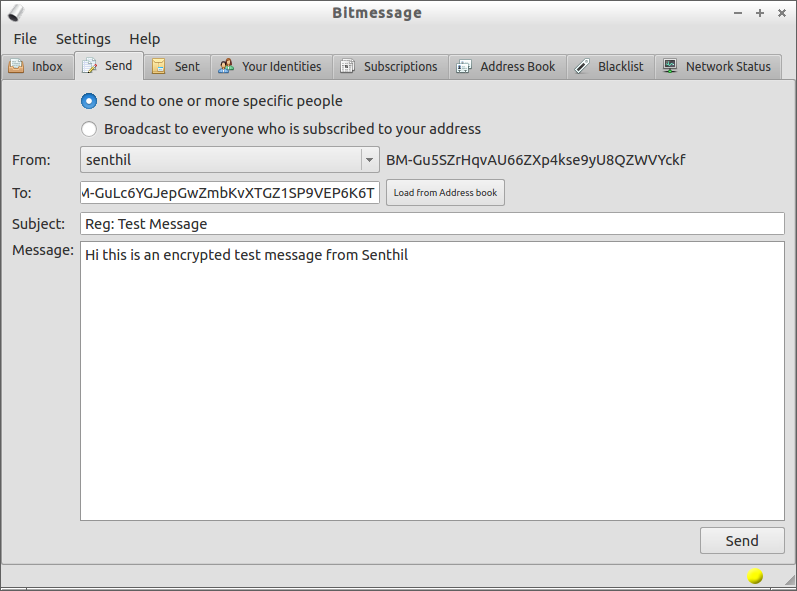 Now the message will be sent to your recipients. To see the received messages click on Inbox tab.
I tested this with two systems running with Ubuntu 13.04 and Debian 7. I was able to successfully send and receive messages using Bitmessage.
Here is the sample message sent from my Ubuntu 13.04 system to Debian 7 using Bitmessage.
![Debian 7 Desktop, 1 nic, internet, bridge [Running] - Oracle VM VirtualBox_014](http://unixmen.com/wp-content/uploads/2013/07/Debian-7-Desktop-1-nic-internet-bridge-Running-Oracle-VM-VirtualBox_014.png) That’s it. To learn more about Bitmessage check out the wiki pages.
That’s it. To learn more about Bitmessage check out the wiki pages.



