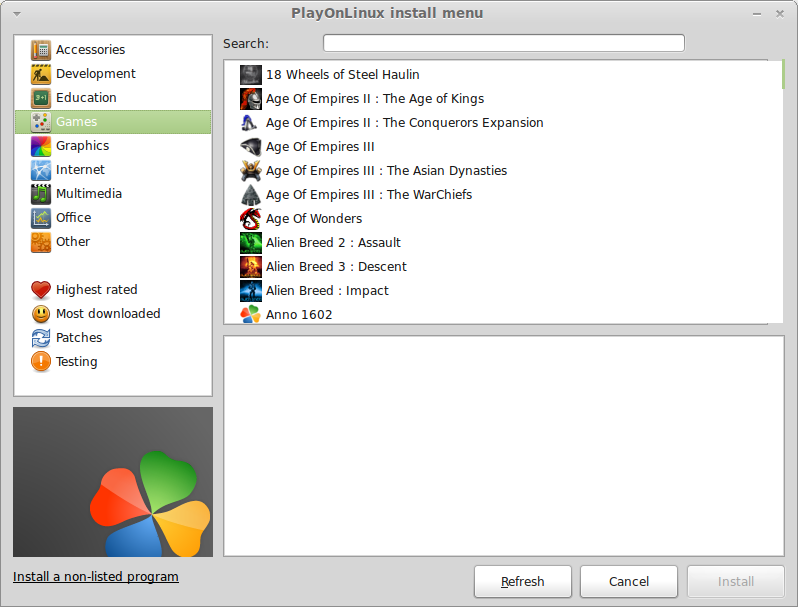
PlayOnLinux 4.0 has been released! This new release comes with some new features and fixed many bugs. 
Here are the main features of this release :
– The programs configuring tool is much more efficient, and with more settings
– The installation manual has been very simplified
– The IRC chat is back, less troublesome for those who don’t want to use it
– Performance of debugging tools have been ameliored
– PlayOnLinux can open directly Executables
– 64-bit versions of wine are actually supported
– The code is much cleaner
About PlayOnLinux:
“PlayOnLinux is a piece of sofware which allows you to easily install and use numerous games and apps designed to run with Microsoft® Windows®.
Few games are compatible with GNU/Linux at the moment and it certainly is a factor preventing the migration to this system. PlayOnLinux brings a cost-free, accessible and efficient solution to this problem”.
Installation :
For Ubuntu and LinuxMint you can install Playonlinux by entring the following commands:
wget -q "http://deb.playonlinux.com/public.gpg" -O- | sudo apt-key add -
 sudo wget http://deb.playonlinux.com/playonlinux_natty.list -O /etc/apt/sources.list.d/playonlinux.list
 sudo apt-get update
 sudo apt-get install playonlinux
– For Fedora
 playonlinux.repoPlayOnLinux_yum-3.3.rpm
-For other Linux distribution please visit the download page and choose you distro.