

Cinnamon1.2 has been released, the new release comes with many new features and improvements. Cinnamon1.2 comes with an Improved Main Menu, new desktop effects (Fade & Scale), for customization,added a new configuration tool called “Cinnamon Settings” (See screenshot1),
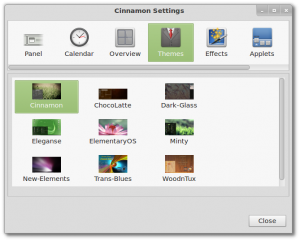 1-The new configuration tool called “Cinnamon Settings” (pic via Linuxmint.com)
and additional configuration options, 5 new applets by default(Accessibility, Recent documents, Removable drives, Trash, andDisplay (XrandR monitor control)), and added the ability to change the layout of desktop.
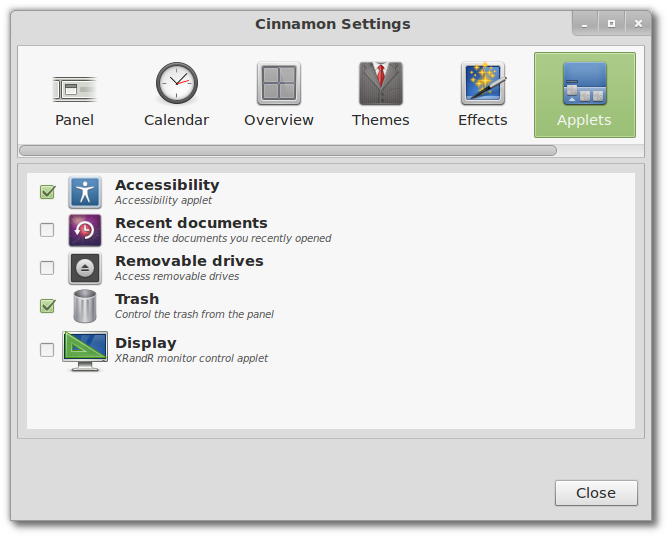 2-Cinnamon 1.2 comes with 5 new applets (pic via Linuxmint.com)
Important other changes were made to significantly improve Cinnamon under the hood and these changes are:
- Cinnamon now uses its own window manager (Muffin forks and replaces Mutter in Cinnamon 1.2)
- Cinnamon is no longer compatible with Gnome Shell themes. It is possible however for a theme to define styles for both Gnome Shell and Cinnamon and to be compatible with both desktops.
- Newly open windows are focused by default (instead of appearing in the back with an annoying “Your window is ready” notification)
- Closing windows on an empty workspace no longer triggers the overview.
- The overview was replaced by a desktop Scale plugin (similar to the old Compiz Scale). In future release, this plugin will be associated with CTRL+ALT+DOWN and a new Expo plugin will be mapped to CTRL+ALT+UP.
- Bug fix galore (after this release, 130 issues were closed since the start of the project)
sudo apt-get update
sudo apt-get install cinnamon
If you want to install Cinnamon in Ubuntu, please use the following commands:
sudo add-apt-repository ppa:merlwiz79/cinnamon-ppa
sudo apt-get update
sudo apt-get install cinnamon cinnamon-session cinnamon-settings


