


Hi Guys! Today I’ve came up again with an useful Google Chrome add-on called “Checker Plus” which is used to view, read, reply and Compose Gmail messages without opening the inbox. Using this add-on, you can read, reply or compose a Gmail message without opening inbox and can manage them right away from the current page or tab itself. You don’t even have to open new window or new tab to read your Gmail messages.
Features
You can get the voice alerts when you receive a new mail. It’s great for the visually impaired. You can add your own sounds or favourite music clips.
It has an option to monitor any Gmail or custom labels.
It runs in background when Google Chrome is closed and you can still get new email alerts.
It has Zoom in and out feature which is very useful to view emails which have large images.
Popup mail preview window to read, archive, mark as read or delete emails without leaving the current tab or page.
It Can also be used as a widget for the extension “Awesome New Tab Page” (ANTP) which supports multiple accounts.
It supports multiple Gmail and Google Apps accounts.
It has an option to open “Mail to” links in your Gmail instead of your regular mail client.
This Gmail notifier has more than 10 different icon sets, so that you can choose your favourite one.
You can change the generated voice by adding TTS (text to speech) voice extensions.
Install Checker Plus On Google Chrome
Go to Chrome Web store and install Checker Plus.
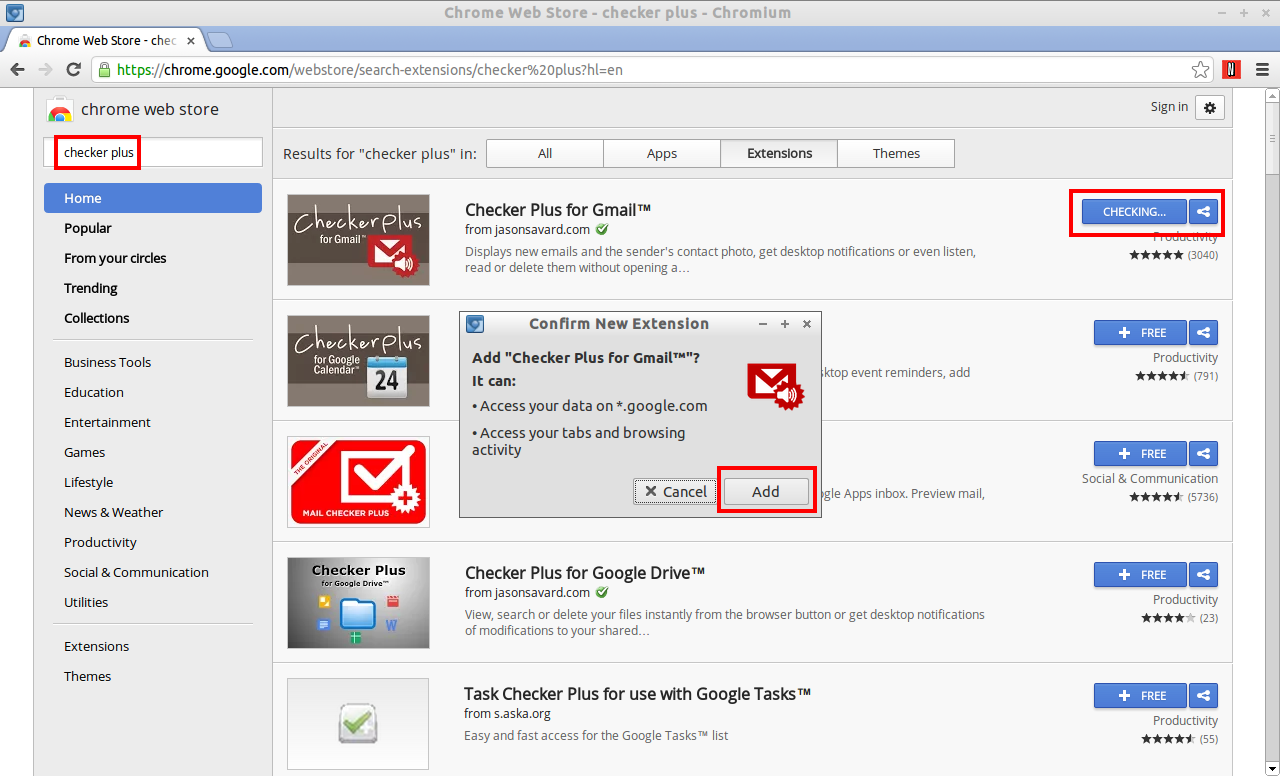 After installing Checker Plus add-on, a small Checker Plus icon will be found on the top right corner of your Google Chrome Toolbar.
 Click on the Small Gmail icon on the top right corner to view the unread gmail messages.It will display the current unread messages.
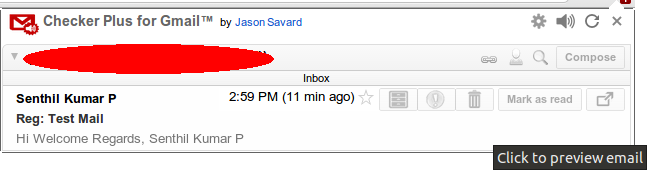 Click on the message that you want to read. You’ll able read them without opening inbox right from the current page or tab itself.
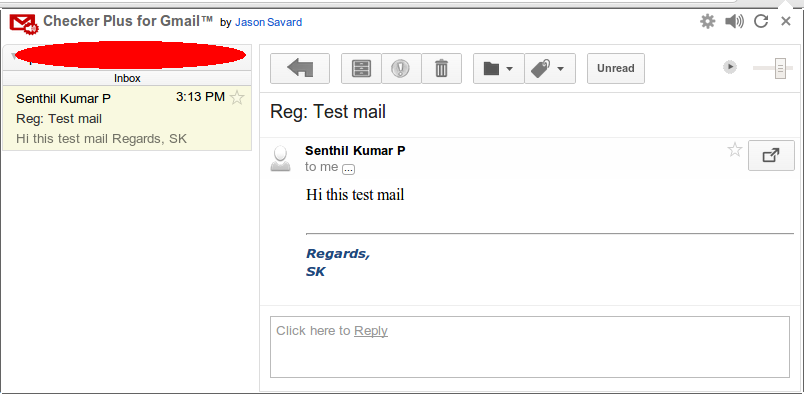 By this way, you can reply, compose new message without opening any new window. To reply a message, type the message in the reply box.
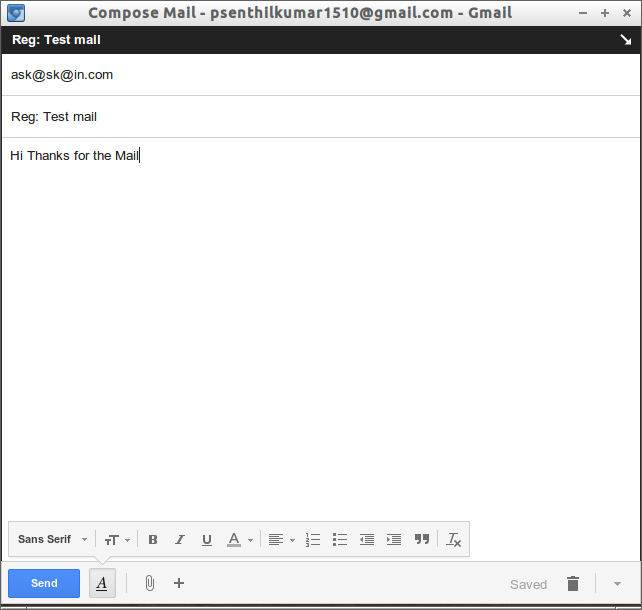
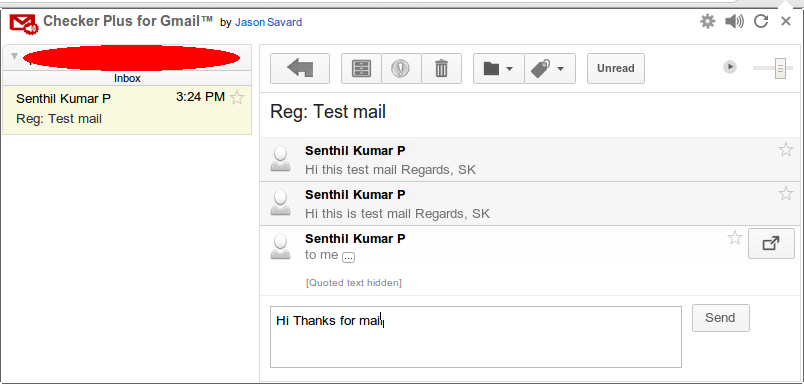 To compose a new message, click on the Gmail icon on the Toolbar. Click on Compose button to start composing.
 A new compose window will open. Type the message and click Send.
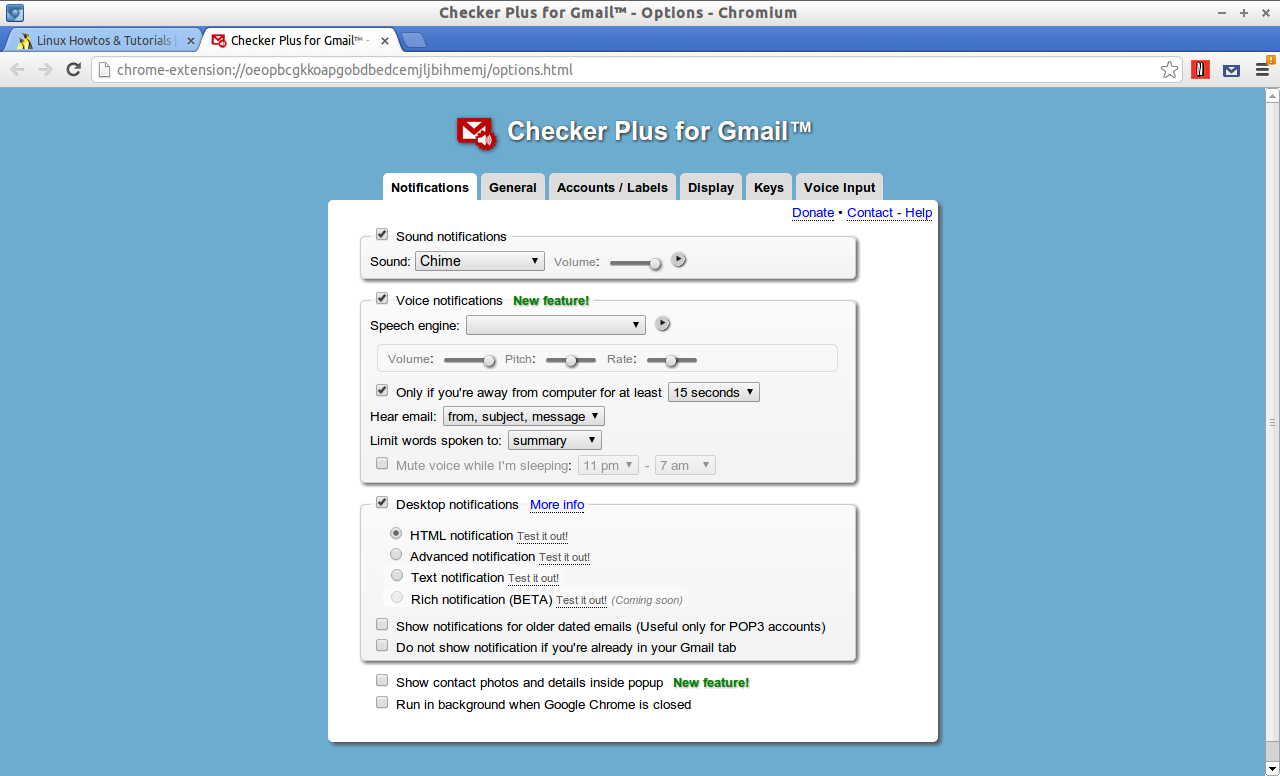
 Also you can change the sound notification’s, voice notifications, appearance etc form the Settings page. To go to Settings page, click on the Gmail button on the tool bar. Click on the gear box button to open settings page.
 Now it will open the Options window in a new tab. Tweak the settings as per your liking.
 This add-on has lot of features and one of the most useful extension for me. Hope you like this add-on too. Have fun with Checker Plus!



