

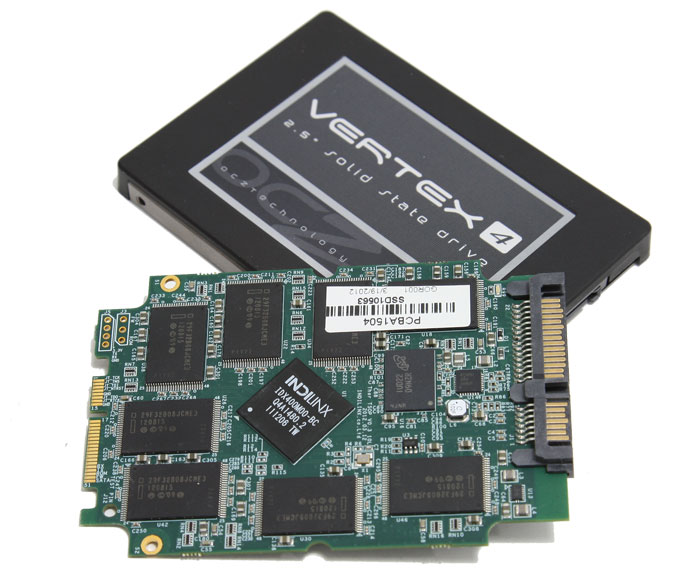
The SSD drives have already hit the market and their arena is shaping up to be fierce with a lot of players. For those who have never heard of the SSD technology, here is a brief explanation: The SSD (Solid State Drive) is another storage unit for your computer, similar to your hard drive – but zillions times faster!Yes sir, not mechanical components here, so if you look under the hood of your SSD, you won’t find any magnetic head & platters, but just a plain PCB board. This means huge read/write transfer rate for your data (eg OCZ Revodrive3 X2 operates at ~900mb/s, while a typical WD Green at 110mb/s max).
Before you crack a big smile, let me remind you what Ben Parker said to Peter: “With Great Power comes Great Responsibility”. In other words, this hell-of-a-speed data flow comes with a price – its limited lifespan. If you are careless enough, then your brand-new Vertex 4 SSD will probably degrade its perforamance and kiss its speed goodbye. Thus, you need to be well-informed about whether you should enable or not certain “hacks” to your Linux distribution. The most common mistake that new SSD users tend to make is installing a new Linux distro or replacing the current one without secure erase it first.
Okay, suppose you have Slackware or whatever Linux distro you like. Then, something happens and you decide that this distro is not suitable for you, so you want to replace it. The typical process will be downloading the CD/USB, booting from the media, running the installer and after several next-clicks you have to choose where to install it.
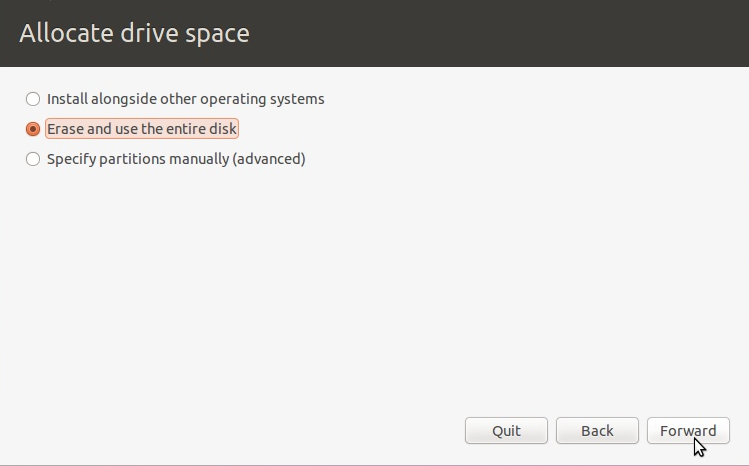
As you can see from the print-screen above, even the the most user-friendly distributions like Ubuntu, have no Secure Erase option. Thus, they treat your SSD as a normal hard drive writing zeros everywhere.
The more you read and write from/into your SSD, the more you lose from its performance. So please DO NOT FORMAT your SSD drive, because you are killing its performance. The majority of users, install their Operating System into their SSD and have separate drives for their applications and downloads (for example, the most common choice is to have another drive for /home directory). Thus, partitioning is not recommended because of SSD limited capacity.
So how to Secure Erase your SSD drive ?
We are going to use any Linux BootCD that has HDParm utility ready to use, such as an Ubuntu liveCD. In case you are not aware of your drive’s path (/dev/sda, sdb, sdc erc), please remove all your SATA cables and leave only the SSD cable plugged in. Then boot from your BootCD and run GParted in order to identify its directory (it will probably be /dev/sda).
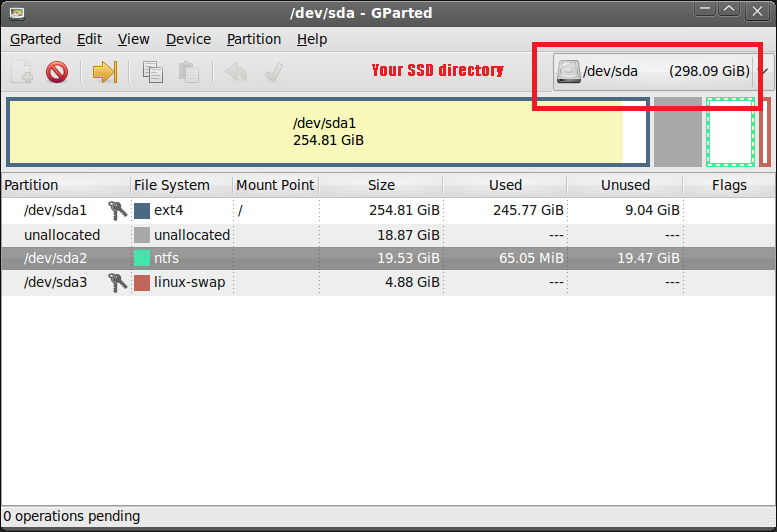
Open the Terminal and please type:
sudo hdparm -I /dev/sda
Okay, now scroll down and check if your SSD is frozen. If you ‘re unlucky, then it’s gonna be frozen 🙁
Security: supported
not enabled
not locked
frozen
not expired: security count
not supported: enhanced erase
In order to Secure Erase your SSD you need to defroze it first. But keep in mind that the following procedure requires a minimum of hardware experience. It’s a child’s play in the hands of advanced users who already have the experience of re-installing hardware. If you are newbie, please be careful here. Using the manual and our helpful instructions, there is no doubt that you will accomplish this task quite easily. To do this, unplug the SATA cable from the SSD’s backport and then plug it back in, while your computer is still running. If it is still frozen, then repeat the procedure using the power cable (instead of the SATA).
Try different configurations until you manage to defroze your disk. Finally, your output will be similar to this:
Security: supported
not enabled
not locked
not frozen
not expired: security count
not supported: enhanced erase
Okay, now we are able to tweak your SSD disk. If you are ready to Secure Erase this little fellow made of NAND gates, please type the following command:
sudo hdparm --security-erase NULL /dev/sda
Finally your output should be similar to this:
ubuntu@ubuntu:~$ sudo hdparm --security-erase NULL
/dev/sda security_password=""
/dev/sdb: Issuing SECURITY_ERASE command,
password="", user=master
Congratulations! You ‘ve made it. Now, your SSD will maintain its speed performance. However, after some time there will be some degradation which is inevitable due to flash NAND memory behavior. Off the record, I was lucky enough to test and review several SSD drives during the past three years, from Intel to OCZ and G.Skill. I have to tell you my Unixmen friends that every single time I had to Secure Erase these little beasts in order to hit the best benchmark score for the review. So, if you feel unhappy spending $200-400 contrary to your SSD’s performance, try to Secure Erase it and who knows … you may unleash its hidden potential.



