


Recoll is a text search tool for Unix and Linux desktops. Recoll finds keywords inside documents as well as file names.
Recoll will do the following for you.
– It can search any document format.
– Supports wild card characters.
– Search based on files author, type, size and format etc.
– will search on all storage places such as files, archive members, email attachments etc.
– supports Desktop and Website integration
– Firefox extension is available to index visited web pages history.
– One click will open the document inside a native editor or display a text preview.
– The software is free, open source, and licensed under the GPL.
Install Recoll On Ubuntu / Linux Mint
Recoll is available in the Ubuntu repositories, However it is better to add Recoll repository and install the latest version.
Add Recoll repository using command:
sudo add-apt-repository ppa:recoll-backports/recoll-1.15-on
Update the package list with command:
sudo apt-get update
Now install Recoll using the following command.
sudo apt-get install recoll
For other distros, see the download page to download and install it from source.
Launch Recoll
Recoll can be launched either from Dash or Menu.
 At first launch, you’ll be asked to do indexing your whole home directory. This will take a while depending upon the size of your Home directory and no of files you have. Press the Start indexing now button.
 Also you can adjust the indexing configuration and indexing schedule, if you want to more control of indexing. To do so, simply click on the Indexing configuration or Indexing schedule links. If you want to do it later, you can access these tools from the Preferences menu.
Once the indexing is done, you can start searching files/folders. The result will be displayed according to the exact relevancy and with a small snippet of the matched content.
Configuration
As i noted above, you can adjust the Recoll indexing function if you want more control.
There are two configuration sections in the Recoll tool.
1. Index configuration
2. Index schedule
Let us see a short description of above sections.
Index Configuration is the section where you want to include directories or exclude the paths from indexing. By default Home directory will be included in the index. You can just remove and add some specific directory(s) for indexing.
 Also you can define the web history queue and the max size of the web store.
Index schedule is the section where you want to define a schedule to automate batch indexing runs, or start real time indexing when you log in.
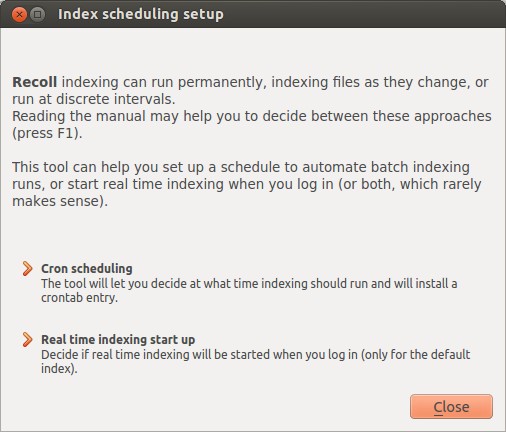 Recoll supports two indexing schedule:
Cron Scheduling – decides at what time indexing should run and installs the crontab entry.
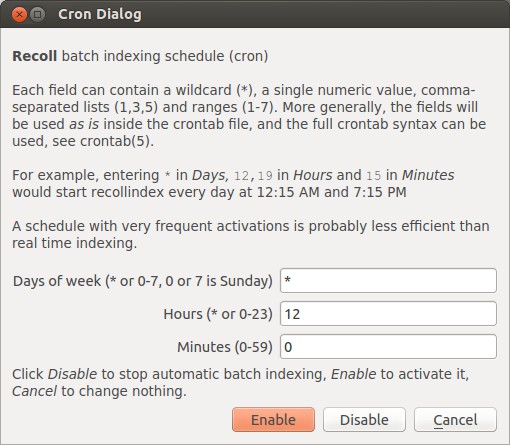 As per the above screenshot, the recoll cron job will run on every day at 12 am. After setting up the cron job, click enable to make it active.
Real time indexing start up – decide if real time indexing will be started when you log in.
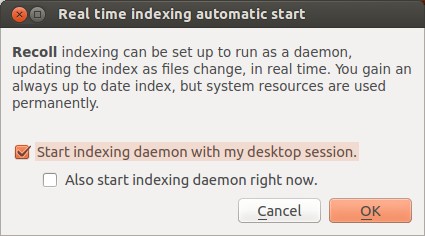 By enabling this option, the recoll daemon will start on every reboot. Be mindful that this settings is applicable only for default index.
Basic Search
Hope you knew enough about Recoll now. It is time to search some files/folders. The beauty of this application is it finds keywords inside documents as well as file names.
In the Recoll interface, enter the search term(query) on the top right search box and click Search button.
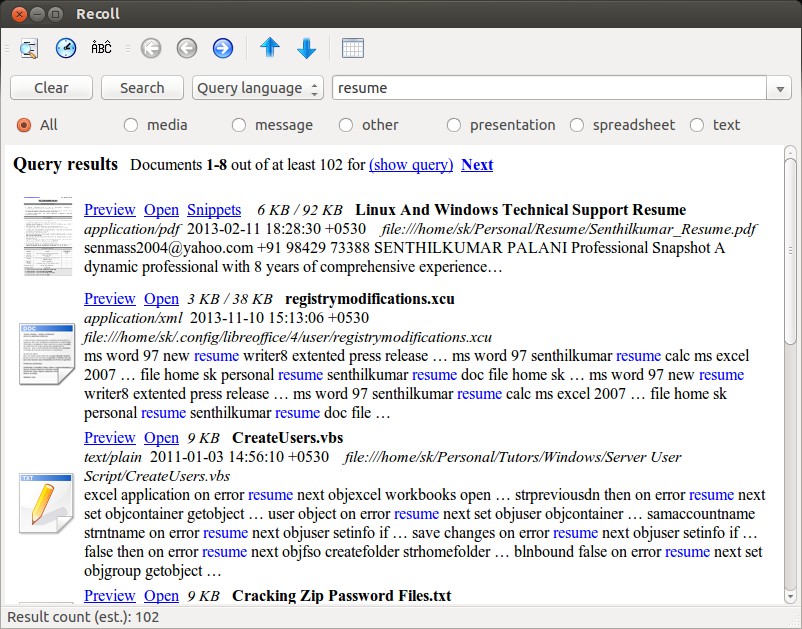 As you see in the above picture, the result will be displayed with exact relevant contents, a small snippet and preview option of the matched contents. You can directly open the searched file by clicking on the Open button or preview it before opening using the Preview button.
Also you can filter the results according to their categories such as “media”, “message”, “other”, “presentation”, “spreadsheet” and “text” etc. Moreover you can choose the search results that should match “Any term”, “All terms”, “File name” or “Query language”.
Advanced Search
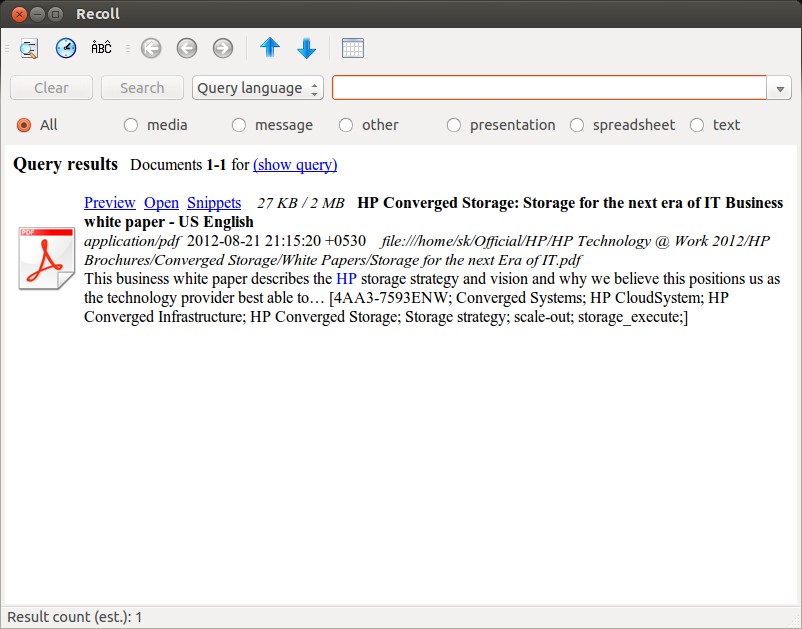
Click the Advanced Search icon on the Menu bar or go to Tools -> Advanced Search. This will open a new window. From here you’ll be able to search more advanced with clauses. For example i am searching for files that contains matches keyword as “hp” and filename as “storage”.
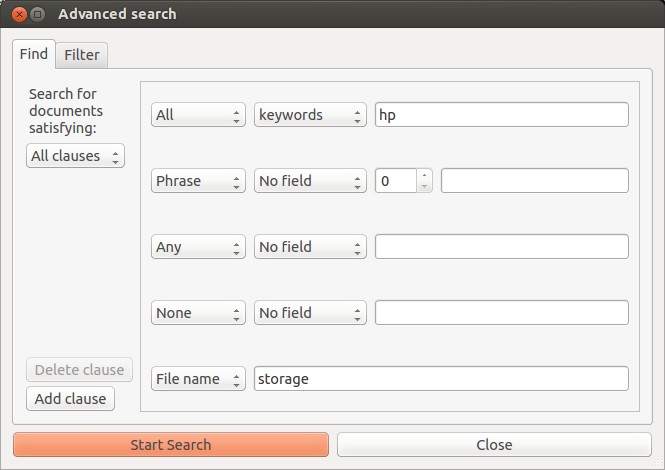 This will find and displays the files that contains the keyword as “hp” and file name as “storage”.
 Unity Desktop And Website Integration
This application supports desktop and website integration. If you want to integrate this with your Ubuntu Unity desktop, install recoll-lens with following command.
sudo apt-get install recoll-lens
Please note that the Lens is limited to showing at most 20 results. If you want get more than 20 search results, edit rclsearch.py, change the “if actual_results >= 20:” line.
If you are using Firefox browser and want to search the website history that you visit everyday, you can use this firefox extension. This extension works together with Recoll to index the websites that you visit all day. After installing this extension, enable it from the Web history tab of Recoll Index Configuration.
 All Linux distributions has built-in search function in their file manager to find files/folders as easy as possible. For those who aren’t not happy with the built-in search functionality and looking for an advanced text search tool, then Recoll is a worth trying tool. For me, this tool is lot easier and more powerful for basic and as well as advanced searches.
Cheers!



