


Firefox 16, a treat for developers http://t.co/cnd27CzT
Nvidia 304.51 drivers released
Yesterday was released Nvidia 304.51, the new release comes with many bug fixes rather than new features or significant improvements. Simply put, 304.51 driver is the stable version of the 304.48 beta.
Added support for the new Quadro Sync board for Quadro Kepler GPUs. See the “Configuring Frame Lock and Genlock” chapter in the README for details.
Fixed an X server crash on X.Org xserver 1.13 when it is compiled without support for DRI2.
Fixed a regression that broke color controls on older X servers.
Fixed a bug that sometimes caused the display layout area of the nvidia-settings control panel to be laid out incorrectly.
Fixed a bug that prevented panning from working correctly after a modeswitch on some X servers with support for cursor constraining.
Gamma ramp and colormap adjustments now apply correctly when screen transformations such as rotation and keystone correction are in use.
Fixed RandR per-CRTC gamma persistence across modeswitches and VT-switches.
Fixed a bug that caused the X server to sometimes hang in response to input events.
Fixed a reduction in rendering performance for core X11 rendering on certain GPUs that occurred in the 290.series of releases.
Fixed a bug that prevented PowerMizer from working correctly on some boards with GDDR5 memory, such as some GeForce GT 240 SKUs.
Fixed a bug that caused OpenGL applications to not animate properly when a rotation or a transformation was applied on some older X server versions.
Enabled FXAA with Unified Back Buffers.
Fixed a bug that prevented the “Reset Hardware Defaults” button in the Display Settings page of nvidia-settings from being activated.
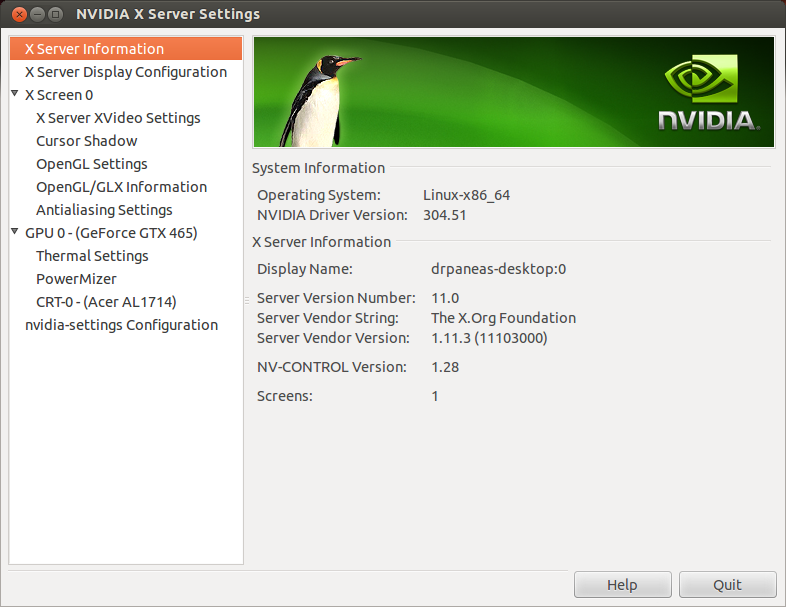
Installation of Nividia 304.51 in Ubuntu 12.04, LinuxMint13, Fedora 17 and other Linux distros:
Ubuntu 12.04
Ubuntu-wise you have 3 options to install 304.51
- 1. Using the automated script installation from UbuntuXtreme
- 2. Using the X-Swat (stable branch) or Xorg-Edgers (beta stuff) PPA
- 3. Using the nVIDIA installer, building the kernel module manually
First option here, is what I recommend to the beginners who are afraid to mess around with their system. This script will automatically insert the appropriate PPA, remove unnecessary and old packages, install and configure nVIDIA drivers properly. All you have to do is just run it: sudo ./nvidia*.sh
Download YouTube Video | YouTube Converter
In this video you can see the script in action, installing the older 304.43 driver. If things turn bad, you have the option to go back into nouveau (open source).
Ubuntu and Mint
sudo apt-add-repository ppa:ubuntu-x-swat/x-updates sudo apt-get update sudo apt-get install nvidia-current nvidia-settings
Debian
For Debian Squeeze use the following script.
su chmod +x nvidia-installer-squeeze.sh ./nvidia-installer-squeeze.sh
Fedora and Others
First Download the driver from this link (32bit or 64bit),
cd the directory where you downloaded the file, in my case :
cd /home/youruserna,e/Downloads
Now open terminal and run the following command:
sudo sh ./NVIDIA-Linux-x86-304.51.run
Then follow the installation instructions.
Activate the new driver and Reboot.

-
-
-
Pingback: Nvidia 304.51 drivers released | Unixmen « towerysdev2
-
-
-
-
-
http://www.facebook.com/people/Aaron-Baker/100001012473293
-
Pingback: Fix My Website
Like us on Facebook
This week Top Posts 
Top Things to do After Installing Ubuntu 13.04 ‘Raring Ringtail’ : Ubuntu 13.04 Raring Ringtail final is almost out. The final release it scheduled for release on Apri...0 comment(s) |
Install lamp with 1 command in Ubuntu 12.10, 13.04 Raring Ringtail & LinuxMint13 : Updated: 10/09/2012 :LAMP (Linux, Apache, MySQL and PHP) is an open source Web development platform ...0 comment(s) |
Howto: Upgrade to Ubuntu 13.04 Raring Ringtail from 12.04, 12,10 | Desktop & Server : Updated 05-04-2013: Ubuntu 13.04 Raring Ringtail will be released Soon, If you have ubuntu 12,10, 12...0 comment(s) |
Install and Configure Samba share in Ubuntu 13.04 Raring Ringtail , 12.10, 12.04| Howto : Updated 05-04-2013: One of the most asked features for Samba is a graphical user interface to help w...0 comment(s) |
How to Find Default Gateway in Linux : A gateway is a node or a router that acts as an access point to passes network data from local netwo...0 comment(s) |
How to use Remote Desktop in Ubuntu : Sometimes, we need to access our computer from other locations when we’re not at home and such. This...0 comment(s) |
Recent Posts
- Setup the Raspberry Pi as a NAS
- How to Monitor Filesystem Events with incron
- Useful Commands for Linux Users – Episode 6
- Deadly Linux Commands
- Determine Your Specifications from Command-Line
- Automatically Change the Desktop Wallpaper Using Variety on Ubuntu/Linux Mint
- How to Find Default Gateway in Linux
- Setup Backup Server Using rsnapshot
- How to Disable/Change Default PDF Viewer in Mozilla Firefox
- Dictionaries in Python
Recent Comments


cave
| #
it can be used to talk or chat through the internet,
it is using strong encryption.
but for example TOR is using some obfuscation because some countrys try to block all outgoing connections which can not be scanned with DPI
And the TOR Project is facing an arms race in obfuscation and encryption detection.
cave
| #
You can friend someone if you give him your public Certificate.
both peers must friend each other.
i suggest to not enter a valid e-mail address. it is not necessary, but pgp needs a mail addy. something@something.so fits perfectly… :)
http://redd.it/18vsq5 <– faq, featurelist, todo, howto, useful links to manual wiki etc, …
you can connect to chatservers, which will give you access to chatlobby, where always some people are lurking.
#1 https://www.f2f-fr.net/w2c/en/
#2 http://retrosharechatserver.no-ip.org/w2c/en/
and in this rooms, you can find other people to talk and friend.
cave
| #
http://redd.it/18vsq5
please have a look at this link. it is a FAQ, QuickTip, HowTo, etc etc etc …
If you want to make friends, please use the Chatservers.
#1 https://www.f2f-fr.net/w2c/en/
#2 http://retrosharechatserver.no-ip.org/w2c/en/
if you enter your certificate, the chatserver adds you as his friend and shows his certificate too add him to your friends.
After the connection to the chatservers is established, you can join a few chatrooms where the chatserver is lurking.
in this rooms are other people too help you and make first friends and get into the network.
add friends only with wisdom. if you friend some policeman, it will be problematic like in real life.
best is to add only people you trust in real life or trust from other communitys too. and not to add random unkown strangers.
If you have questions, ask them in the chatlobbys, there is always someone to answer them.
please read http://redd.it/18vsq5
or question me here :)
Ladi Oyekanmi
| #
Could you please assist in step by step on how to install nagios on solaris
Adhraa
| #
Greate tutorial :)