


Google Plus

Install skype 4.x in Ubuntu 12.10 Quantal Quetzal

Written by M. Zinoune on . Posted in Frequently Asked Questions, Linux tutorials, Ubuntu

Question: How to install skype 4.x in Ubuntu 12.10 Quantal Quetzal?

Answer:

Open terminal and type the following partner repository  then update and install Skype 4.x :

sudo add-apt-repository "deb http://archive.canonical.com/ $(lsb_release -sc) partner"
sudo apt-get update 
sudo apt-get install skype
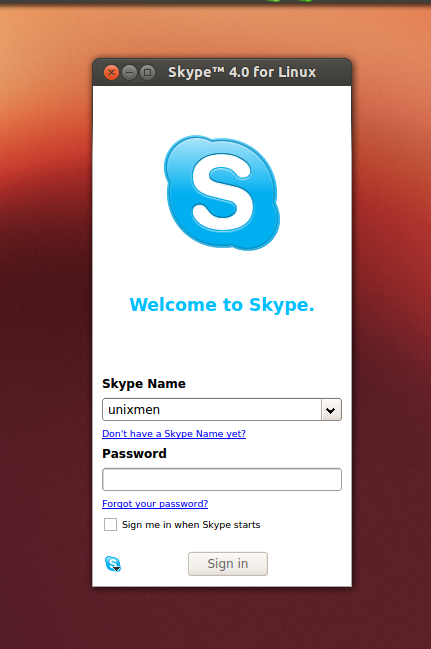
For questions please refer to our Q/A forum at : http://ask.unixmen.com

  • greg

    The following packages have unmet dependencies.
    skype : Depends: skype-bin but it is not installable
    E: Unable to correct problems, you have held broken packages.

  • SimonB

    Yeah same here “skype : Depends: skype-bin but it is not installable” WONT INSTALL

  • http://twitter.com/vasiliy0s Vasiliy Os

    Thanks!

Like us on Facebook

This week Top Posts

Write for us

Recent Comments

Snake

|

Wow, great. That’s what i’m waiting for too. I want to make DC with LDAP ( Active Directory alternative) and SAMBA on Ubuntu. :-)

Blawer

|

Thanks!!!!!!!!!!!!!!!!!! you rules!!! all the other “help” in google are useless… yours was very helpful. Thanks again

piCool

|

Great ! we have another another master trick :-)

Yilmaz Ulugtekin

|

Just delete the space after the slash (/) it will work.

Pat L

|

I tried it and it works with a regular zip file, but if you password-protect the .zip file it does NOT work.

 
IDG Tech Network
Copyright © 2008-2013 Unixmen.com .
Maintained by Anblik .