Apache Subversion (often abbreviated SVN, after the command name svn) is a software versioning and revision control system distributed under an open source license. Developers use Subversion to maintain current and historical versions of files such as source code, web pages, and documentation. Its goal is to be a mostly-compatible successor to the widely used Concurrent Versions System (CVS).
In this post i will show you how to install SVN in CentOS6.x
Lets begin install :
1-Install SVN modile for apache and subvention packages
yum install mod_dav_svn subversion
2-Adjust /etc/httpd/conf.d/subversion.conf
LoadModule dav_svn_module modules/mod_dav_svn.so
LoadModule authz_svn_module modules/mod_authz_svn.so
 DAV svn SVNParentPath /var/www/html/svn
AuthType Basic AuthName "Subversion repositories" AuthUserFile
/etc/svn-pass Require valid-user
3- Add SVN Users
If you want to add authorized users to the SVN repository
There is two ways :
add users via :
[root@hosted svn]# htpasswd -cm /etc/svn-pass unixmentest
New password:
Re-type new password:
Adding password for user unixmentest
you can use LDAP Access add this to subvenssion.conf
AuthLDAPURL "ldap://your.domain:389/DC=your,DC=domain?sAMAccountName?sub?(objectClass=*)"
4- Configure SVN folder
mkdir /var/www/html/svn
cd /var/www/html/svn
svnadmin create unixmen1
chown -R apache.apache unixmen1
chcon -R -t httpd_sys_content_t /var/www/html/svn/unixmen1
## Following enables commits over http ##
chcon -R -t httpd_sys_rw_content_t /var/www/html/svn/unixmen1
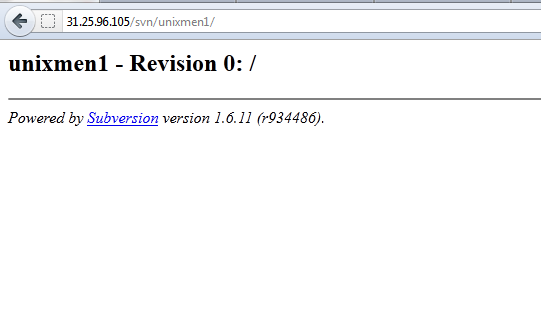
Now restart apache and join http://ip/svn/unixmen1, and don’t forget to login with your user already created