Firefox 16, a treat for developers http://t.co/cnd27CzT
Howto- Install Oracle Java7 in Ubuntu12.04 Precise Pangolin | PPA
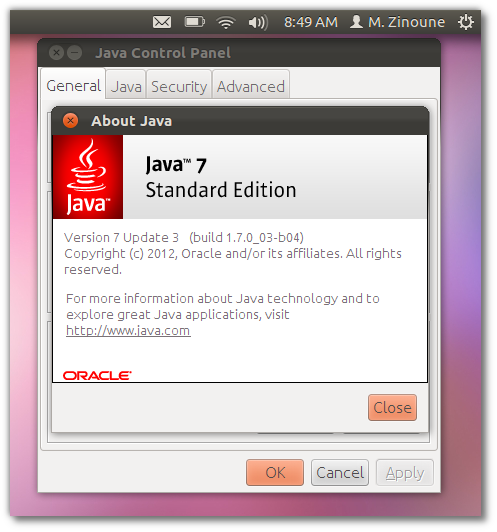
The “Oracle-java″ package is no longer available in the official Ubuntu 11.10 Oneiric Ocelot and Precise Pangolin. In this post i will show you how to remove OpenJDK and install Oracle Java7 on Ubuntu 12.04 Precise Pangolin.
First we need to remove the installed Open JDK Java:
sudo apt-get purge openjdk*
Now add the following PPA and install Oracle Java7 in Ubuntu 11.10, 12.04 Precise Pangolin:
sudo add-apt-repository ppa:eugenesan/java sudo apt-get update sudo apt-get install oracle-java7-installer
I tested the above PPA in Ubuntu 11.10, 12.04 Precise Pangolin also on LinuxMint12 works just fine.
Please let me know if this worked for you. Thanks

-
-
-
-
-
http://www.facebook.com/lucasmezencio
-
-
-
http://www.facebook.com/NeverSleepNeverDie
-
-
-
-
-
-
-
-
-
-
http://www.facebook.com/profile.php?id=100002772852598
-
-
-
-
-
-
-
-
-
-
-
-
http://www.facebook.com/A7madHegazy
-
http://www.facebook.com/jessegaspar
-
-
-
-
-
http://www.facebook.com/profile.php?id=100002420747810
-
-
-
-
Like us on Facebook
This week Top Posts 
Top Things to do After Installing Ubuntu 13.04 ‘Raring Ringtail’ : Ubuntu 13.04 Raring Ringtail final is almost out. The final release it scheduled for release on Apri...0 comment(s) |
Howto: Upgrade to Ubuntu 13.04 Raring Ringtail from 12.04, 12,10 | Desktop & Server : Updated 05-04-2013: Ubuntu 13.04 Raring Ringtail will be released Soon, If you have ubuntu 12,10, 12...0 comment(s) |
Install lamp with 1 command in Ubuntu 12.10, 13.04 Raring Ringtail & LinuxMint13 : Updated: 10/09/2012 :LAMP (Linux, Apache, MySQL and PHP) is an open source Web development platform ...0 comment(s) |
Unix/Linux File Recognition. Did You Know? : Did you know that Unix and Linux has no concept of a file extension? What is a file name extension?
...0 comment(s) |
Configure conky-Lua in Ubuntu (12.10 & 13.04 Raring Ringtail), Fedora, debian and LinuxMint | Howto Conky : Updated 05-04-2013: Conky is a free, light-weight system monitor for X, that displays any informatio...0 comment(s) |
Howto- Resolve nosound problem on Ubuntu 13.04 Raring Ringtail,12.10 and Older : Updated 05/04/2013 : One of the common issues facing Ubuntu users after installing or upgrading Ubun...1 comment(s) |
Recent Posts
Recent Posts
- Unix/Linux File Recognition. Did You Know?
- Migrate from MySQL to MariaDB in FreeBSD
- Connect Your Android Galaxy Tablet to Ubuntu via USB
- ElementaryOS Beta 1 and 2 Comparison and Review
- Introduction to the Linux Command Line
- A Secure Password
- Linux Kernel 3.10. It’s BIG!
- Monitoring Users Activity Using psacct or acct Tools in Linux
- Run Your Own Social Network Using elgg on RHEL / CentOS and Scientific Linux
- Getting Debian 7.0 ‘Wheezy’ Up and Running
Recent Comments

Maintained by
Anblik
.


Brandon Hawkins
| #
thanks
Nova
| #
I wonder if there is a way to create your own themes.
Red Adaya
| #
Thank you! This worked for me!!!
SK
| #
Andrew look into your httpd.conf file at line no 350. There might be a syntax error.
andrew
| #
hello I have this error
[root@cloud html]# /etc/init.d/httpd restart
then this appears
Starting httpd: httpd: Syntax error on line 350 of /etc/httpd/conf/httpd.conf: without matching section.
plz tell how to fix this.