Google Plus

FireSSH- A Firefox add-on to run SSH client in your browser

Written by Ayesha .A on . Posted in Linux tutorials

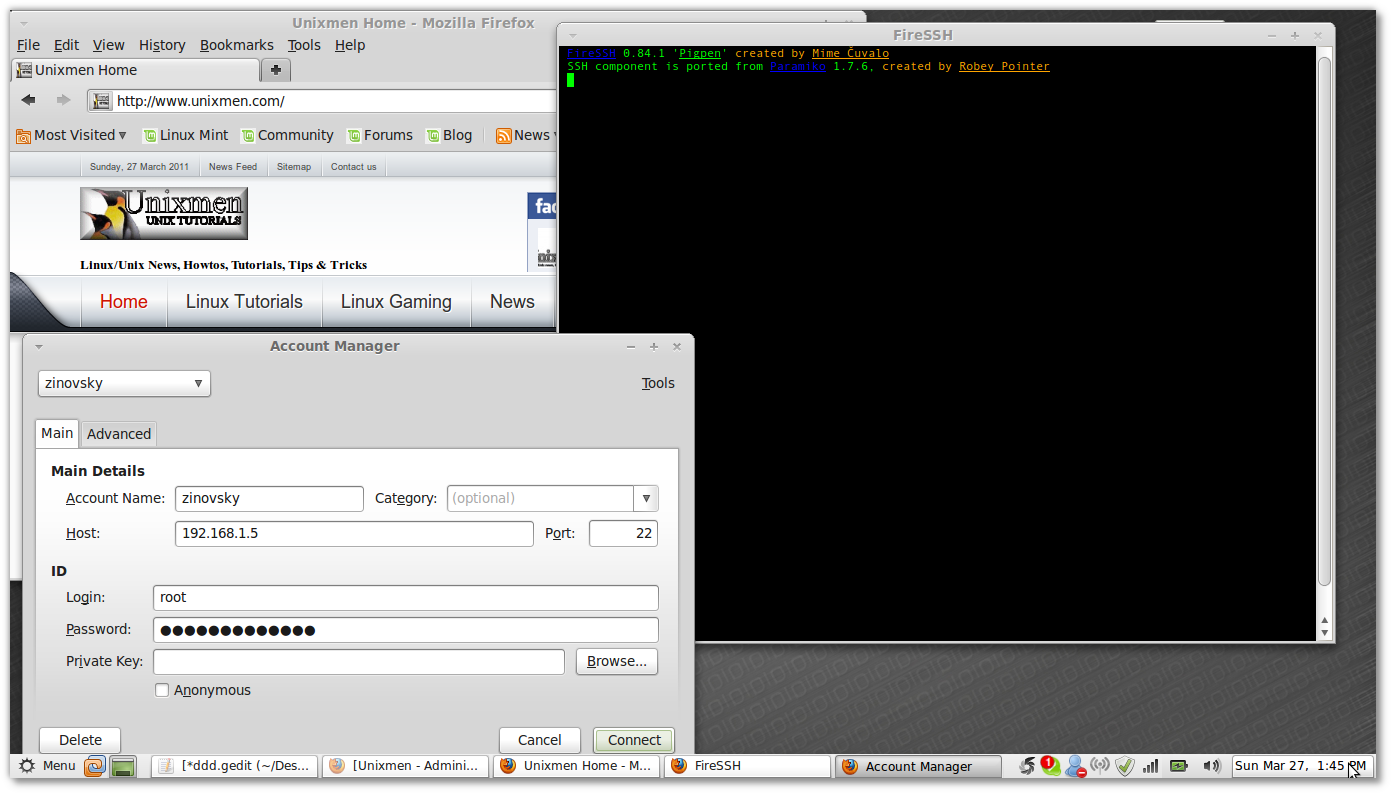
FireSSH is a free, cross-platform SSH terminal client for Mozilla Firefox. Written entirely in Javascript!, if you are for example under windows and you want to use ssh, the best is to install this firefox  extension.


After installation,  If you want to enable/disable or to to customize firessh, go to Tools–>Add-ons and click on Preferences
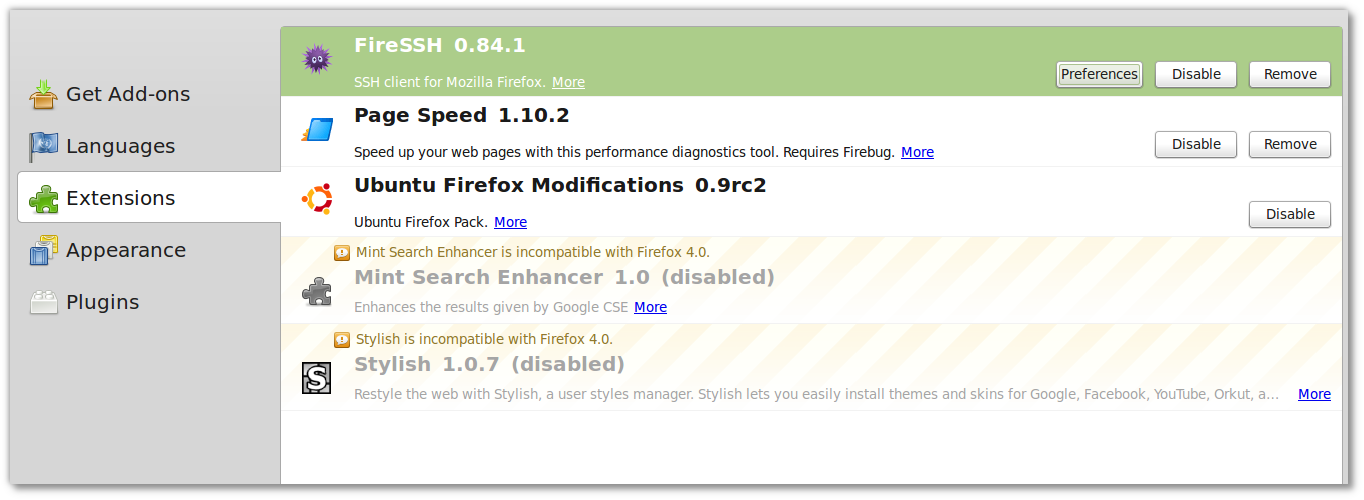
firessh

Now to run the extension go to Tools–>firessh
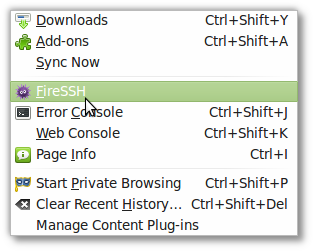
firessh1

firessh2

{module user9-footer|none}

For questions please refer to our Q/A forum at : http://ask.unixmen.com

  • Stijn Verwaaijen

    Looks good, but why is this best when there’s putty and winscp?

    • Zinovsky

      I said the best because you will use ssh within the browser especially if you are using a public computer and you can not install anything.

  • http://ihaveapc.com ihaveapc

    Handy addon but doesn’t work for versions below 4 ? Didn’t get installed on my FF 3.6.16:(

    By the way, did you observe any extra slowness when using FireSSH ?

    Cheers.

  • Frank

    Crackpot idea of the week: building a security-sensitive application on a wobbly something like javascript in an invite-the-world-to-your-computer application like a web browser.

Like us on Facebook

This week Top Posts

Write for us

Recent Comments

Bjarni

|

Excellent, thanx!

Ambiton

|

Thank you very much Chris :)

Lolman

|

in cmd

Oliver

|

Do you think that it works on a Macbook Air 1,1?… ohh and, it must be installed in a different partition than Mac OS X, right?… can´t have i installed only Ubuntu on my hard drive?

 
IDG Tech Network
Copyright © 2008-2013 Unixmen.com .
Maintained by Anblik .