

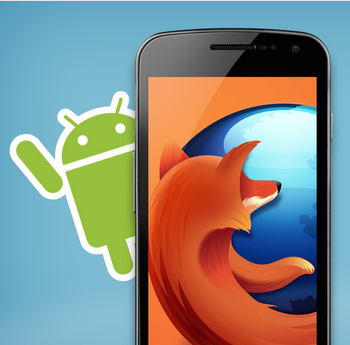
Firefox 16, a treat for developers http://t.co/cnd27CzT
Firefox for Android comes to low-end Android handsets
The fact that open source software are more beneficial for society at large has been justified once again as Firefox for Android extends its support for low-end Android Handsets specifically based on ARMv6 architecture. Mozilla Firefox for Android will now be available for millions of ARMV6 based Android handsets most notably HTC Status, HTC Chacha, Samsung Galaxy Ace, Motorola Fire XT and LGOptimus Q.
Previously Mozilla’s Firefox for Android was supported on handsets that used chips based on the ARMv7 architecture and ran Android 2.2 or above. That is to say Firefox was only limited to high-end modern Android handsets. The good news is that Mozilla has loosened on its hardware requirements, supporting half of the 500 million Android smartphones running ARMv6 chips. This is a significant leap forward as the browser will be now accessible to considerably larger audience.
The new hardware requirements to run Firefox for Android on ARMv6 based architecture are:
- 800 MHz processor
- Minimum 512 MB RAM.
The upgrade also introduces the integration with Google’s TalkBack and Explore by Touch (new features in Android JellyBean) for reading text on the screen for the visually impaired using speech input, sounds and vibrations. Also Firefox for Android adds a hardware and software decoder support for h.264 video on Android 4/4.1, Initial web app support and JavaScript Maps. Furthermore the text deletion issue has been solved.
The newly extended support for millions of more Android handsets will significantly give boost to the browser on mobile platform as well as on desktop (thanks to the sync feature). The support is truly welcomed in a browser world that seems to be overwhelmed by Google’s Chrome leading on desktop and mobile platform. Get your Firefox for Android.
A complete list of devices running on ARMv6 devices can be found here.

Like us on Facebook
This week Top Posts 
Top Things to do After Installing Ubuntu 13.04 ‘Raring Ringtail’ : Ubuntu 13.04 Raring Ringtail final is almost out. The final release it scheduled for release on Apri...0 comment(s) |
Install lamp with 1 command in Ubuntu 12.10, 13.04 Raring Ringtail & LinuxMint13 : Updated: 10/09/2012 :LAMP (Linux, Apache, MySQL and PHP) is an open source Web development platform ...0 comment(s) |
Howto: Upgrade to Ubuntu 13.04 Raring Ringtail from 12.04, 12,10 | Desktop & Server : Updated 05-04-2013: Ubuntu 13.04 Raring Ringtail will be released Soon, If you have ubuntu 12,10, 12...0 comment(s) |
How to use Remote Desktop in Ubuntu : Sometimes, we need to access our computer from other locations when we’re not at home and such. This...0 comment(s) |
Configure conky-Lua in Ubuntu (12.10 & 13.04 Raring Ringtail), Fedora, debian and LinuxMint | Howto Conky : Updated 05-04-2013: Conky is a free, light-weight system monitor for X, that displays any informatio...0 comment(s) |
Unix/Linux File Recognition. Did You Know? : Did you know that Unix and Linux has no concept of a file extension? What is a file name extension?
...1 comment(s) |
Recent Posts
- Unix/Linux File Recognition. Did You Know?
- Migrate from MySQL to MariaDB in FreeBSD
- Connect Your Android Galaxy Tablet to Ubuntu via USB
- ElementaryOS Beta 1 and 2 Comparison and Review
- Introduction to the Linux Command Line
- A Secure Password
- Linux Kernel 3.10. It’s BIG!
- Monitoring Users Activity Using psacct or acct Tools in Linux
- Run Your Own Social Network Using elgg on RHEL / CentOS and Scientific Linux
- Getting Debian 7.0 ‘Wheezy’ Up and Running
Recent Comments


Ambiton
| #
Thank you very much Chris :)
Lolman
| #
in cmd
Oliver
| #
Do you think that it works on a Macbook Air 1,1?… ohh and, it must be installed in a different partition than Mac OS X, right?… can´t have i installed only Ubuntu on my hard drive?
Brandon Hawkins
| #
thanks
Nova
| #
I wonder if there is a way to create your own themes.

