


Today we review a fresh Linux distribution from France called Emmabuntüs. Their first major release of Emmabuntüs 2 1.01 is based on Xubuntu12.04. This distro was designed to facilitate the refurbishing of computers given to human help associations, especially Emmaüs communities (where the name comes from) and promote the discovering of Linux and GNU by beginners. The goal of this thousandth Linux distro is intended to be sleek, accessible, equitable.
Installation
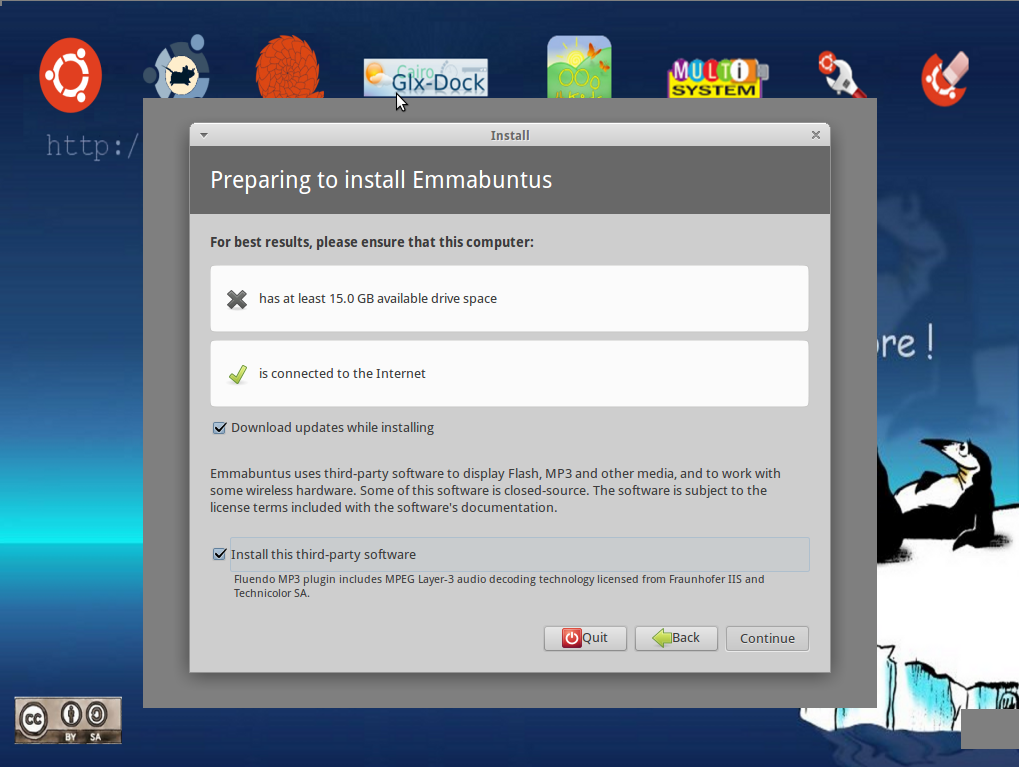
The installation progresses similar to Ubuntu. Nothing new that you are unfamiliar with. However you must be prepared to wait a lot, since the full installation of Emmabuntus needs nor 4GB, or 8GB but 15GB free disk space. The installation time is based upon your computer’s performance; estimated from 10 to 30 minutes. Grab a coffee, sit back and relax.
Non-Free software included
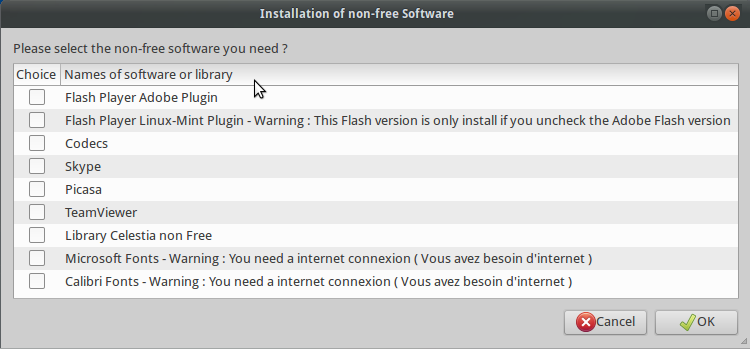
Upon the completion of installation, a window should pop up at your screen, asking you what non-free software would you like to include into your system. Pretty easy click-n-install process, just pick up your favourite apps and proceed.
The Desktop
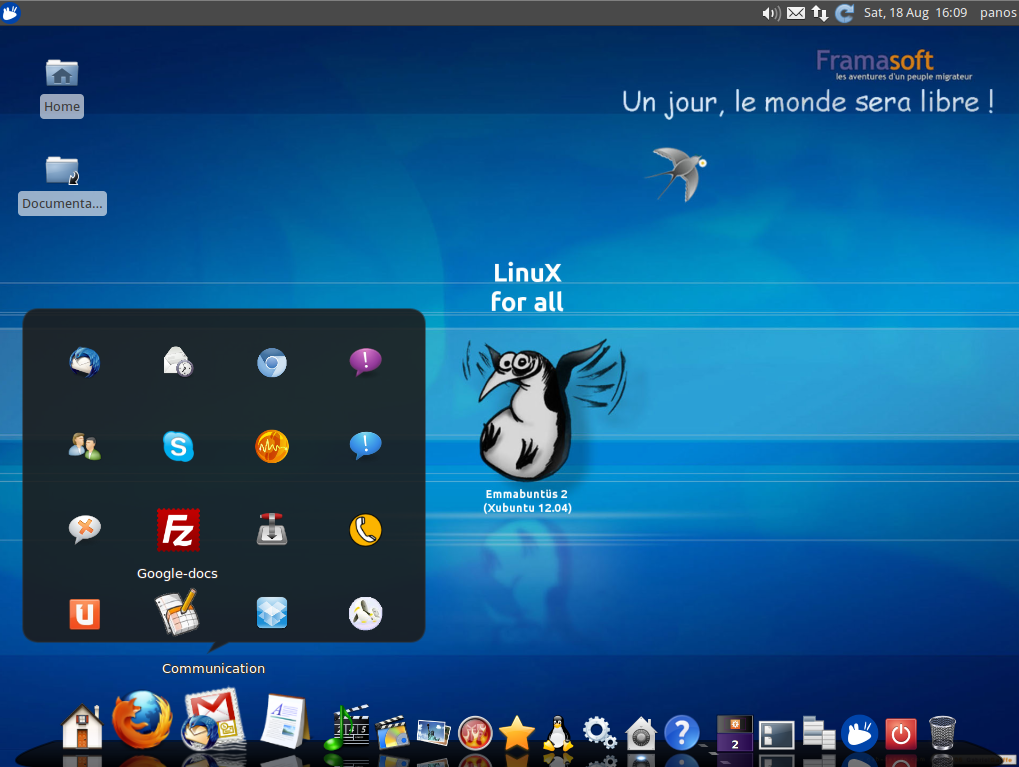
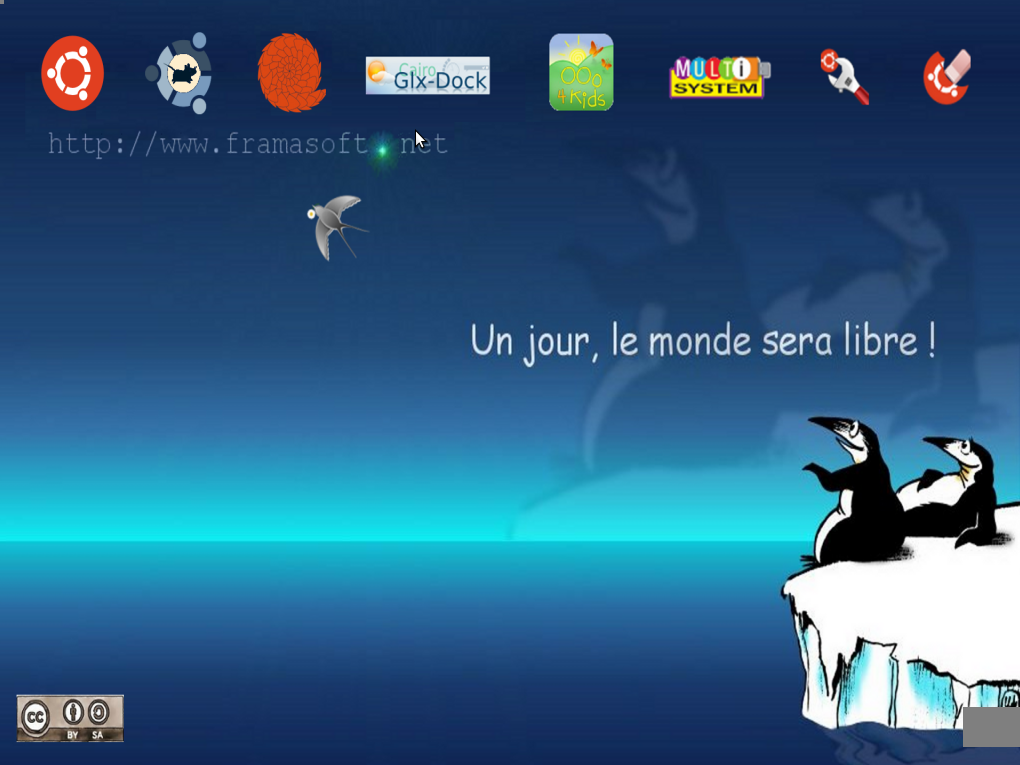
This is what you get when Emmabuntus logs in. A funny wallpaper spreading the message “Linux For All” and below a OS X style meny, spoofed with Cairo. What a nice touch! This is an elegant, fast and browse friendly menu.
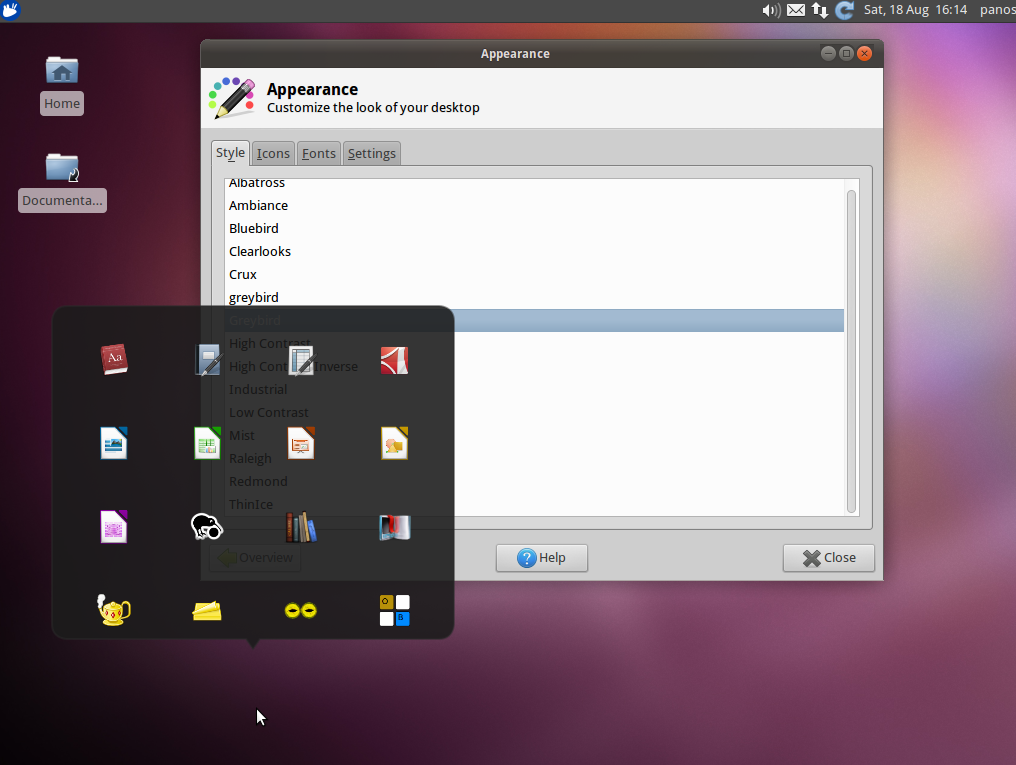
However we find a bug, that if you try customize your desktop and thus change the color scheme, this beautiful cairo menu vanishes while you have to manually awake it.
Applications
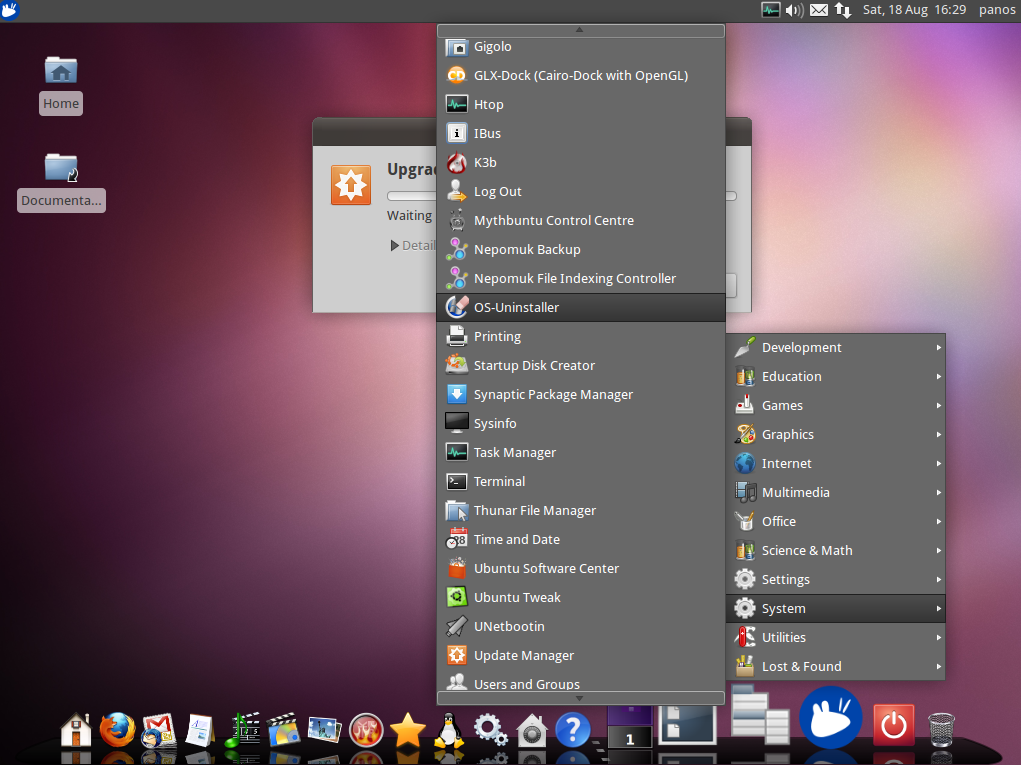
Emmabuntus comes with a huge pack of software and utilities pre-installed. Let’s unwrap the packages and take a look inside:
Communications: Thunderbird, Evolution, Chromium, Pidgin, aMSN, Skype, Ekiga, Softphone, Empathy, XChatIRC, FileZilla, Transmission, Wammu, Ubuntu One, Google-Docs, DropBox, Framapad.
Office: Dictionaries, AbiWord, Gnumeric, Document Viewer, Libre Office, Iciwix, Calibre, E-Book Reader, Geany, Notes, YAGF, Onboard Settings
Audio: Sound Converter, Sound Juicer, EasyTah, gPodder, Audacity, Pulse Audio, Clementine, Audacious, Rhythbox
Video: MythUbuntu Control Center, WinFF, OpenShot Video Editor, Cheese, SMPlayer, VLC media player
Photo: Pint, gThumb, GIMP Image Editor, Simple Scan, GNOME Photo Printer, DigiKam, Shotwell, Fotoxx, Picasa
Brun: gCDEmu, Efburn, Brasero, K3b
Interest: Wrmux, Tuxguitar, SuperTuxkart, SuperTux2, Celestia, Stellarioum, Belooted, Dominos, PlayOnLinux, SweetHome3D, Gramps Genealogy, HomeBank
Utilities: WifiRadar, Mint-Wifi, Network Connections, Calculator, Catfist, NumLock,Gparted
Maintenance: TeamViewer, Firewall Configuration, Update Manager, OS Unistaller, Ubuntu Tweak, Task Manager, Ubuntu Software center and others.
There are many more applications installed, but there is no point printing you out the whole system. If you like it, download and try it via a Virtual Machine.
Update manager
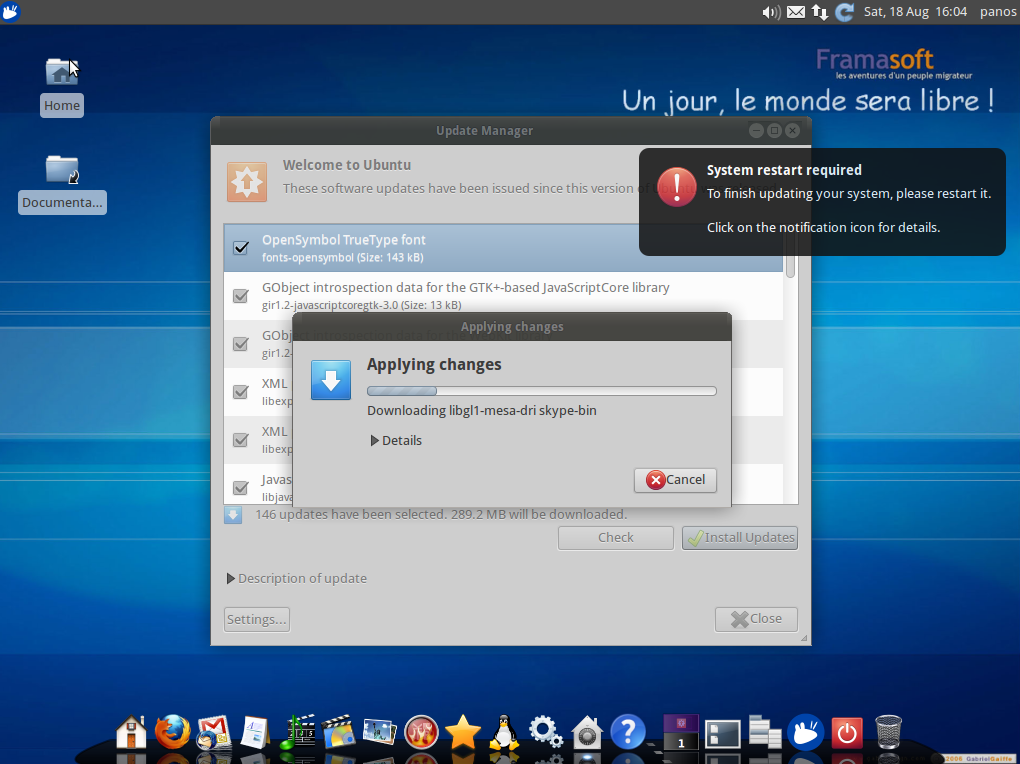
The update process is automatically maintained as always in Ubuntu. Clever message box notifications should pop up when it’s needed to warn your about anything. However, having so much software installed it was inevitable to avoid conflicts, thus it is upon the user’s experience to select Yes or No when the problem comes up.
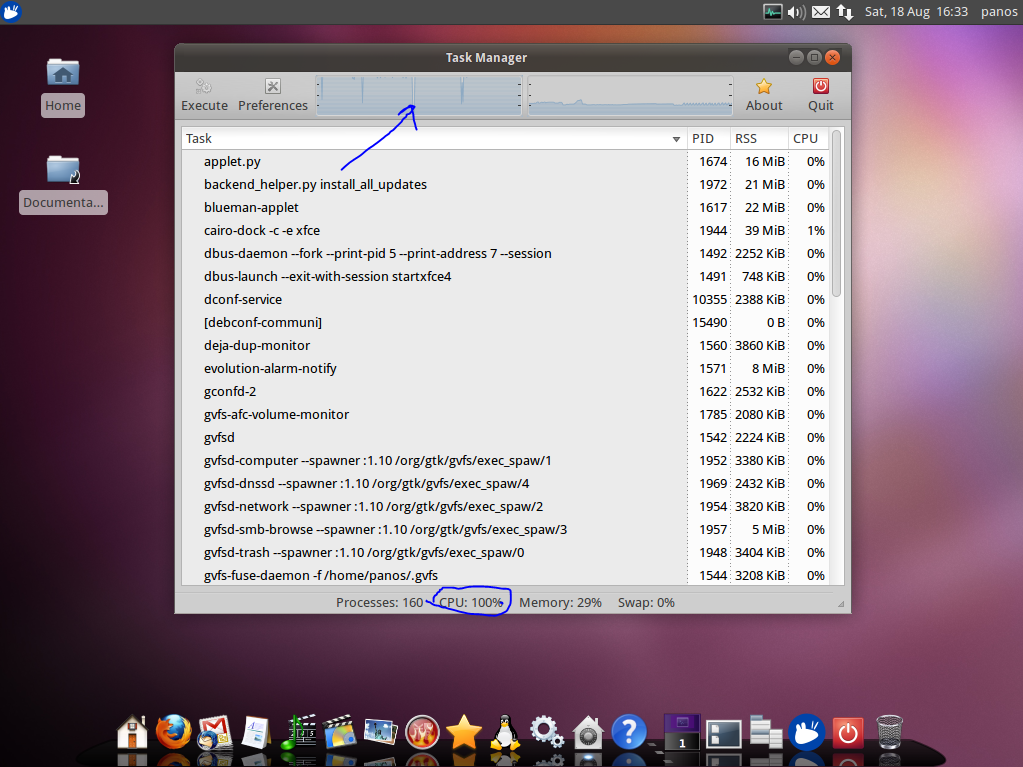
Our choices led us into an unexpected CPU load behaviour. This is something that requires attention for the Emmabuntus developers. Our choices were “Yes to All” as everyone noob user should probably come up with such option.
Responsiveness
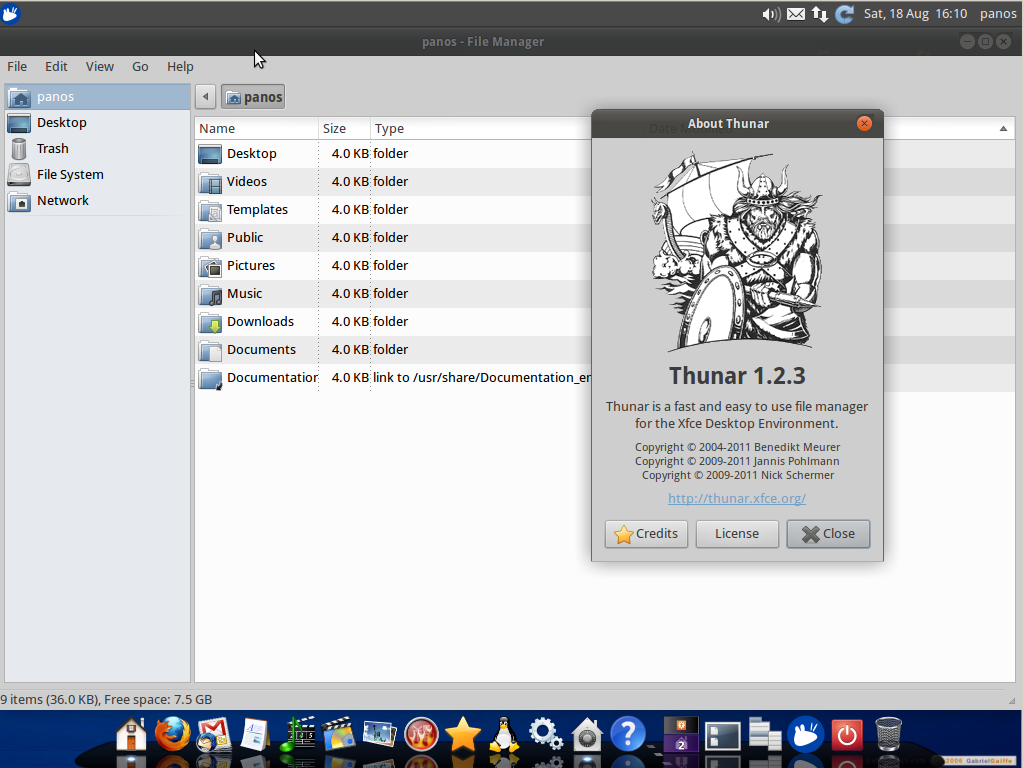
As another Xubuntu based distribution, it is commonly expected to experience a fast and lightweight environment. Although things don’t seem to work that fast here, since Emmabuntus comes with a 15GB of applications and utilities making the system’s overall experience one-click slower than it was expected. No mistake here, Emmabuntus is aiming to bring you all the coolest stuff that you might need (or not) someday, thus you need a modern computer with 4GB RAM and dual core processor to feel the fresh air in your desktop.
The Verdict
Our experience with Emmabuntus 2.1.01 for five days was okay, not good nor bad. It was exciting to see all these packages there waiting for you to explore them. System configuration is not meant to be changed, but leave it alone playing by default, since there are so many options that could easily be translated into a bug (such as vanishing the Cairo menu bar). However, an experienced user can easily overcome these problems, but if this distro is intended for beginners then might be a problem. All in all, we think that Emmabuntus needs to be improved in order to be widely used for the public but it’s totally recommended to taste it in a Virtual Machine. We wish you the best and may the source be with you 🙂
Last but not least, check out this video:
[youtube]5tjhABlGMhk[/youtube]
Download



