

Google Plus

Coverflow ALT-TAB- A nice extension for Cinnamon

Written by M. Zinoune on . Posted in eyecandy, Linux Mint, Software

Coverflow ALT-TAB is a great  extension for cinnamon that  let’s you Alt-Tab through your windows in a cover-flow manner.

Installation of Coverflow extension:

1- Download coverflow extension from this link

2- Extract the extension to your desktop and copy it to  ~.local/share/cinnamon/extensions , ~.local is a hidden folder in your home directory, unhide folders before to copy.
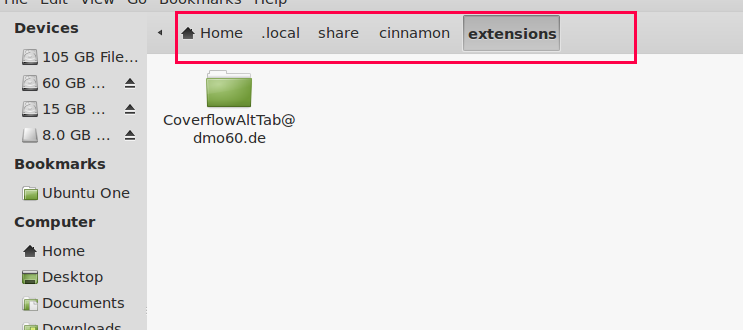
You can do that also by command line, first extract the file and copy it to ~.local folder:

cp -r CoverflowAltTab@dmo60.de ~.local/share/cinnamon/extensions

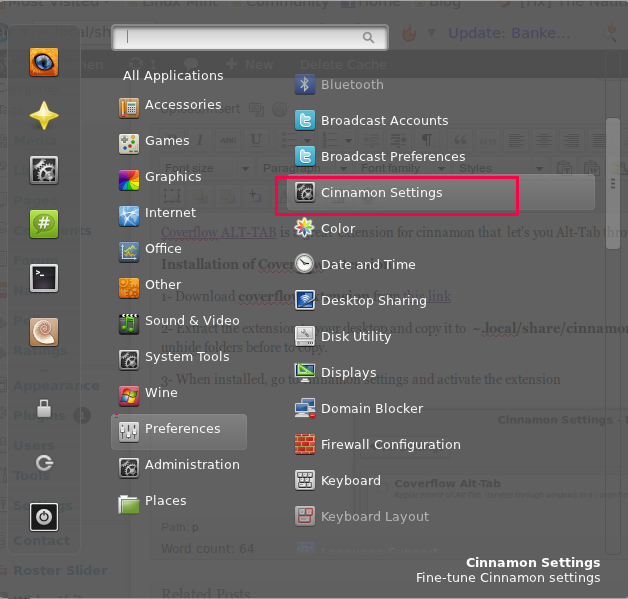
3- When installed, go to cinnamon settings ( Menu–>Preferences–> Cinnamon settings)and activate the extension
Then activate the extension:
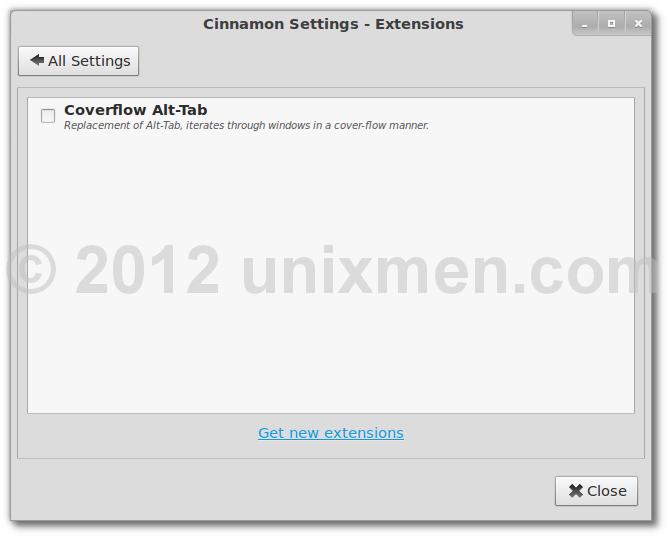
4- Now restart cinnamon, ALT + F2 and type r.

Now use the extension by pressing ALT+TAB
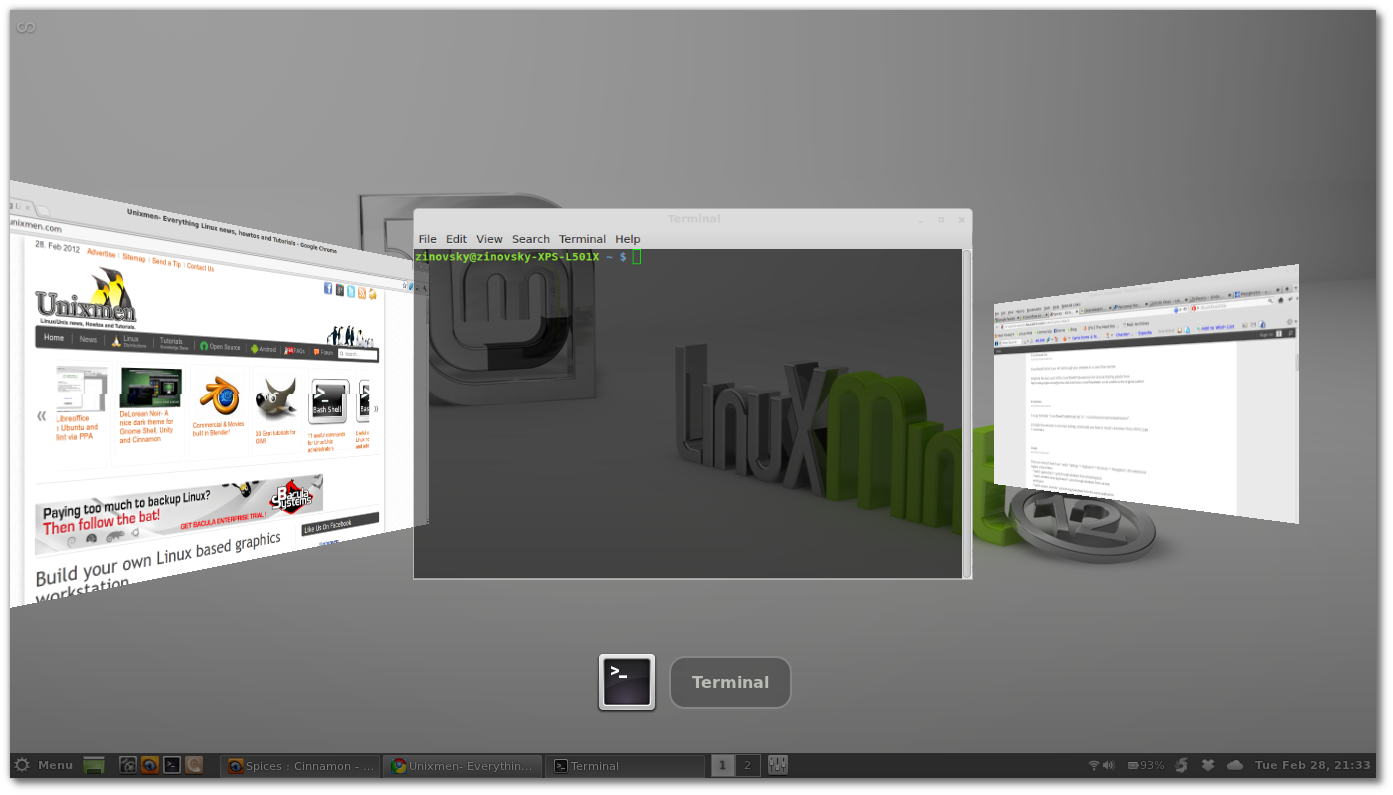
That`s all.

For questions please refer to our Q/A forum at : http://ask.unixmen.com

  • LinuxGuru4ensics

     I like it.

  • Carl Mannino

    Nice 

  • admin250671

    Installed, enabled in cinamon, alt tab and it does nothing..

    • Zinovsky

       logout/login and retry

      • admin250671

         already tried out, just showing normal alt-tab cycle through apps screen (small boxes), but thanks anyway.

      • http://www.facebook.com/profile.php?id=1183131967 Alius Panfilovas

         Worked for Cinnamon 1.2, after upgrade to 1.3 does not work anymore.

        • Peter

          navigate to folder, check permissions. if they are root, sudo nautilus, go to folder, change permissions to yourself as user – remember “same permissions for files in folder” – and: whoops

  • tuhaihe

    ok, That’s great. But Linux Deepin 3D Alt-Tab Swither much cool than that. @1f19783304454682ae048f48d38e53c0:disqus can download from http://packages.linuxdeepin.com/deepin/pool/main/d/deepin-gse/deepin-gse-windows-alt-grave-3d_1.0.16-0deepin2_all.deb . Then use advanced settings to turn it on. Hotkey  is Alt+`.
    Just have a try!

Like us on Facebook

This week Top Posts

Write for us

Recent Comments

Blawer

|

Thanks!!!!!!!!!!!!!!!!!! you rules!!! all the other “help” in google are useless… yours was very helpful. Thanks again

piCool

|

Great ! we have another another master trick :-)

Yilmaz Ulugtekin

|

Just delete the space after the slash (/) it will work.

Pat L

|

I tried it and it works with a regular zip file, but if you password-protect the .zip file it does NOT work.

SK

|

Yes we can. What kind of help you need? We are doing outsourcing and technical support for Linux and Open source worldwide. To know more about the details visit here.

 
IDG Tech Network
Copyright © 2008-2013 Unixmen.com .
Maintained by Anblik .