

Wunderlist has finally descended on the Linux platform. And though it adorns a minimal looking frame, with its sorting, listing, and managing features, it will handle all your to-do things.
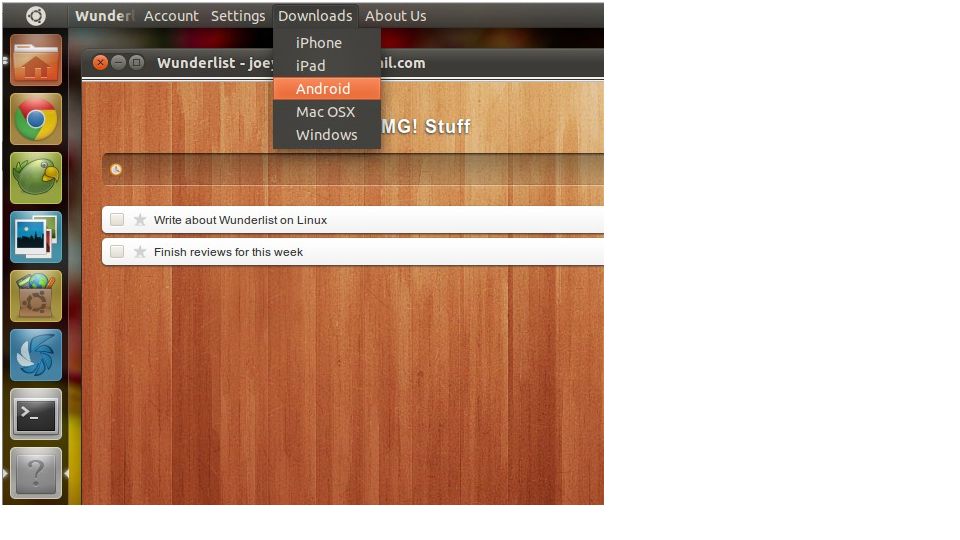
Even with its minimalistic approach, it offers a lot (at least I’m totally satisfied with its features):
- Make lists that have various tasks
- Set completion dates on tasks
- Customize the background of task lists
- Ability to hide the task sidebar
- Filter jobs based on dates and keywords etc
- Mark tasks as important (by starring them)
- Manage tasks using keyboard shortcuts
This app can even work offline. Once you open it, you will be prompted to make an account. If you don’t want to make one, you can click on ‘No Thanks’, and still use the app. You can create, manage, edit, and even add more tasks without the need to have a net connection.
Though you don’t have to register on Wunderlist, but if you do, you get sync features. This will enable you to access your tasks across various platforms that have Wunderlist (like iOS, Android, and Windows)
Hot on demand
Wunderlist was available for users of OS X, Windows and iOS. It has a large number of followers, and has received many great reviews. It wasn’t available for Linux for a long time. So why now?
As it was written on the company’s blog, they noticed a lot of demand from the Linux community, and thus they came up with a Linux version of Wunderlist. Well better late than never.
Looks
If you were waiting for a to-do app with drop dead looks, then this isn’t it. It looks pretty bland on Ubuntu. But before you feel that the developers hate Linux users, let me tell you that it’s got boring looks on OS X and Windows too. I agree- it’s simple. It is made for both new and veteran users. But I would have preferred a little style in looks. Anyway, style or not- Wunderlist does what it’s supposed to do, and perfectly.
This desktop app is absolutely free for OS X, Windows, and Linux. And if you want a mobile app, you can get it for free on your iOS or Android. Plus, it is available as a web app. What more can you ask for?
The Linux one is available as an archived executable file. You have to download and extract it. Then open the file named Wunderlist inside the archived folder.
No more Wine
If you were using Wine to install Wunderlist on Ubuntu till now, you now have a simple solution. Directly install this app on your desktop. In fact, installing it using Wine is what made the company realize that it is demanded by Linux users, and this is how we got a Linux Wunderlist. Well good for us.
So now, after Mac, Windows, iPhone, iPad, Android, Web, and Linux (both 32 and 64 bit), it is available on all platforms but one- Windows Phone 7. But I suppose that the developers are working on a version for that platform. Or maybe there is no demand for it on Windows Phone 7. Either way, I’m happy it came on Linux.


