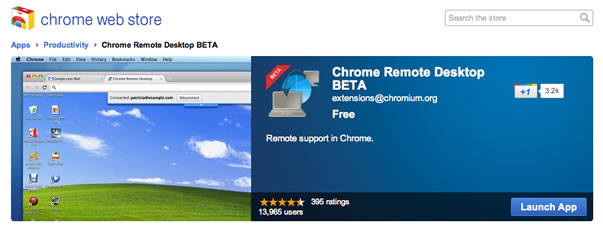
Remote computer control is a facility wherein a user from one computer can gain access to another computer on the same network. Now this has been made easy and hassle free by none other but Google. Google has recently released something called ‘Chrome Extension’ which does exactly the same. It is a browser based and is currently in its beta version. It works like a desktop software which is remote as far as its location is concerned, however giving complete access to the computers on the same network.
The key USP of the software is that the IT administrators can now take a sigh of relief since they can now easily manage their employees’ computers which are on the network. Also, it gives easy access to the individuals to their personal computers from afar, thereby giving them the benefit of convenience.
The chrome browser is a powerful tool giving users the capability to remotely access their computers from far apart. It works on a cross platform. The benefit of the cross platform is that now you can connect with any computer that may have a chrome browser installed. This also includes Linux, MAC, Windows and the Chrome book’s own operating system.
Chrome operating system since long has been striving to give its users hassle free access while on the go. The key benefit of this is that it significantly reduces the administration cost as well as the time of the organizational IT staff. IT staff of big organizations with higher number of employees can now easily gain access to the company computers sitting at their own desk, thereby saving on time, effort and money.
For those of you individuals as well as the IT people who are already excited by this information, the downside is that the service is yet not fully released. The reason cited for the same is that for the administrator to gain full access of other computers on the network, it requests permission from the person at the other end of the network before granting access. This is a limitation and hence chrome extension is yet not fully released but the work is on way and sooner we can expect it to go fully functional.
In order to gain complete access of other computer on the network, the chrome extension requests one time authentication code. If the access is granted by the user at the other end of the network, the authentication code remains valid for that one time and gives you access under a completely secured environment.
The good news is that it is an open source and the source code for the same is easily available through the chromium project. Not only the IT professionals but even the individuals working on more than one system at different points in time can now rejoice as they can easily access their different computers sitting in front of the screen of one of their computers. Managing different software and other stuff from different computers has also become hassle free.
Just like every other Google project, this project is still in its beta stages. It misses out many features such as file sharing. This release is to get feedback from users so as to fulfill the needs of the users in the next release.
some screens from techspot