Google Plus

KDE Telepathy 0.6 beta released

Written by Panos Georgiadis on . Posted in News, Releases

KDE Telepathy is an instant messaging (IM) and voice over IP (VoIP) client for KDE desktop, which supports text, voice, video, file transfers, and inter-application communication over various IM protocols. As its name implies, the software uses the Telepathy framework as its backend. The developers behind this project have been doing an amazing work by adding some really nice features. Here’s the list based on David Edmundson’s post.
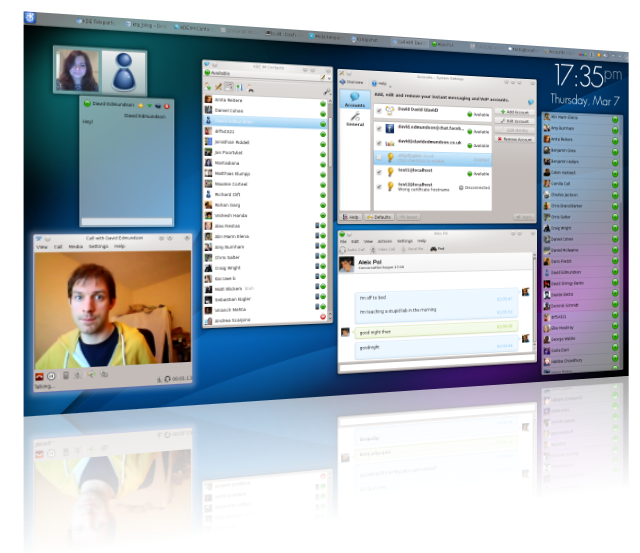
ktp_all_small

New features

- Kopete log migration
- Clearer message notifications
- Better text editing
- Advanced notifications
- Improved password and security management
- More filtering plugins
- More than 70 bugs have been fixed since the previous version

So, this time you can:

Format your messages
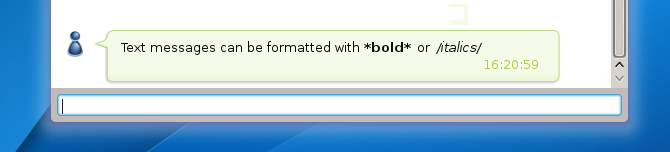
formatting

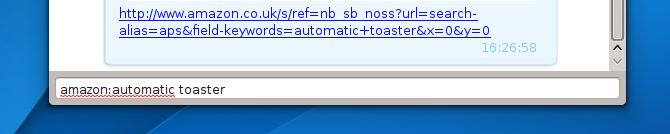
Use web shortcuts

search_replace

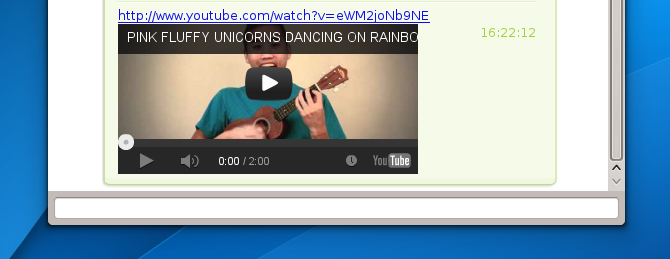
Embed Youtube videos

youtube

and much more …

KDE Telepathy is still under beta phase and can be found here. Any bugs you find, feel free to report them in KDE bug list. KDE is going great lately, lot’s of new ideas and inspiration, just a few weeks before the launch of GSOC 13. We are waiting the next big thing, which might be something like social networks integration in Plasma Workspaces.

For questions please refer to our Q/A forum at : http://ask.unixmen.com

Panos Georgiadis

Panos is studying Control Systems Engineering. He has passion with both hardware and software and writes articles and reviews for many IT websites. In his free time, he plays guitar and drinks beer with friends. Contact: drpaneas (at) gmail (dot) com

Like us on Facebook

This week Top Posts

Write for us

Recent Comments

Pat L

|

I tried it and it works with a regular zip file, but if you password-protect the .zip file it does NOT work.

SK

|

Yes we can. What kind of help you need? We are doing outsourcing and technical support for Linux and Open source worldwide. To know more about the details visit here.

ClintB

|

After install as above, run shell script /opt/Citrix/ICAClient/wfica.sh manually and note lib errors still occur. I had the x64 motif loaded but had to manually install the x86 too. Got that from http://rpmfind.net/linux/rpm2html/search.php?query=libXm.so.4 Even after that, I still had to do a “yum install alsa-lib.i686 alsa-lib.x86_64″ to resolve any additional libasound.so.2 errors. Once those two lib issues were resolved, Citix Web Interface launched apps fine by telling browser to open launch.ica using /opt/Citrix/ICAClient/wfica.sh. Good luck Ernesto!

AD

|

I need some Help on Linux,can you guide me ?

Edson Carlos

|

In debian no found. I need link download install in linux debian

 
IDG Tech Network
Copyright © 2008-2013 Unixmen.com .
Maintained by Anblik .