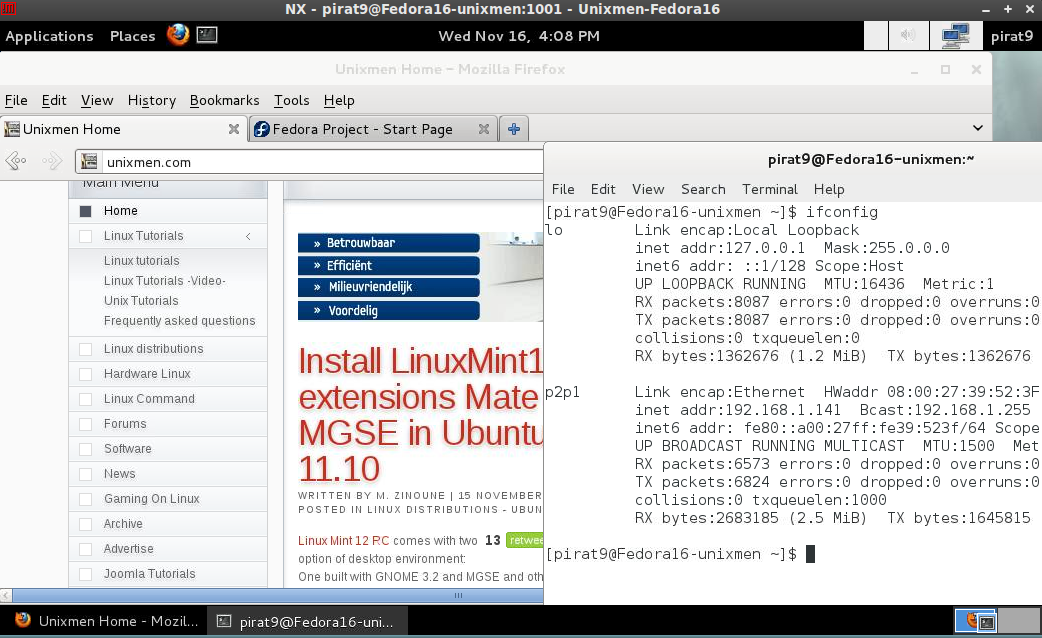
Nomachine or NX technology is a computer program that handles remote X Window System connections, and attempts to greatly improve on the  performance of the native X display protocol to the point that it can be usable over a slow link such as a dial-up modem. It wraps remote connections in SSH sessions for encryption.
It is developed by Gian Filippo Pinzari at the Italian software company NoMachine. The NX scheme was derived from that of DXPC – the Differential X Protocol Compressor project.[
NX software is currently available for Windows, Mac OS X, Linux, and Solaris. NoMachine has clients available for Windows and Mac OS X, and Google makes a freely available Open Source GPL2 version of the server called NeatX
Lets give you example how t o connect to Fedora 16 :
First install the required packges
 [pirat9@Fedora16-unixmen Downloads]$ ll
total 18992
-rw-rw-r--. 1 pirat9 pirat9 4665824 Nov 16 15:27 nxclient-3.5.0-7.x86_64.rpm
-rw-rw-r--. 1 pirat9 pirat9 6798811 Nov 16 15:27 nxnode-3.5.0-7.x86_64.rpm
-rw-rw-r--. 1 pirat9 pirat9 7975938 Nov 16 15:28 nxserver-3.5.0-9.x86_64.rpm
[pirat9@Fedora16-unixmen Downloads]$
Install the packages
 [pirat9@Fedora16-unixmen Downloads]$ sudo   rpm -ivh nx*
Output
[sudo] password for pirat9:
Preparing...                ########################################### [100%]
   1:nxclient               ########################################### [ 33%]
Showing file: /usr/NX/share/documents/client/cups-info
CUPS Printing Backend
The NX Client set-up procedure detected that your “IPP CUPS” printing
backend doesn’t allow printing from the NX session. In order to have
printing support in your NX system, you need to set proper permissions
on the IPP backend. Please execute:
chmod 755 /usr/lib/cups/backend/ipp
2:nxnode ########################################### [ 67%]
NX> 700 Starting: install node operation at: Wed Nov 16 15:45:43 2011.
NX> 700 Autodetected system ‘fedora’.
NX> 700 Install log is ‘/usr/NX/var/log/install’.
NX> 700 Creating configuration in /usr/NX/etc/node.cfg.
NX> 700 Inspecting local CUPS environment.
NX> 700 Generating CUPS entries in: /usr/NX/etc/node.cfg.
NX> 700 Installation of version: 3.5.0-7 completed.
NX> 700 Bye.
3:nxserver ########################################### [100%]
NX> 700 Installing: server at: Wed Nov 16 15:45:49 2011.
NX> 700 Autodetected system: fedora.
NX> 700 Install log is: /usr/NX/var/log/install.
NX> 700 Creating configuration file: /usr/NX/etc/server.cfg.
NX> 723 Cannot start NX statistics:
NX> 709 NX statistics are disabled for this server.
NX> 700 Version ‘3.5.0-9’ installation completed.
NX> 700 Showing file: /usr/NX/share/documents/server/install-notices
Server keys
The initial login between client and server happens through a DSA key
pair, i.e. a couple of specially generated cryptographic keys, called
the private key and the public key, which allow you to establish a
secure connection, by means of SSL encryption, between NX client and
NX server.
– Now you are ready , try to connect from NX client somewhere with NX windows Client or NX Linux Client
in my example i m behind an ubuntu based os :
Download and install the package from http://64.34.161.181/download/3.5.0/Linux/nxclient_3.5.0-7_amd64.deb
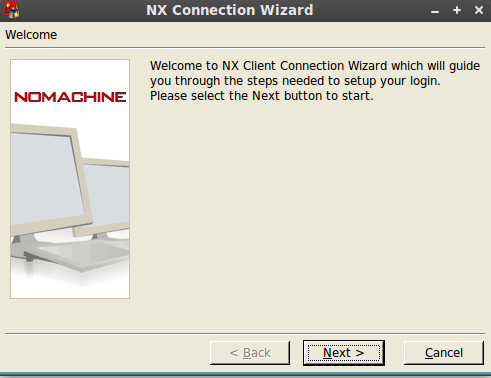
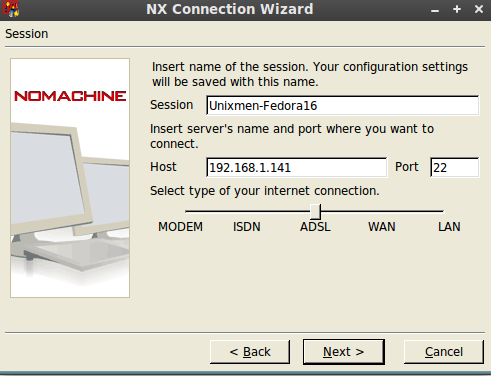
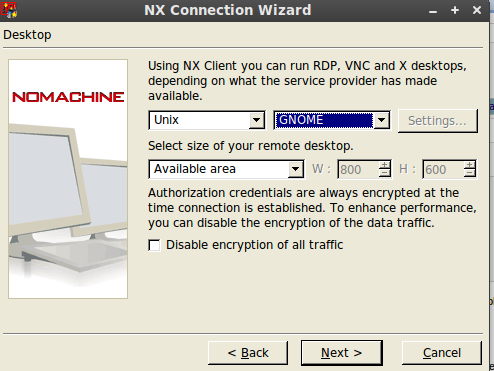
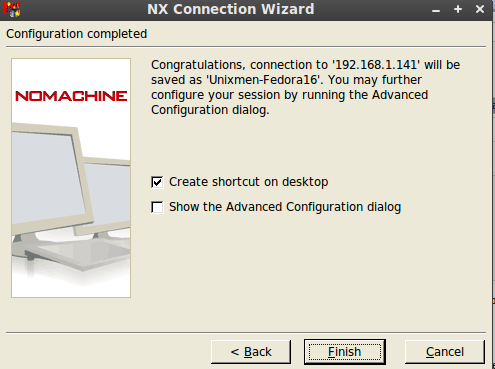
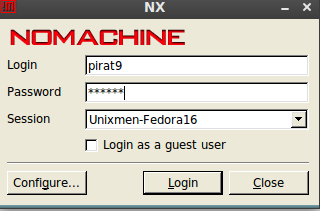
and then start the client:
ENJOYYYYYYY