Google Plus

How to Customize Unity

Written by Panos Georgiadis on . Posted in Reviews

Unity is a shell interface for the GNOME desktop environment developed by Canonical for its Ubuntu operating system. It is designed to make more efficient use of the space, given the limited screen size of netbooks, including, for example, a vertical application switcher (also known as the launcher). Unlike other Linux desktop environments, Unity is not a collection of applications but is designed to use existing programs.

Unity 2D discontinued

Up until now, Canonical used to maintain two discrete versions of Unity, which were visually almost indistinguishable but technically different. However, with the latest Ubuntu release the things have changed, thus Unity 2D is being discontinued for the release of Ubuntu 12.10. The reason why the Unity 2D stopped is the fact that the 3D version becomes more capable of running on lower-powered hardware. Personally I don’t agree with that statement, because I have already tested Ubuntu 12.10 in Core2Duo CPU and it is significantly slower than XFCE, Cinnamon or Gnome shell. Furthermore, if you benchmark your PC using Unigine Heaven, you will find out that Unity has the worst performance among any other Linux environment. However, in case you own a modern CPU this is a difference that cannot be easily perceived by users. Anyway, I hope developers will do a better job on that one, since they have to maintain one branch only, instead of two.

1. UbuntuTweak (NOT discontinued)

This app should be your first priority in order to tweak Unity. Although it is still not perfect and there’s also much space to improve, you won’t need to open terminal again to install the apps now after the combination of “App Center” and “Source Center”. By now, you can still use the old App Center and Source Center in Ubuntu Tweak 0.81, use Source Center to purge the source and downgrade the apps, until all the features are ready in the new Apps.
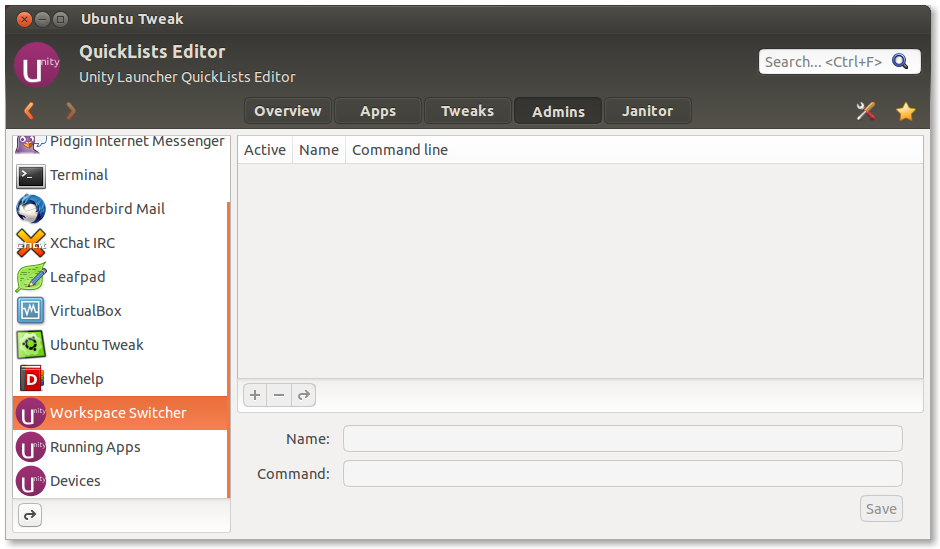
The new version supports Ubuntu 12.10. Here is the release log:

* Overview of Changes
- Add Disable “Show Desktop” in the switcher (12.10 only)
- Add the Apps shortcut to Unity launcher icon
- QuickLists Editor support 12.10 and reordering the unity items
- Add installation status in app view
- Disable the Window tweaks for 12.10
- Add cookie and cache (12.10 only) support for Apps

Download Ubuntu Tweak 0.81

2. dconf-Editor

If you are one of the users who finds Unity too slow for his needs, you can use the dconf-editor, in order to customize it. To install dconf-editor use the command bellow:

sudo apt-get install dconf-tools

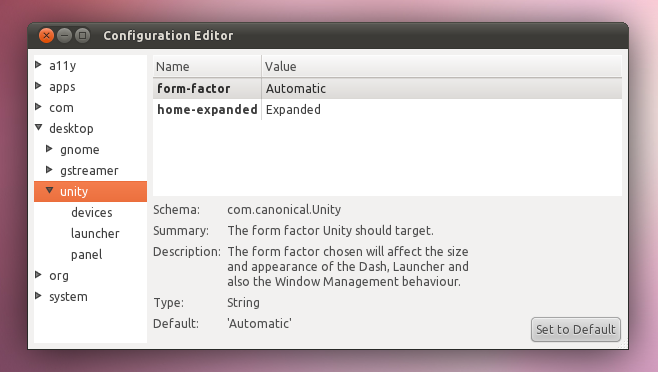
Now open the dconf-editor and change any option you like and use Power Users Unity Options link as a manual. For example, if you want to speed up the Windows minimization, follow the following path:

com > canonical > unity
set minimize-speed-threshold = 0

Notice that any changes you make take effect immediately. So if 0 is too fast, pick another value upon your taste. Try different settings and see on-the-fly how Unity reacts upon your changes.

3. MyUnity
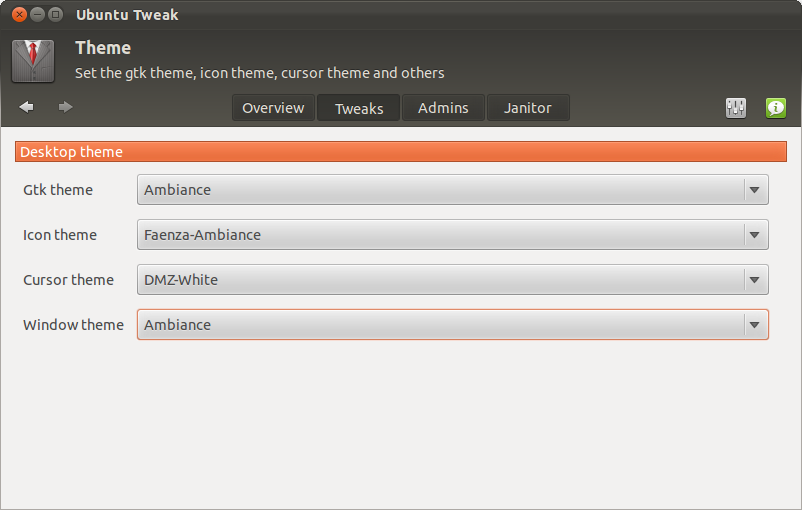
Instead of dconf-editor, there is MyUnity. MyUnity is a tool similar to Ubuntu Tweak but is used for the main purpose of customizing the Unity interface without using CompizConfig-Settings-Manager (which is targeted into more advanced users). Simply put, this utility provides a user-friendly way to adjust, tweak and customize parts of the Unity desktop. You can easily change settings like,Launcher and Panel transparency, Adjust Dash blur, Display Home, Trash, and mounted drives on the desktop, Adjust launcher size, backlights and hiding preferences, Tweak font settings, including size, RGBA and hinting. Just use the command bellow to install myunity first and then start testing.

sudo apt-get install myunity

4. UnSettings
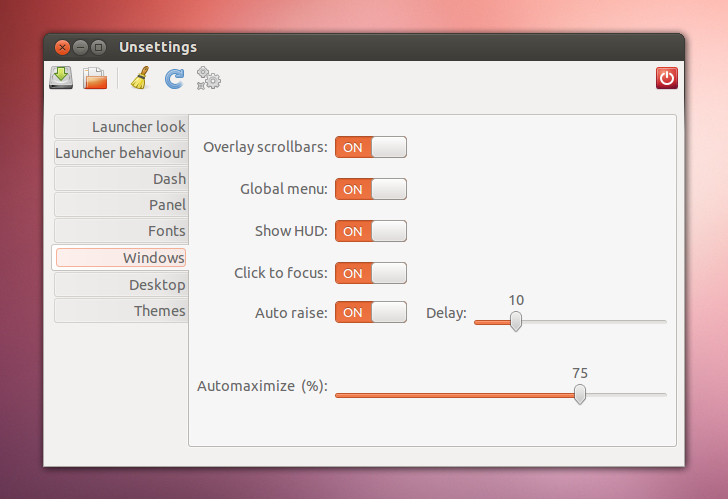
Another tool is Unsettings.Yes sir, the name scheme means Unity Settings. Like any other tweaking tool that comes with some unique features, like: disable the global menu and overlay scrollbars or easily add applications to the systray whitelist. Besides these, the application also comes with features found in other Unity tweaking tools.

sudo add-apt-repository ppa:diesch/testing
sudo apt-get update
sudo apt-get install unsettings

5. CompizConfig Manager
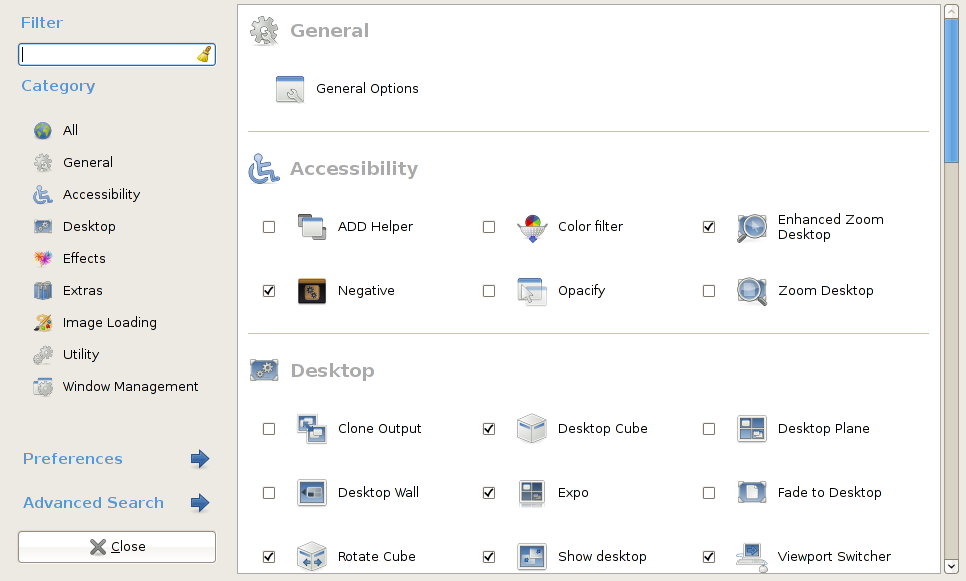
Finally, there is one more final option for tweaking Unity, called CCSM, which is short for CompizConfig Settings Manager. This is a configuration tool for Compiz Fusion and so does Unity. It is used to configure the many plugins included in Compiz and Compiz Fusion, as well as the use of various profiles and intergrates better with existing desktop settings.

sudo apt-get install compizconfig-settings-manager

Pay attention though, The CompizConfig Settings Manager is a powerful application and some users have reported it breaking their desktop configurations. If you encounter problems after tweaking your setup with CompizConfig, you can easily reset Unity to its default settings with a single command:

unity –reset

Last but not least, I think that Amazon links in Dash, slow downs the indexing. In case you want to turn off any commercial shopping spam, use the command bellow:

sudo apt-get remove unity-lens-shopping

For questions please refer to our Q/A forum at : http://ask.unixmen.com

Panos Georgiadis

Panos is studying Control Systems Engineering. He has passion with both hardware and software and writes articles and reviews for many IT websites. In his free time, he plays guitar and drinks beer with friends. Contact: drpaneas (at) gmail (dot) com
  • http://cerebrofucker.blogspot.com Darko

    With all the respect, the image you’re using on the third point (MyUnity) is an image from Ubuntu Tweak, not MyUnity. MyUnity is not currently working on Ubuntu 12.10 (yet). According to andrew-woodhead666 in LaunchPad “The PPAs don’t support Quantal and should be removed”. There are some videos on YouTube of MyUnity 4.0 working on Ubuntu 12.10 but they’re just testing (I guess). This is because this app was created in Gambas2 but Ubuntu 12.10 comes with Gambas3. This is not the only app and PPA’s not working on Ubuntu 12.10. I have problems with addittional packages, like Master PDF Editor. Honestly, I’m waiting for this tweak because is the best tweak to customize Unity. I hope not to sound offensive, because my comment was not to criticize your article I just hope this could be helpful for those users that have the same problem when upgrading to Ubuntu 12.10. BTW, this is the response of the LaunchPad that I read https://answers.launchpad.net/ubuntu/+source/radiotray/+question/211717 and here are some other answers that I found on Ask Ubuntu http://askubuntu.com/questions/203709/how-do-i-install-myunity-on-12-10

  • http://cerebrofucker.blogspot.com Darko

    With all the respect, the image you’re using on the third point (MyUnity) is an image from Ubuntu Tweak, not MyUnity. MyUnity is not currently working on Ubuntu 12.10 (yet). According to andrew-woodhead666 in LaunchPad “The PPAs don’t support Quantal and should be removed”. There are some videos on YouTube of MyUnity 4.0 working on Ubuntu 12.10 but they’re just testing (I guess). This is because this app was created in Gambas2 but Ubuntu 12.10 comes with Gambas3. This is not the only app and PPA’s not working on Ubuntu 12.10. I have problems with addittional packages, like Master PDF Editor. Honestly, I’m waiting for this tweak because is the best tweak to customize Unity. I hope not to sound offensive, because my comment was not to criticize your article I just hope this could be helpful for those users that have the same problem when upgrading to Ubuntu 12.10. BTW, this is the response of the LaunchPad that I read https://answers.launchpad.net/ubuntu/+source/radiotray/+question/211717 and here are some other answers that I found on Ask Ubuntu http://askubuntu.com/questions/203709/how-do-i-install-myunity-on-12-10

  • http://cerebrofucker.blogspot.com Darko

    With all the respect, the image you’re using on the third point (MyUnity) is an image from Ubuntu Tweak, not MyUnity. MyUnity is not currently working on Ubuntu 12.10 (yet). According to andrew-woodhead666 in LaunchPad “The PPAs don’t support Quantal and should be removed”. There are some videos on YouTube of MyUnity 4.0 working on Ubuntu 12.10 but they’re just testing (I guess). This is because this app was created in Gambas2 but Ubuntu 12.10 comes with Gambas3. This is not the only app and PPA’s not working on Ubuntu 12.10. I have problems with addittional packages, like Master PDF Editor. Honestly, I’m waiting for this tweak because is the best tweak to customize Unity. I hope not to sound offensive, because my comment was not to criticize your article I just hope this could be helpful for those users that have the same problem when upgrading to Ubuntu 12.10. BTW, this is the response of the LaunchPad that I read https://answers.launchpad.net/ubuntu/+source/radiotray/+question/211717 and here are some other answers that I found on Ask Ubuntu http://askubuntu.com/questions/203709/how-do-i-install-myunity-on-12-10

    • http://www.ubuntuxtream.com/ Panos Georgiadis

      Hello Darko. Fanrkly speaking I’m very disappointed from Ubuntu 12.10. The unity is slow, full of bugs and erros. I switched back to 12.04. Good luck with the LaunchPad.

      • http://cerebrofucker.blogspot.com Darko

        Honestly, I don’t know why I upgrated my 12.04. It was working perfectly but my desperation to try 12.10 don’t let me even sleep, lol! Anyways, I’ll stay in 12.10 so I can see what’s coming new.

      • Jon

        Use Mate. It works great.

        I have Unity, Gnome3, KDE, Cinnamon, XFCE, LXDE, and Mate installed on my desktop. I use Mate almost exclusively. Once in a while I fire one of the others up and use it for an hour or two but I always go back.

  • greg

    tell me how to make shortcut on the desktop to individual files and folders.Thas all what i want to know. With the rest of problems i can cope some way or another.

  • Trucoto

    unity –reset no longer works in 12.10:

    $ unity –reset
    ERROR: the reset option is now deprecated

Like us on Facebook

This week Top Posts

Write for us

Recent Comments

LinuxSytesNet

|

Yesterday watched a movie with Morgan Freeman called ‘ A long came a spider ‘ and must say that I was quite impressed how they exchanged encrypted messages hidden in pictures. Thank you for the tutorial :)

Bjarni

|

Excellent, thanx!

Ambiton

|

Thank you very much Chris :)

Lolman

|

in cmd

Oliver

|

Do you think that it works on a Macbook Air 1,1?… ohh and, it must be installed in a different partition than Mac OS X, right?… can´t have i installed only Ubuntu on my hard drive?

 
IDG Tech Network
Copyright © 2008-2013 Unixmen.com .
Maintained by Anblik .