

Inkscape is an open source vector graphics editor. Inkscape is cross-platform and runs on Unix based OS, Windows and Mac (typically under X11). In this post we have attempted to gather some best tutorials around the web, categorizing them into various groups, organized from novice users to advance level. If you have not installed inkscape then you can follow the following tutorial.
Basic tutorials
In this section of tutorial I have compile basic tutorials for inkscape. If you are already accustomed to the software then you can skip the tutorials in this section. All these tutorials are thoroughly elaborated and will help beginners start their journey with inkscape! The tutorial will make you familiar to the inkscape interface, how you can create and manage documents, how you can create simple shapes, how you can perform basic functions like transformation, rotation, scaling, grouping, duplication, alignment, distribution and how to fill and stroke in objects.
1- This is basic Inkscape tutorial that will introduce you to Inkscape, giving you basic overview of the opensource program and enlighten you what you can accomplish with it.
[youtube]TLqhBroA_q0[/youtube]
2- Basics of Inkscape. This tutorial is specially designed for beginners that introduces you to the basics of inkscape

3- Using Templates in Inkscape. This tutorial teaches beginners to use templates in inkscape.
Drawing with Inkscape
In this section we have compiled tutorials for free-hand drawing, arranged inorder of complexity.
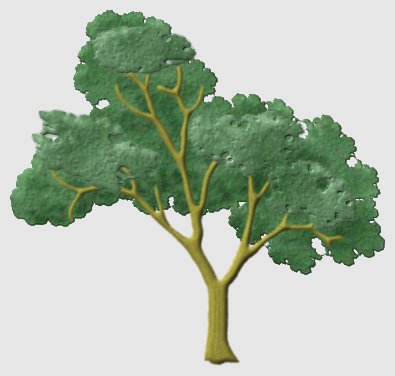
4- Draw Trees. This tutorial is simple to follow and will teach you some basics and tips and tricks.The end result is shown below.
5- Floral Motif. This is an awesome step by step tutorial that illustrates you to draw a vector floral motif. With every step a diagram is added to guide you in a better way.

6- Fancy Borders.This is another ultimate tutorial that is demonstrated with figures step-by-step. These tutorials can be particularly helpful if you are a novice in vector art.

7- Creating Vector Flourishes and Swirls. This is again a tutorial that will enlighten you with simple tricks of vector drawing!
[youtube]S4sfmzJ-2ps[/youtube]
8- Urban design.This is another very useful tutorial. Who can tell by looking at the image, that the graphic is created by an opensource product, not with Photoshop or illustrator!

9- Postage Stamps with Inkscape! This tutorial illustrates three ways of creating natrual looking vector stamps.
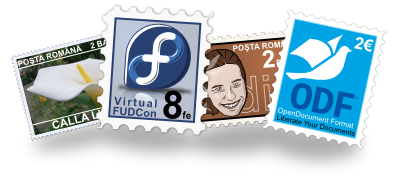
10- Sticker & Folded edge: This is another amazing tutorial, that has already placed in various forums, however I felt the need to re-post this link as it is one of the best Inkscape tutorials.

11- Draw anime eye: This is another interesting step-by-step tutorial illustrates steps to draw an anime eye, with impressive detailing.

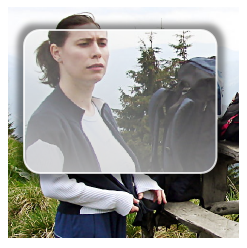
12- Create a glass effect in your photo: This tutorial is very intuitive and will give you an insight to many techniques you can try with inkscape. You might not want to reproduce the same effect but can be creative with it. May be by adding similar effect in text.
13- Create interesting cartoon vector: This is an elaborated tutorial to make an interesting cartoon character. The tutorial is divided into subsections, each discussing techniques in detail.

14-Ipod nano: A fast-forwarded movie that teaches you to make a rather realistic ipod nano.
[youtube]zWzwQF8sZyc[/youtube]
15- Draw little red riding hood: This is another quick drawing that teaches you to make a very interesting cartoon character.
[youtube]-gRoxyu-zsc[/youtube]
16- Cartoon bear: This is another speed drawing that will teach you to make cartoon bear. If you have tried the above tutotrials and you are known to the techniques of inkscape, this will not be very difficult one to follow.
[youtube]YmI-g-f2ec8[/youtube]
17- How to create a vector pencil icon pack with Inkscape: Create your icon set, a very fine vector icon tutorial.
[youtube]vid16DRMFDQ[/youtube]
18-Create dark glass Files Icon: Yet another tutorial for creating icon set. Easy to follow and insightful tutorial.
[youtube]dJT_Fthf-rk[/youtube]
Text Effects
19 – Graffiti/ street art: This tutorial teaches you to create a colorful text effect.
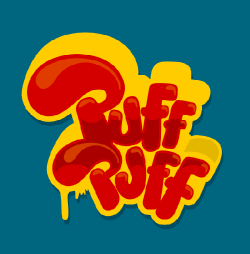
20 -Fun filled text: This is truly fun-filled text, with vibrant colors and eye-catching effect!
[youtube]aMjIxmNIzmA[/youtube]
21- Text in spotlight
[youtube]7vBLcCtLoVg[/youtube]
22- Neon
[youtube]IXa53nfj42M[/youtube]
Website assets!
23- Button Highlight Effect: This is a rather simple tutorial. The end result is as following.
24-Vector light button: This is another famous tutorial from vectortuts.

25-Webpage layout: This is a simple layout, follow this and exercise your creative glands to produce something more innovative!
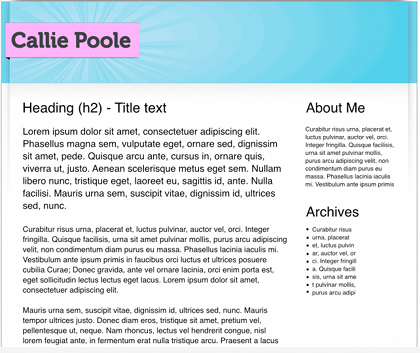
26-Webpage layout: This video tutorial teaches you to slice webpage template.
[youtube]NAKRS2TcKmQ[/youtube]
27- Logo: Fast forwarded movie that teaches one to make a logo. This video may not teach you minor details but will give you an overall idea of the process.
[youtube]HciNiZXGKmI[/youtube]
28-Ubuntu logo: Learn o make Ubuntu tutorial in inkscape!
[youtube]90SV-JSyRxA[/youtube]
29- Creating YouTube logo: A very interesting tutorial to teach you how to make typical YouTube logo. This can also give you insight to usage of various tools.
[youtube]OaCLs529lAc[/youtube]
Utility
30- Inkscape bitmap to vector: This is tutorial that teaches you basics of tracing bitmap
[youtube]bSR_dI1gE4E[/youtube]
31- Turn your jpeg image to SVG, a simple tutorial but can be very beneficial.
[youtube]r8cpJtf3CVw[/youtube]
I have attempted to gather, in this post tutorials that have not been discussed earlier. I hope this collection will benefit you and help you start your journey with inkscape!


